




Learn how to perform BMW BDC2 All Keys Lost programming using Keydiy KD-X6 Key Programmer. Follow this step-by-step guide covering BDC pre-processing, G-chassis DME EEPROM reading, and dealer key generation.
Requirement:
1.KEYDIY KD-X6 Main Unit
2.Dedicated Adapters & Harnesses
BMW BDC2 Dedicated Bench Adapter Board
BMW BDC2 Dedicated Wiring Harness Set
- BDC Power Cable (for 12V bench power supply)
BDC Programming & Matching Lines
BMW BDC2 G-Chassis DME Dedicated Wiring Harness
3.Power & Accessories
- 12V External Power Adapter
- KEYDIY KDFGB23 Universal Smart Key
Step-by-Step Programming Guide
Phase 1: BDC Pre-Processing & Immobilizer Backup
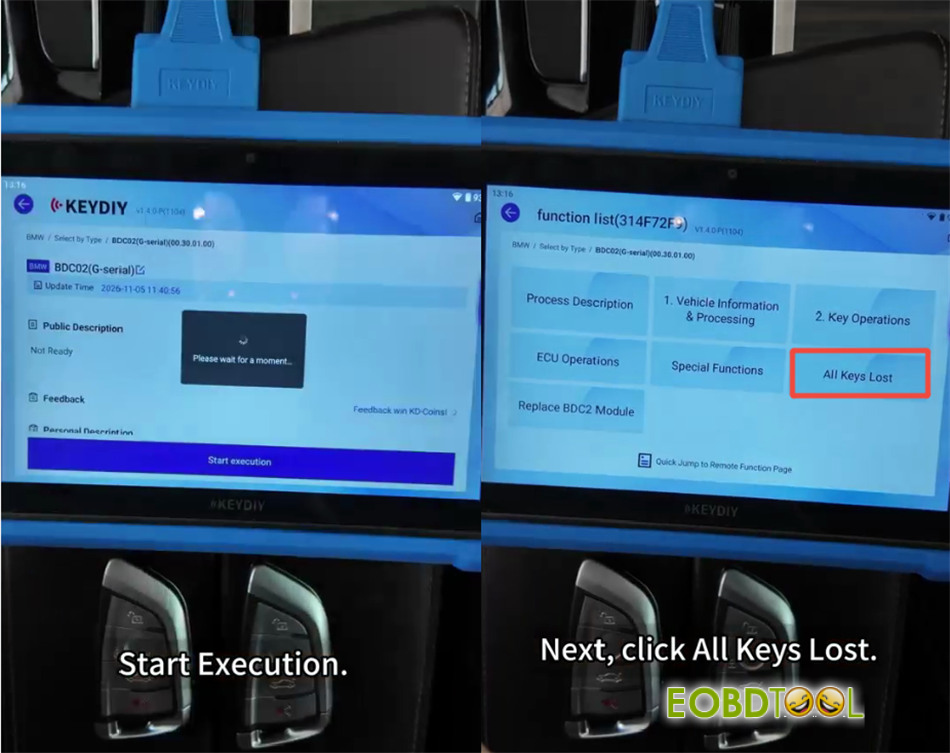
1.Access KD-X6 interface: Navigate to Programming Function> Immo Programming > BMW > BDC02 to serial and hit Start Execution. Select All Keys Lost. (Note: Do not execute this procedure on hybrid vehicle models).
2.Remove the BDC control unit from the vehicle and disassemble the main board.
3.Install the dedicated Keydiy BMW BDC2 adapter board according to the wiring pinout. Connect the BDC power cable, programming line, matching line, and a 12V power supply.
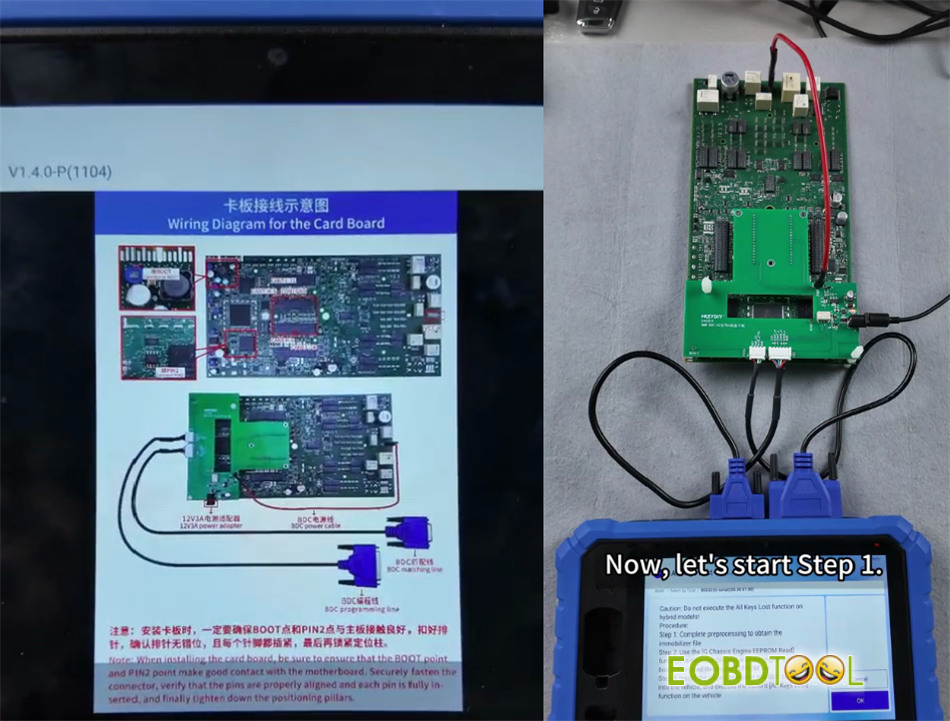
4.Go to Vehicle Information and Processing:
- Step 1 (Read Vehicle Status):Backup and save the initial vehicle information file.
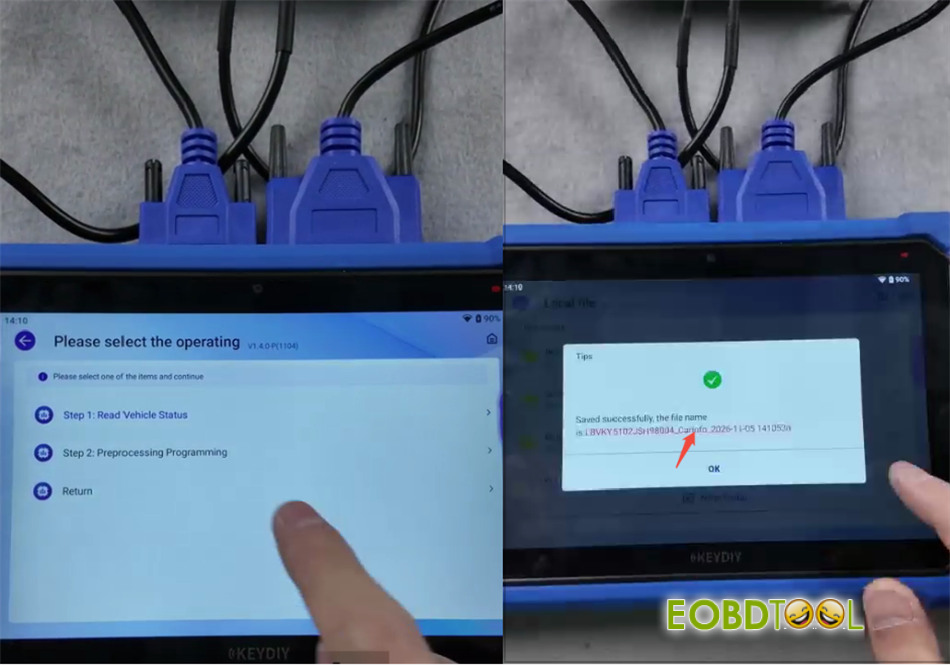
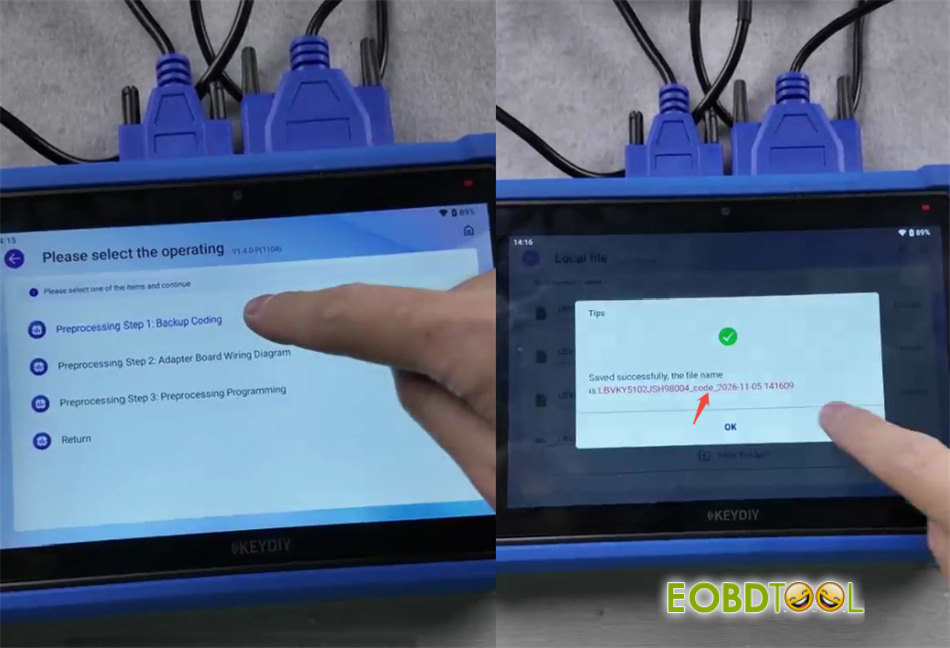
- Step 2 (Pre-processing Programming):Backup and save the original coding file.
- Step 3 (Pre-processing Write):Load the saved Step 1 file, verify parameters/VIN, and select the backup ECU file. The software will transfer ECU programming data (estimated time: 15 to 40 minutes). Save the resulting immobilizer data file.
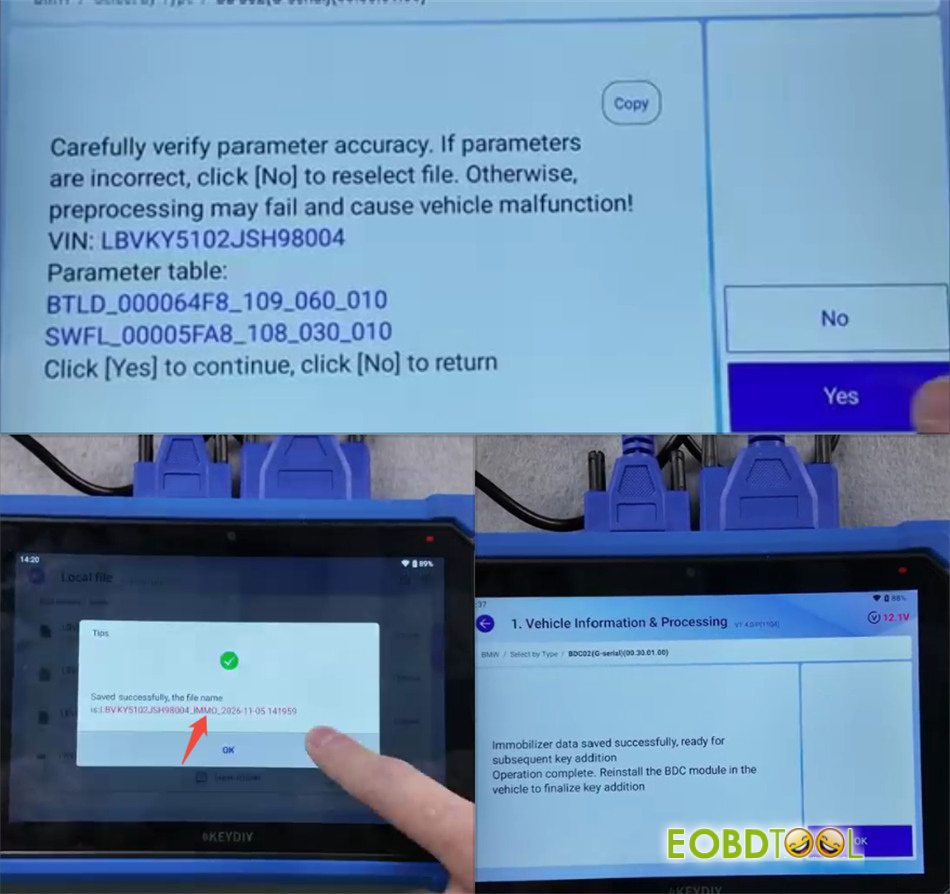
Phase 2: Engine DME EEPROM Reading
- Remove the engine control unit (DME/ECU) from the vehicle.
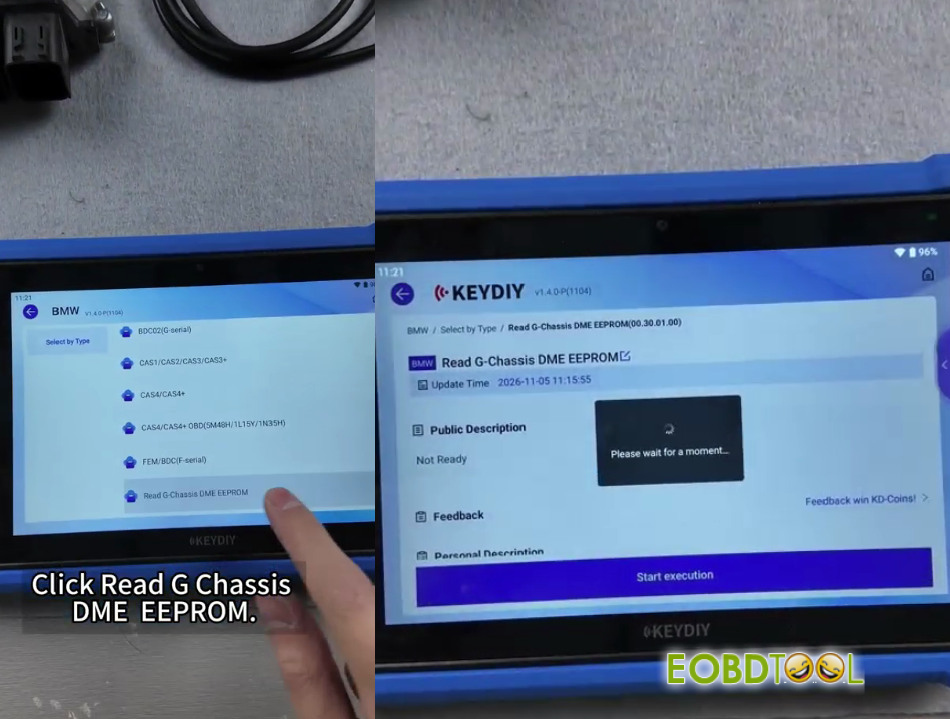
- Select Read G Chassis DME EEPROMon the tool and start execution.
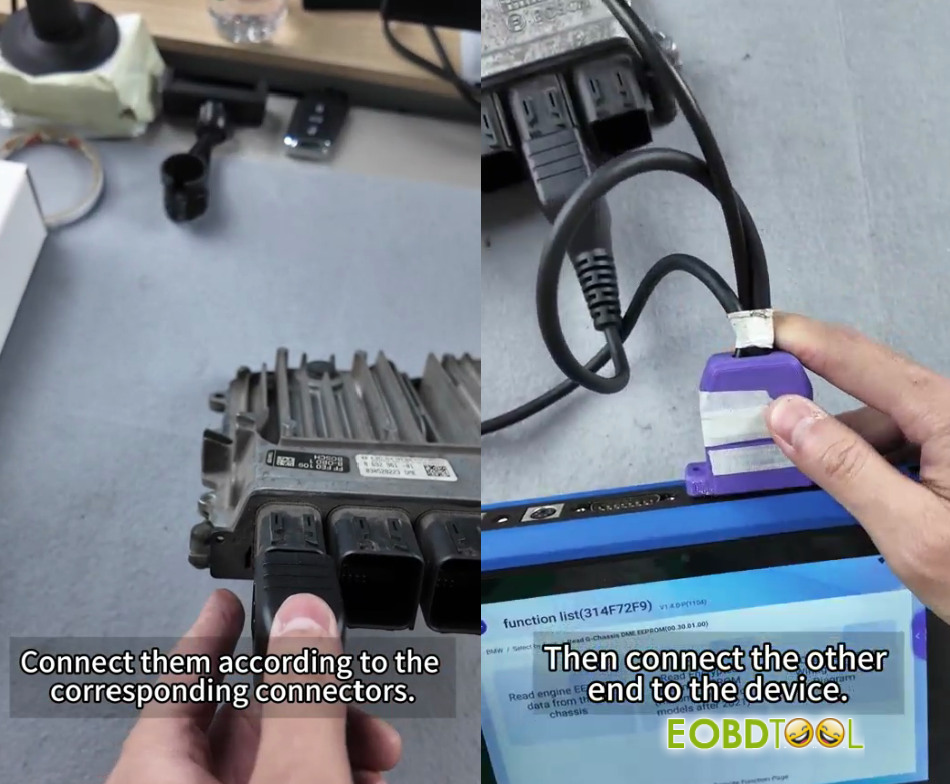
- Connect the BMW BDC2 All Keys Lost dedicated wiring harness to the corresponding engine computer connectors, join the harness to KD-X6key programmer, and power it with 12V.
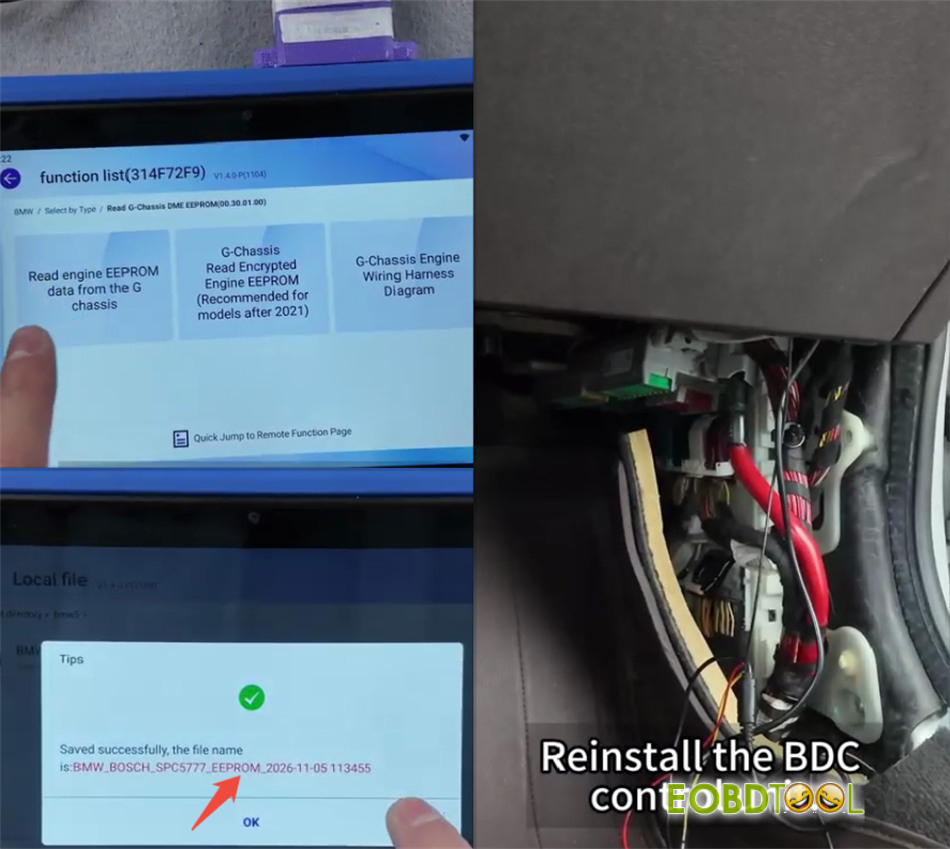
- Click Read engine and alarm data from the G chassisand save the EEPROM file.
- Reinstall both the DME and BDC modules back into the vehicle.
Phase 3: OBD Key Generation & Learning
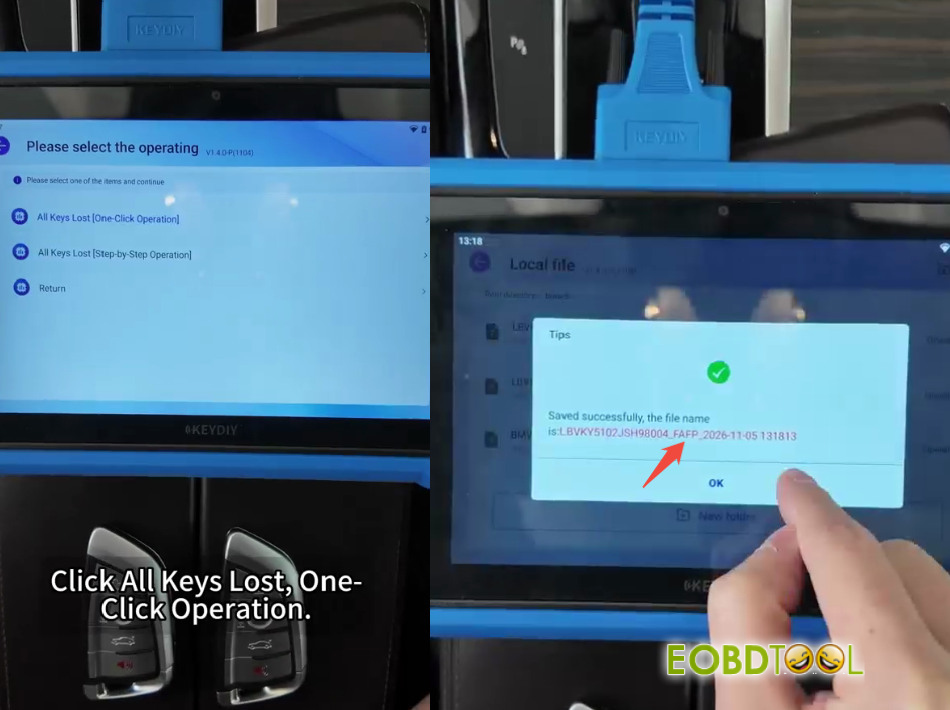
- Connect KEYDIY KD-X6 to the vehicle OBD port and select All Keys Lost [One Click Operation].
- Save the backup file, select Method 1, and load the previously saved DME EEPROM file. Click Write Successful.
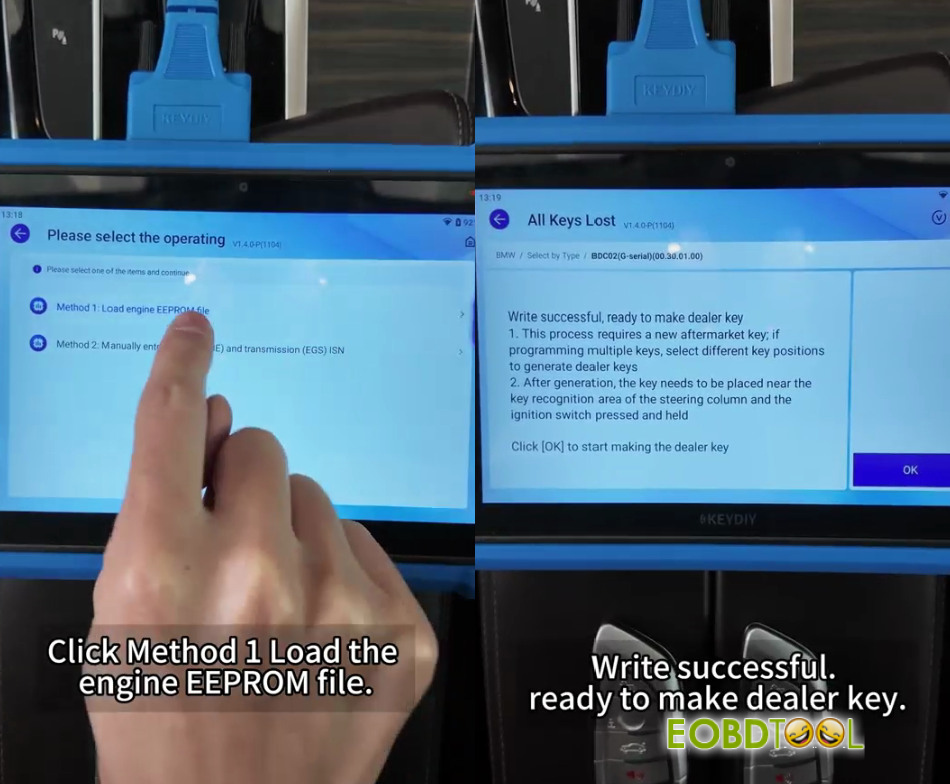
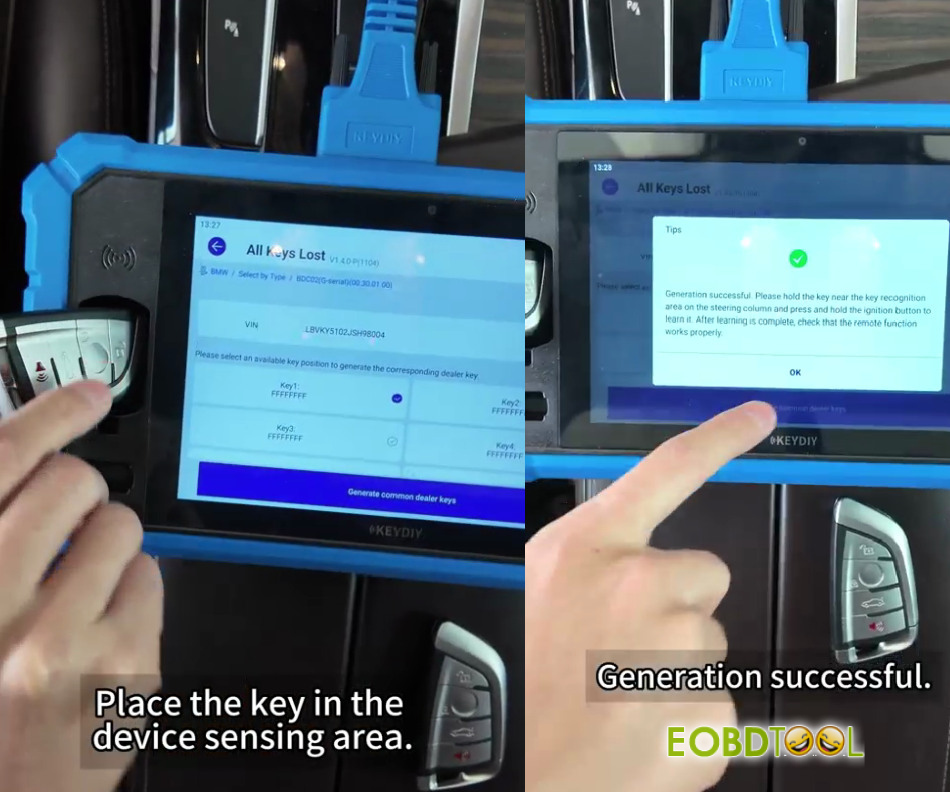
- Place an empty Keydiy smart key into the device sensing slot and select an available key position.
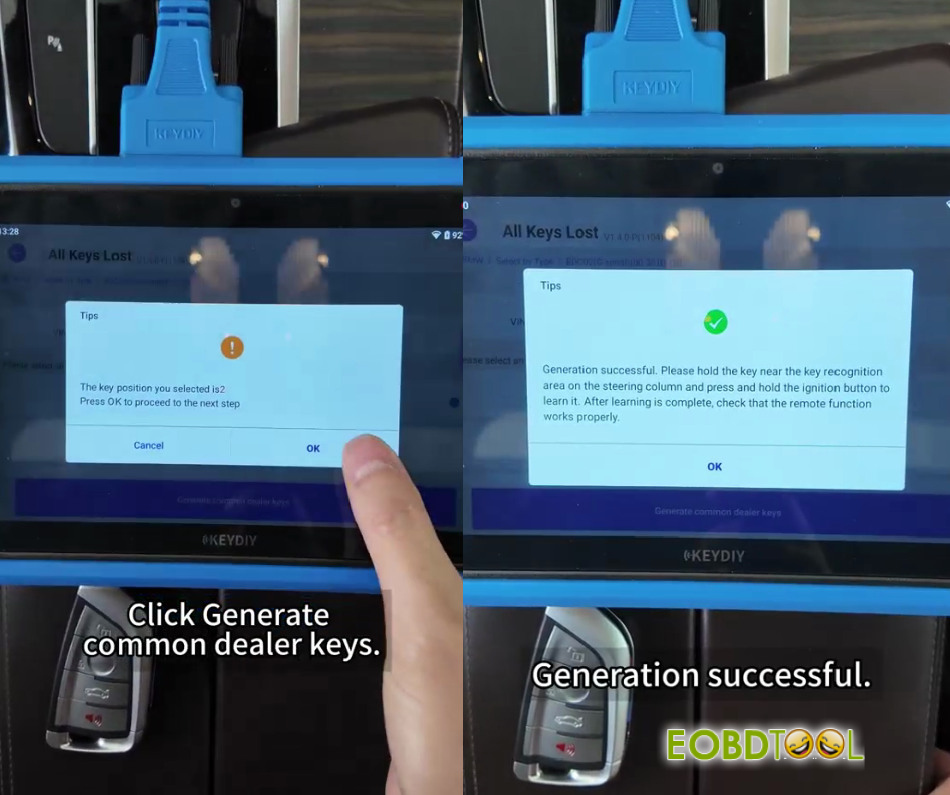
- Click Generate Common Dealer Keys> select KDFGB Remote > choose the correct frequency (e.g., 433.2 / 434.6 MHz) to generate the dealer key. Repeat for a second key if needed.
- Hold the new key near the steering column emergency sensing area and press/hold the Start/Stop ignition button to learn the key.
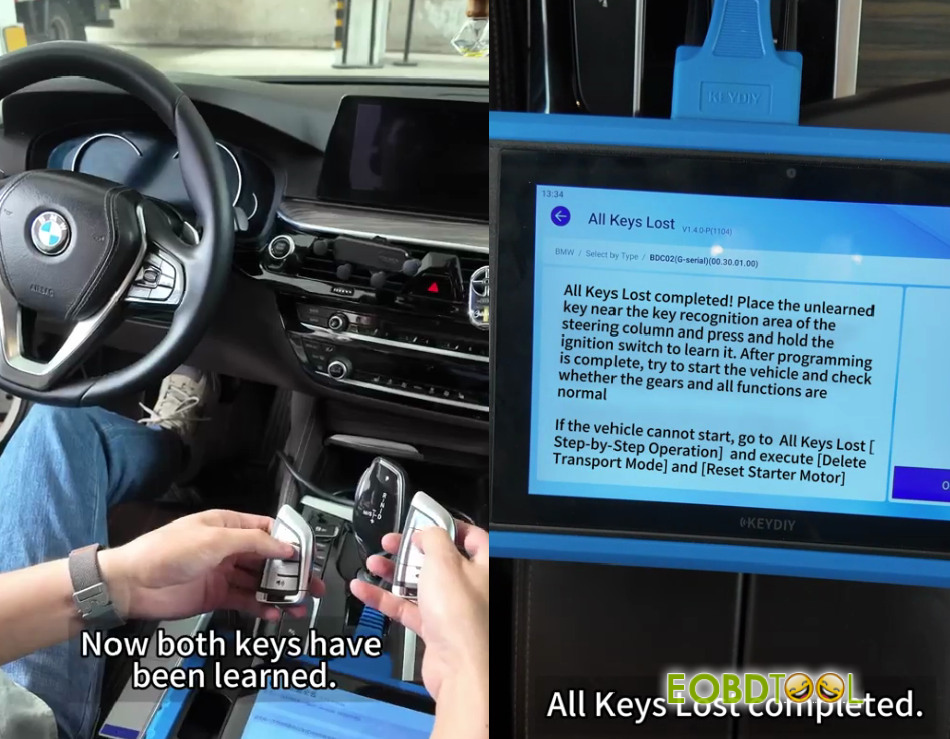
- Test remote functions, engine ignition, and gear shifting to confirm successful completion.
Video guide:
UK Professional OBD2 Tools Online Shop