




This guide outlines the step-by-step process for purchasing and activating the ECU Flashing function on Launch X431 V+ SmartLink HD (X431 PRO3 LINK HD).
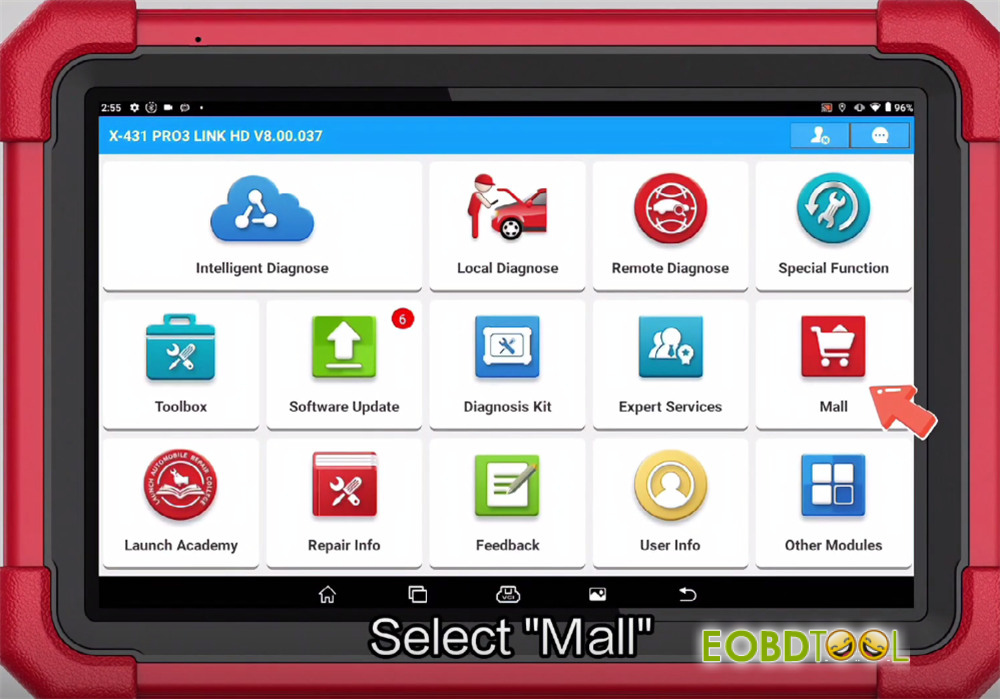
Navigation path:
Go to Mall → Software Store → Commercial Vehicle → ECU Flash
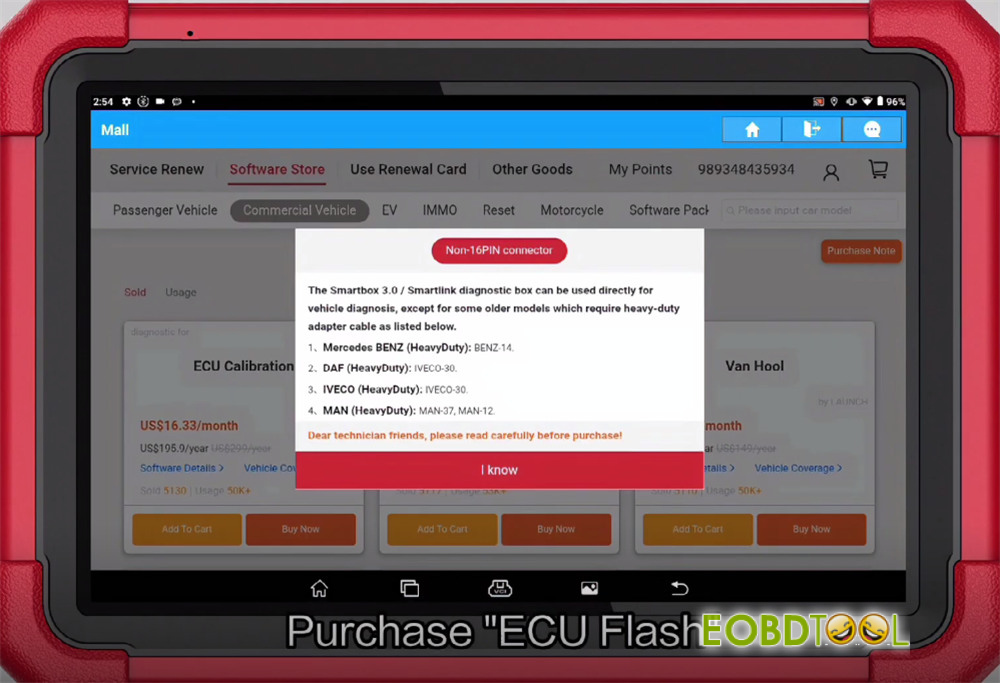
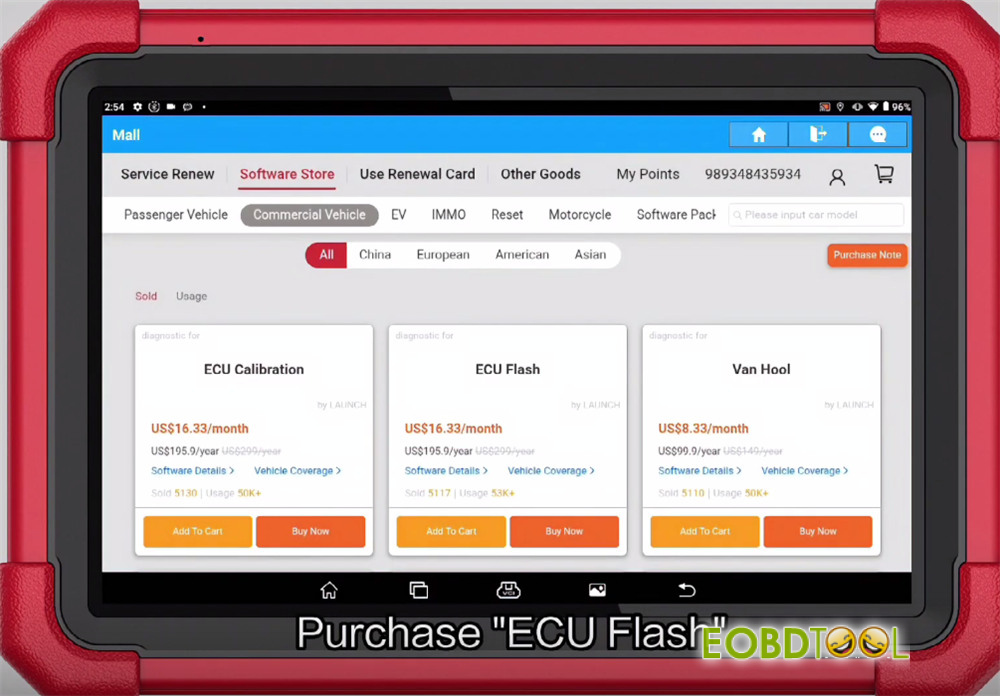
Three subscription options are available:
12 months / 24 months / 36 months
Select your preferred software package and confirm the order
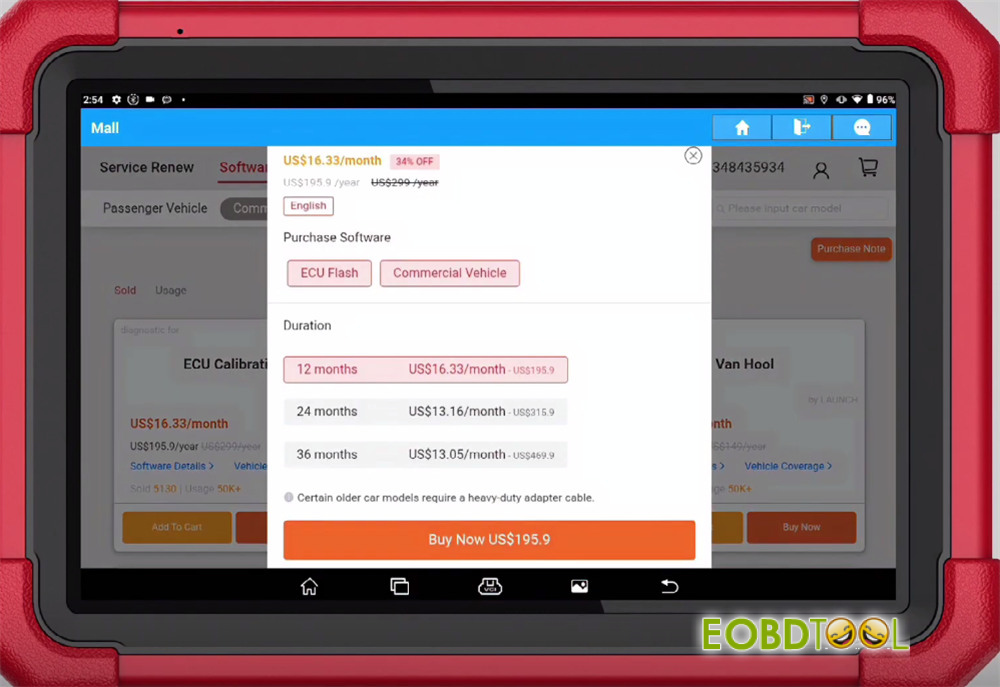
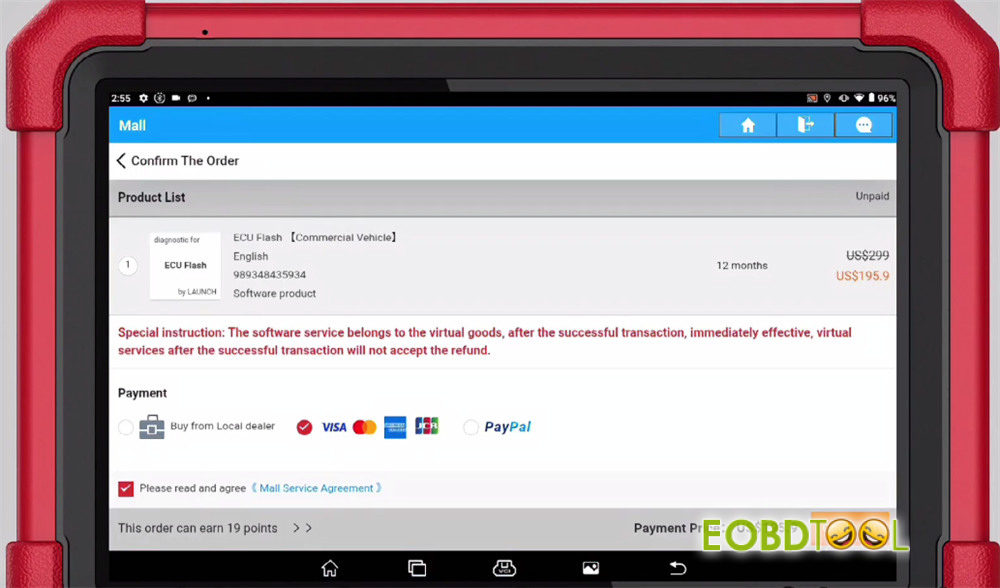
After purchase, download the software
Exit X431 application
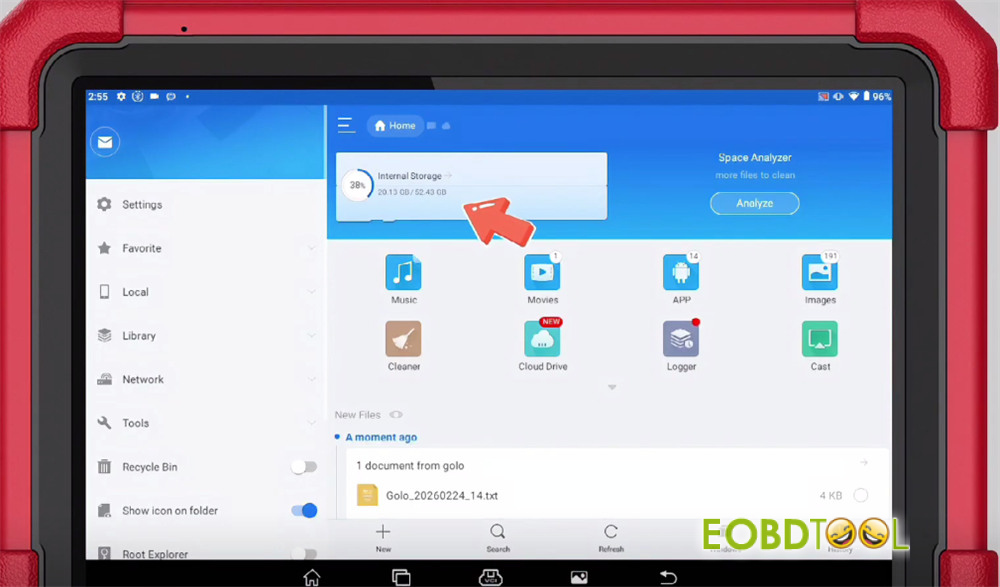
Open “ES folder” in the home menu
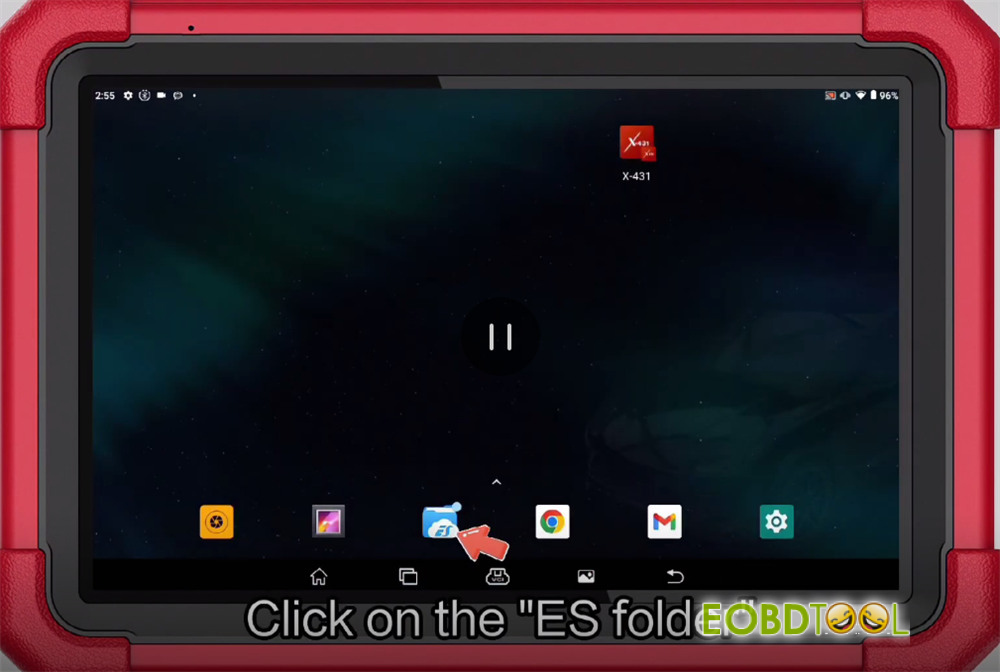
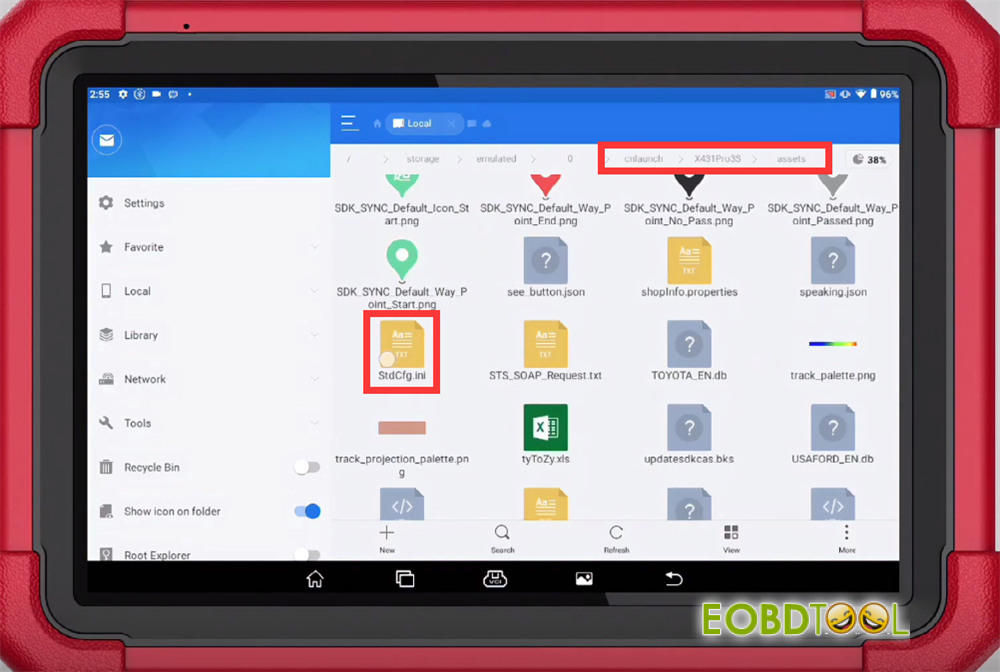
Navigate to the following directory:
/cnlaunch/X431Pro3S/assets/StdCfg.ini
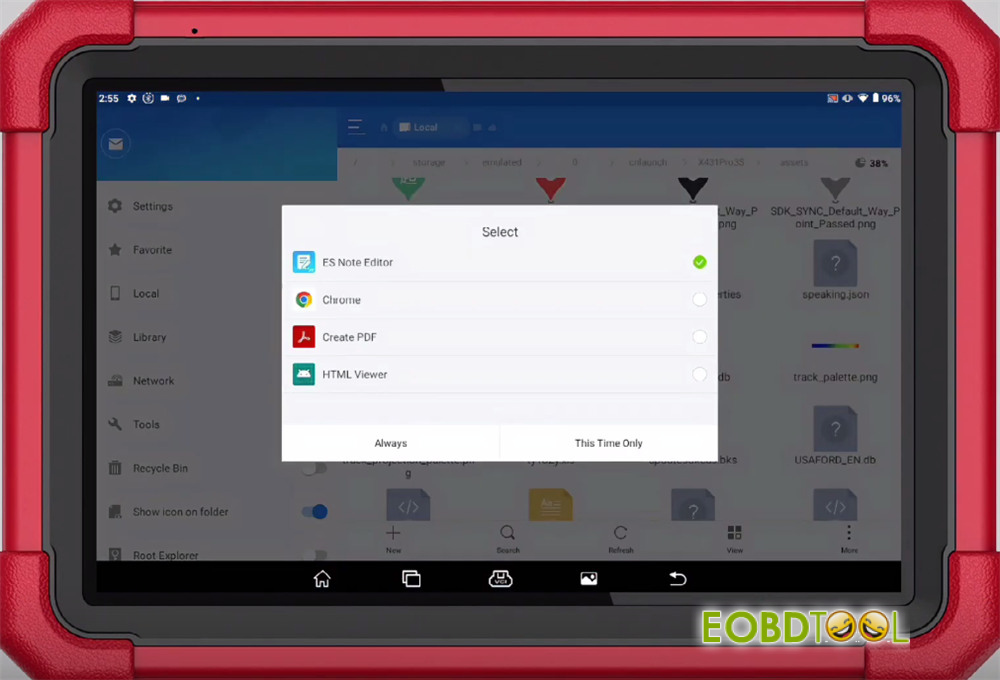
Select “ES Note Editor” and choose “This Time Only” or “Always”
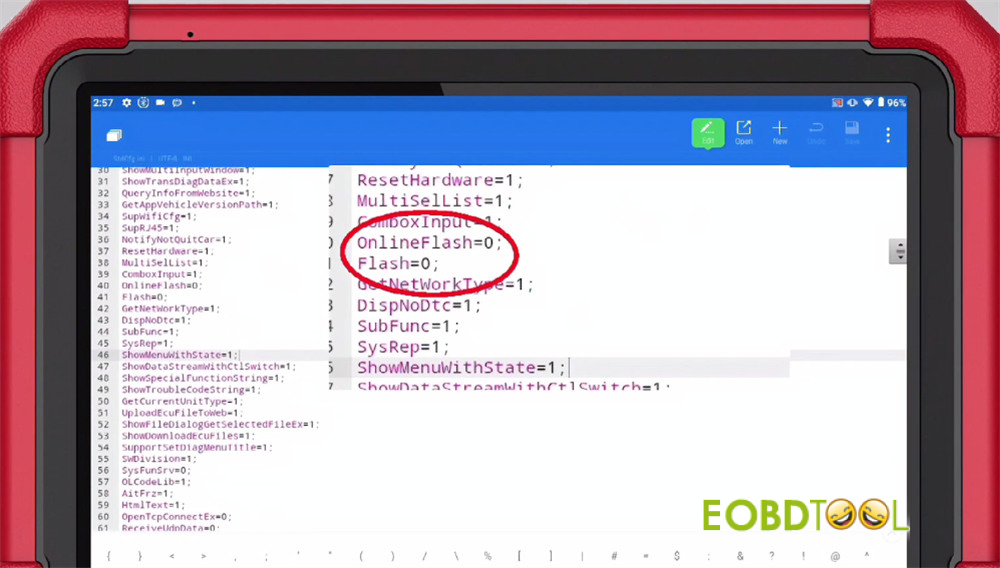
Modify the following parameters:
- Set OnlineFlash=0 toOnlineFlash=1
- Set Flash=0 to Flash=1
Save the file after making the changes
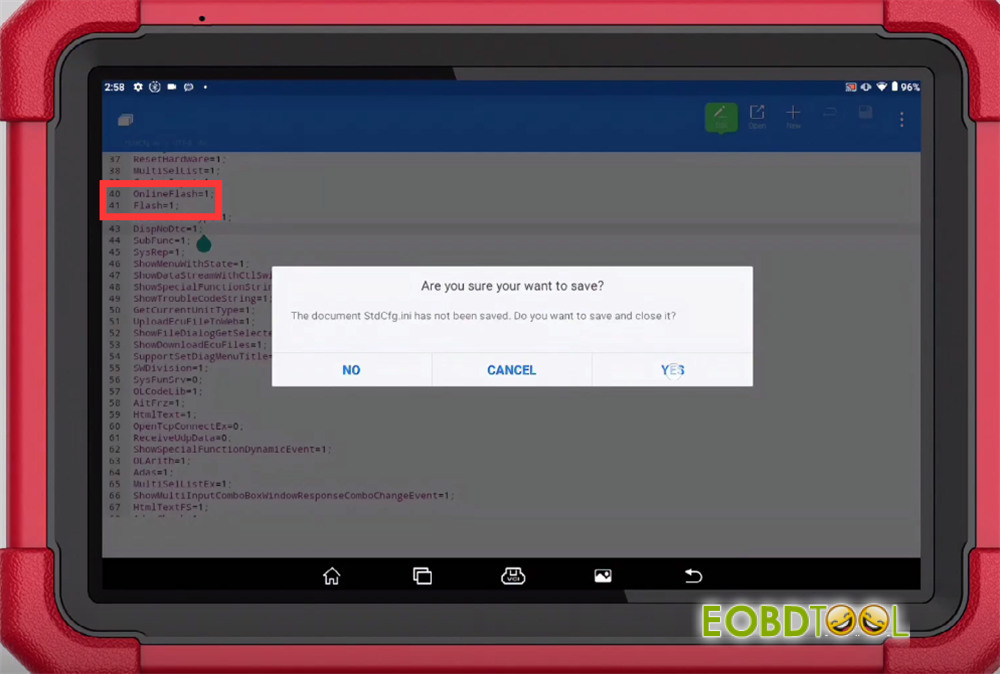
Reopen X431 App
Select Local Diagnose-> Online Flashing
Currently, the function supports 90 software programs, with more to be added in future updates.
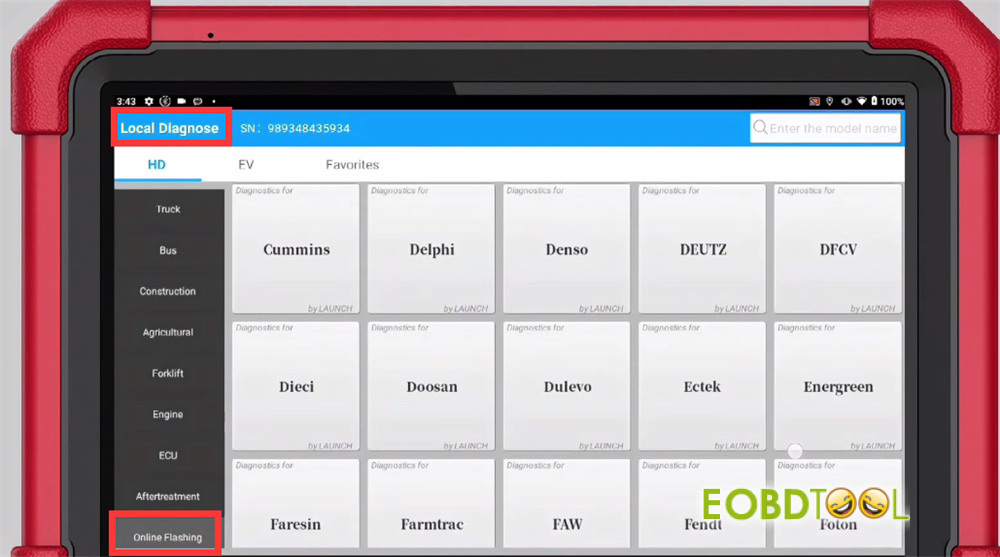
Kindly notice:
This guide also applies to X431 PRO3S+ SmartLink HD.
If the parameters OnlineFlash or Flash are missing from the document:
Directly add “OnlineFlash=1; Flash=1;” at the end of the file.
Launch X431 Update ECU Flash Function for V+/PRO3S+ SmartLink HD







