







Yanhua Mini ACDP1/ACDP2 with Module 45 enables data reading and writing and mileage correction for the newer VAG gearbox produced after 202 DQ38x0DE/0GC, DQ500 0DL (bootloader of BH1G0401 and 7-pin connector). Follow this guide to check how to read and write DQ38x_GEN2 data.
Preparation:
- Yanhua ACDP1 with ACDP1 Module 45
Or Yanhua ACDP2 with ACDP2 Module 45
- Android/IOS Smartphone or tablet with installed ACDP APP
Step-by-step guide:
Step 1: Verify TCU Type
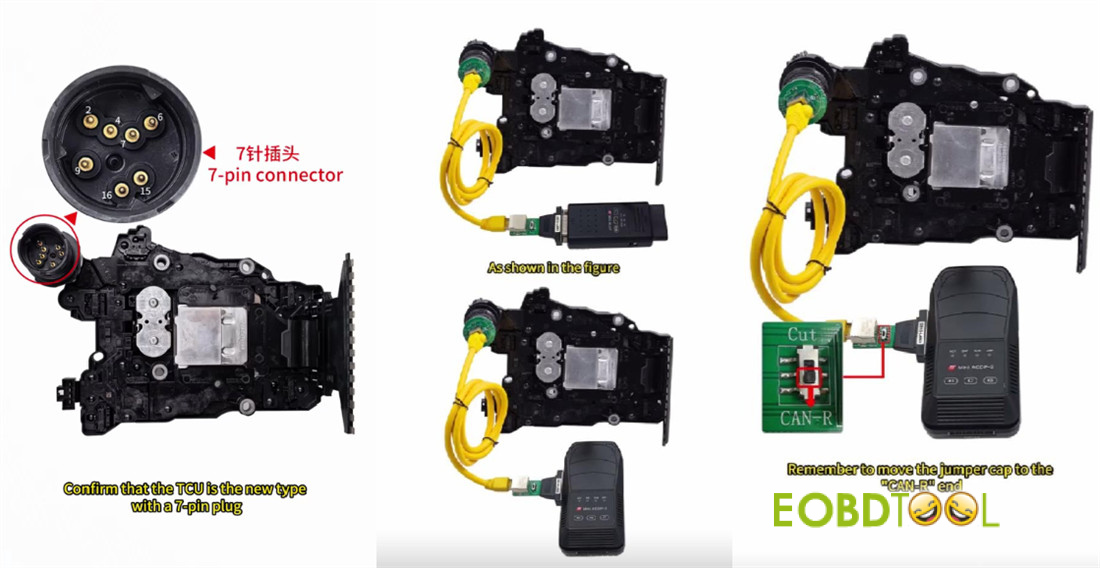
Ensure the TCU is the new version featuring a 7-pin connector.
Use the product images provided for visual confirmation.
Older gearboxes use a different connection method and are not suitable for this process.
Step 2: Set Up Device
Connect Yanhua ACDP (either ACDP-1 or ACDP-2) and the corresponding Module 45 interface board to the gearbox.
Move the jumper cap to the position marked “CAN-R” on the board.
Power on ACDP device.
Step 3: Retrieve Identification Information
Open ACDP application on your mobile device.
Check the top-right corner of the screen to make sure the ACDP device is connected successfully.
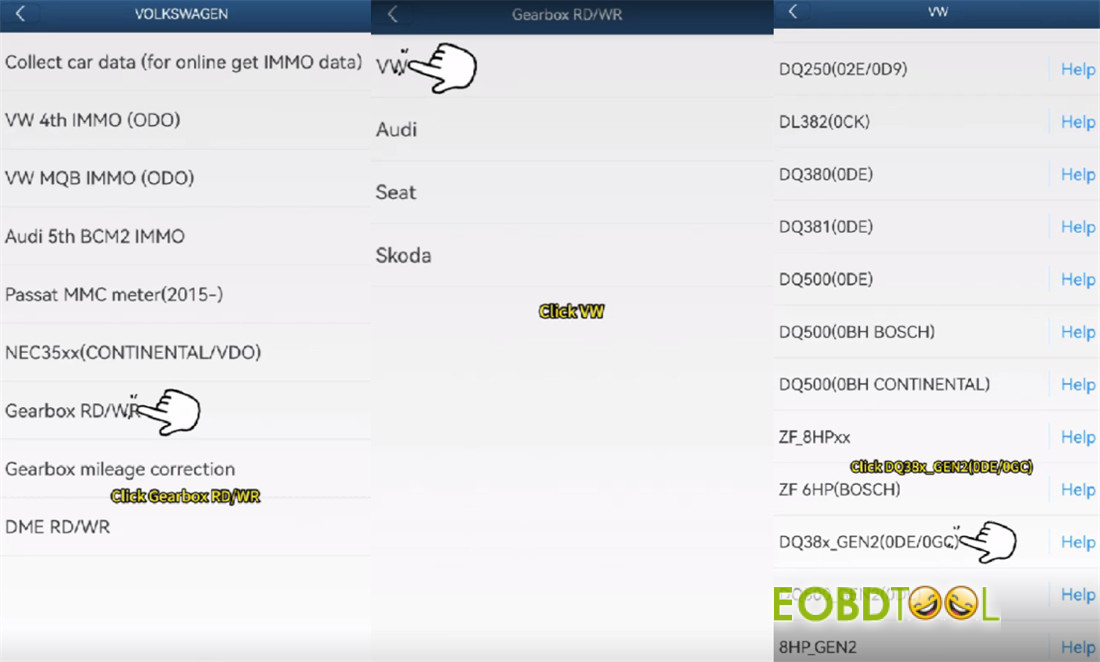
Navigate as follows:
VW/AUDI → Gearbox RD/WR → VW → DQ38x_Gen2 (0DE/0GC)
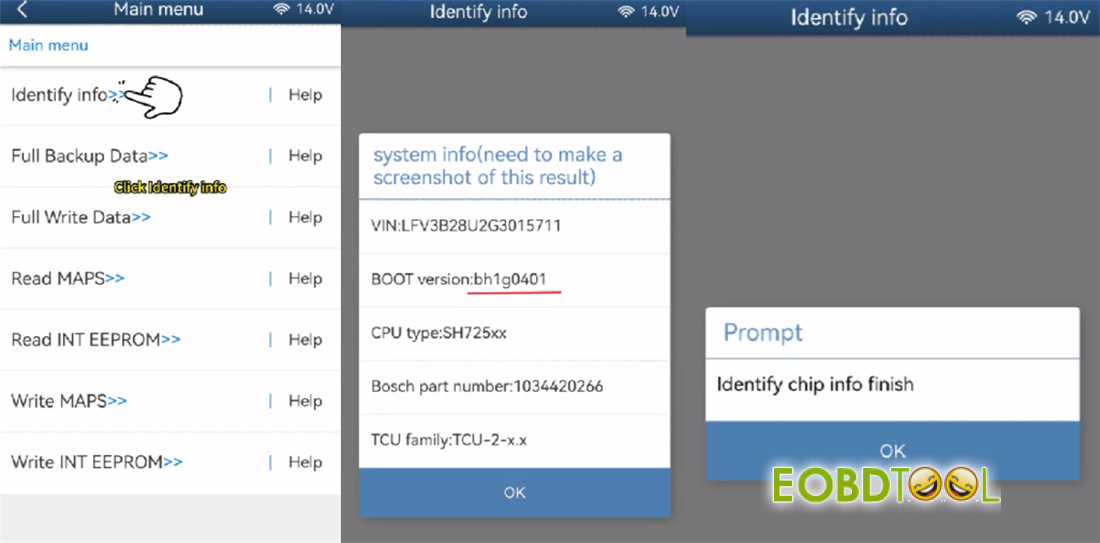
Tap [Identify info]
Look over the identification details shown on screen. Confirm that the BOOT version is BH1G0401.
Take a screenshot for your records
The app will detect the chip information. Once finished, tap OK.
Step 4: Perform a Full Data Backup
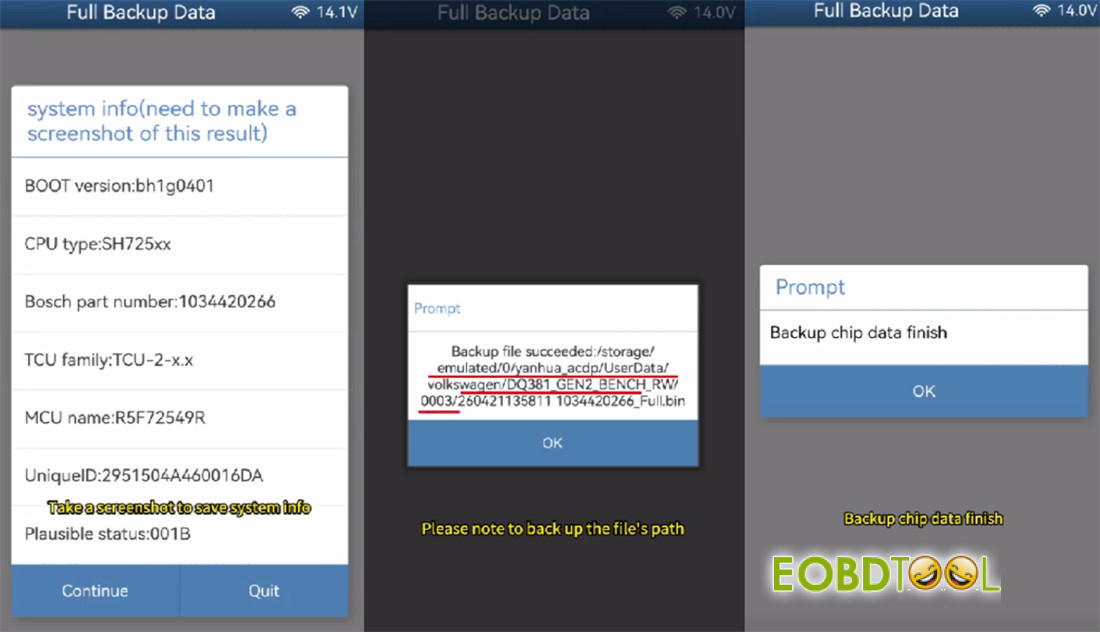
Tap [Full Backup Data]
Take another screenshot to save the system information
Save the chip data.
Important: Make a careful note of the backup file path, date, time, and part number. The file name must end with .bin.
Wait for backup is finished
Step 5: Perform a Full Data Write
Disconnect the first transmission gearbox from the setup.
Connect Mini ACDP and ACDP Module 45 to a different DQ381 Gen2 gearbox.
In the app, tap [Full write data]
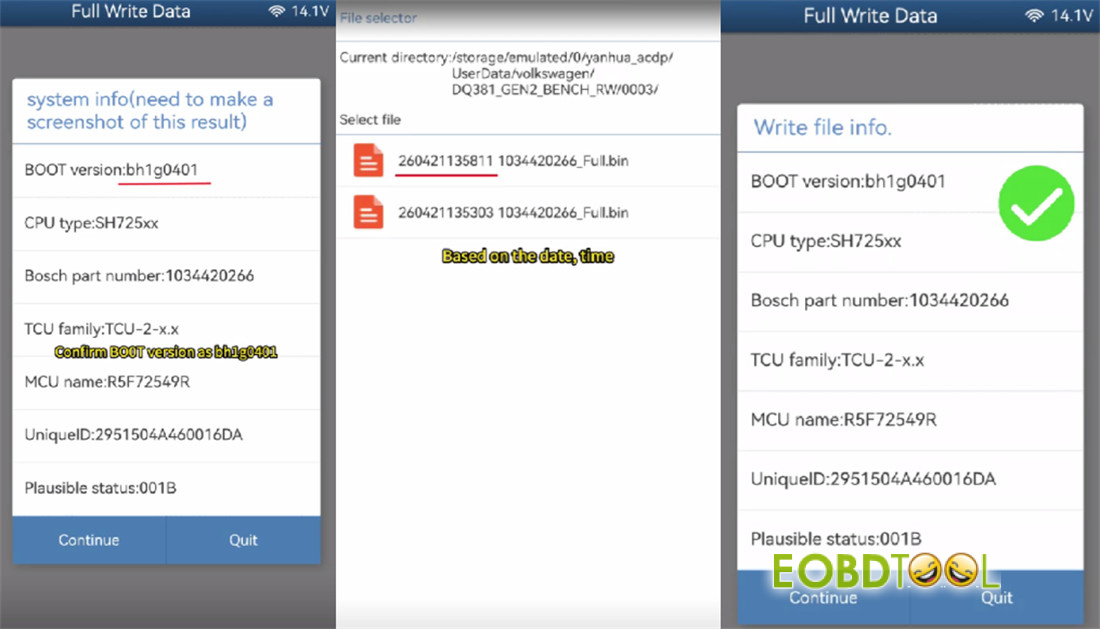
Review the identification information again. Ensure the BOOT version is also BH1G0401 on this second gearbox.
Take a screenshot, save it
Select the original chip data file.
Double-check that the information in the selected file is correct for the target gearbox.
Critical Warning:
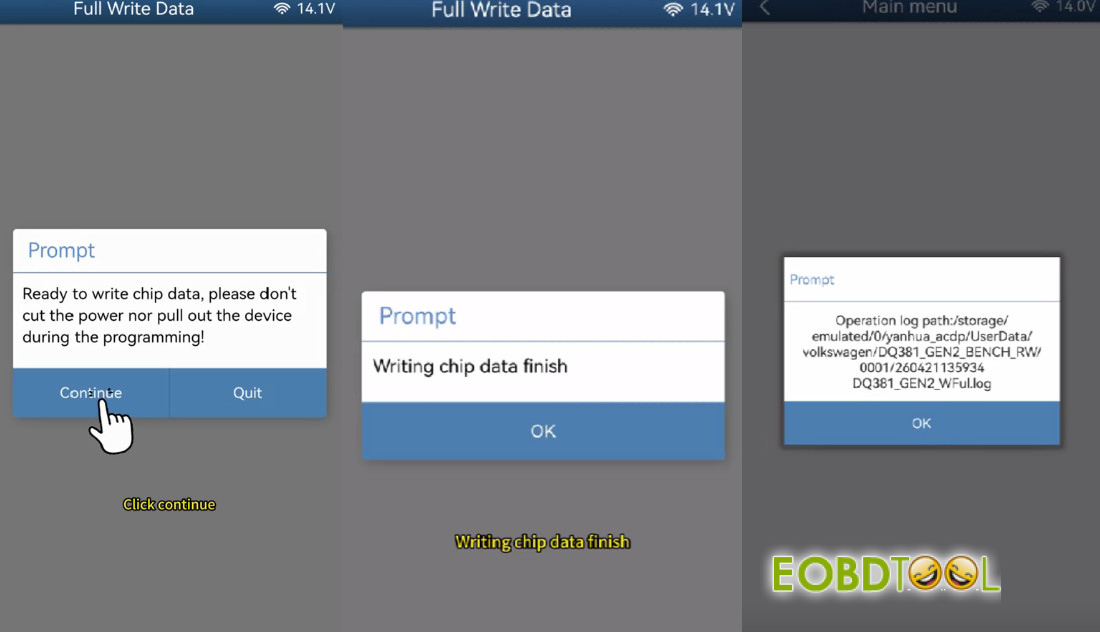
- During the data writing process, do not turn off power to Yanhua ACDPdevice or disconnect any cables. Interrupting the programming could permanently damage the chip.
Start the writing process.
Wait for the operation to finish.
A confirmation message will appear once writing is complete.
Conclusion
Mini ACDP with Yanhua Module 45 read and write VW DQ38x_Gen2 gearbox data on bench successfully.
Learn more:
Yanhua Module 45: 2022- DQ38x_GEN2 Read/Write and Mileage Correction







