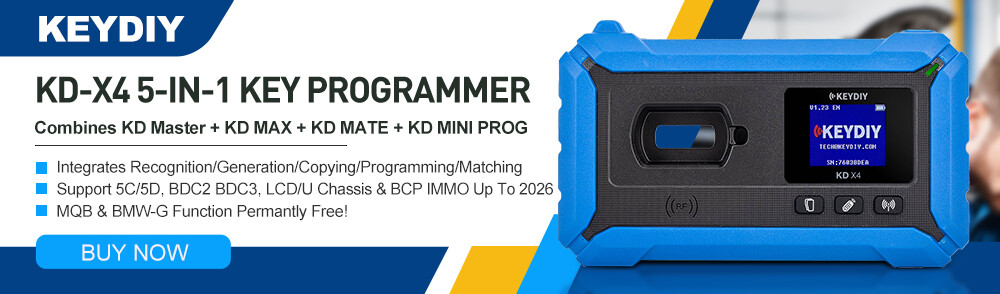



This tutorial provides detailed instructions on how to use Keydiy PAK09 Phone as Key and KD-X4 key programmer to add new full keyless keys for Mercedes-Benz FBS4 vehicles.
Preparation:
- Keydiy KD-X4 Key Programmer with mobile app
- Keydiy PAK09 Phone as Key BBA Box
- One original vehicle key
- Keydiy ZB31 smart remote
Procedure:
- Unpack and Prepare Components
Begin by unboxing all items included in the product package.
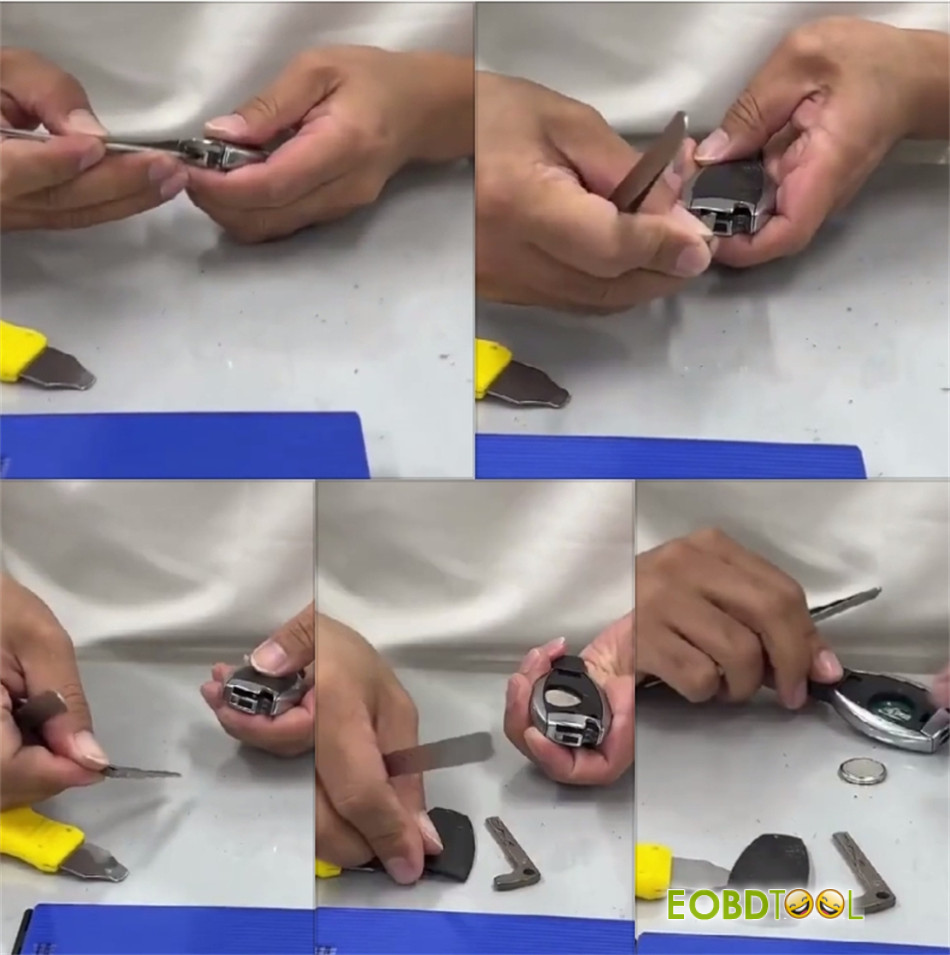
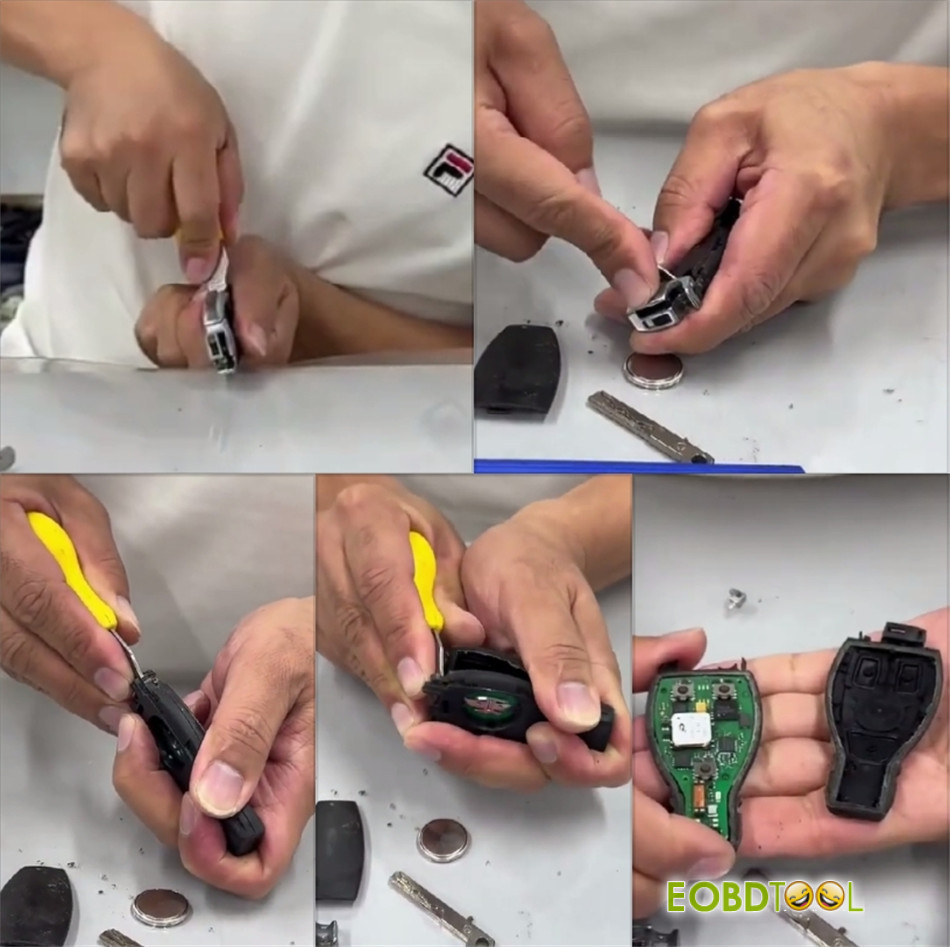
- Access Original Key’s Circuit Board
Carefully open the original Mercedes-Benz key and remove its internal printed circuit board (PCB).
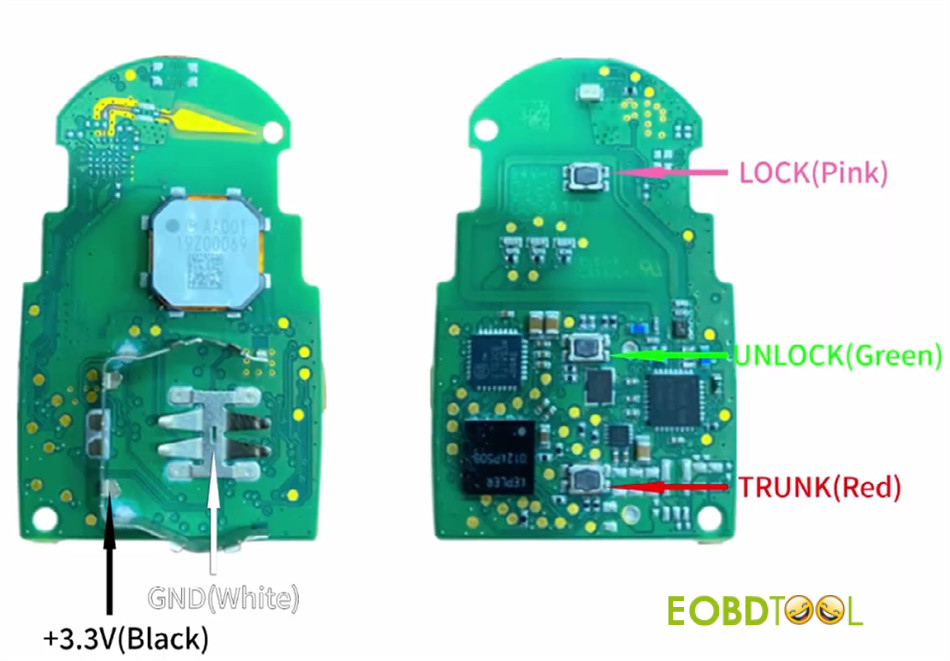
- Obtain Soldering Diagram
You can view the required wiring connections in one of two ways:
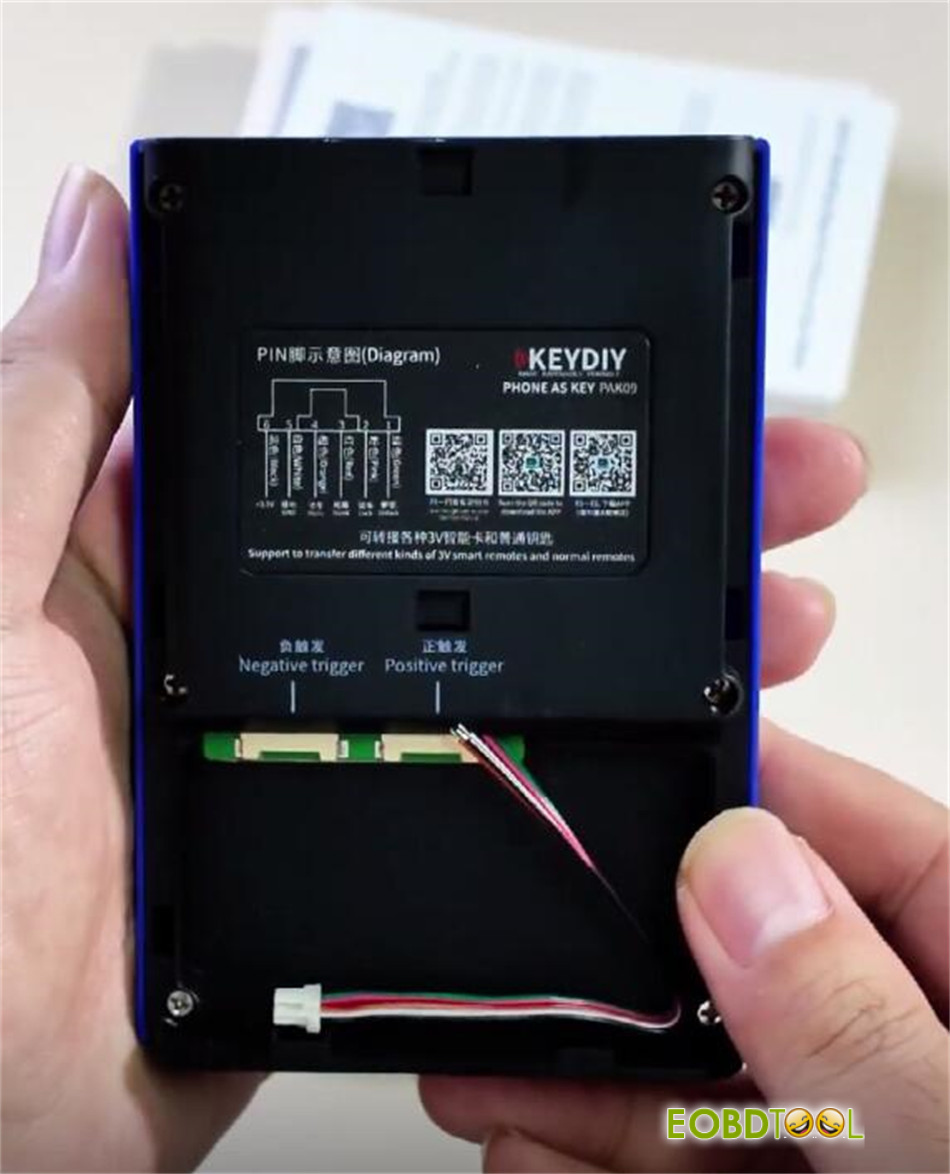
Method 1: Open Keydiy PAK09 case and scan the QR code located inside to access the soldering diagram directly.
Method 2:
Launch the Keydiy mobile app.
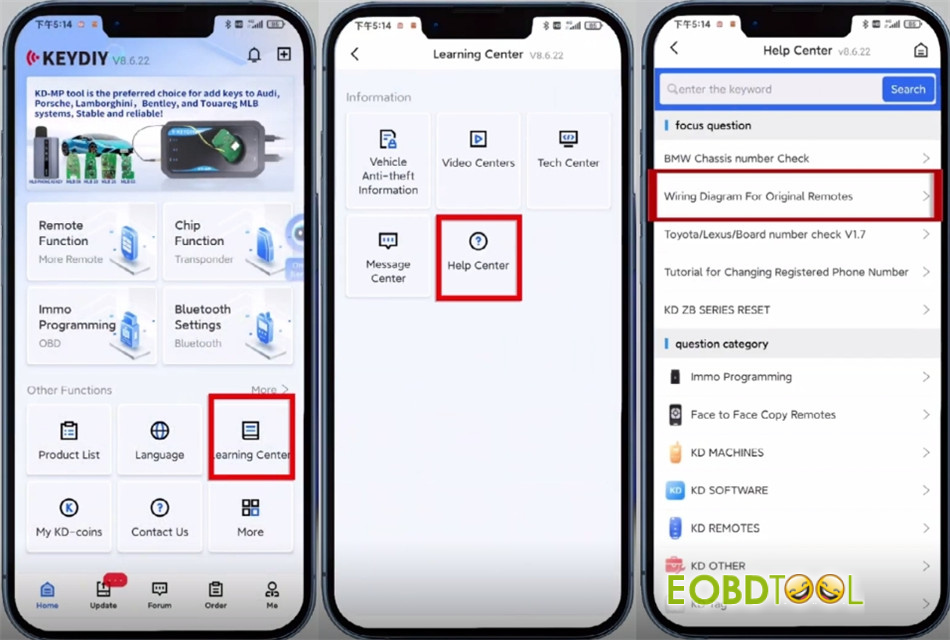
Go to Learning Center → Help Center → Wiring Diagram for Original Remotes.
Select your vehicle model to display the corresponding key wiring layout.
- Solder and Assemble PAK09 Unit
Following the wiring diagram, solder the PCB connections accordingly.
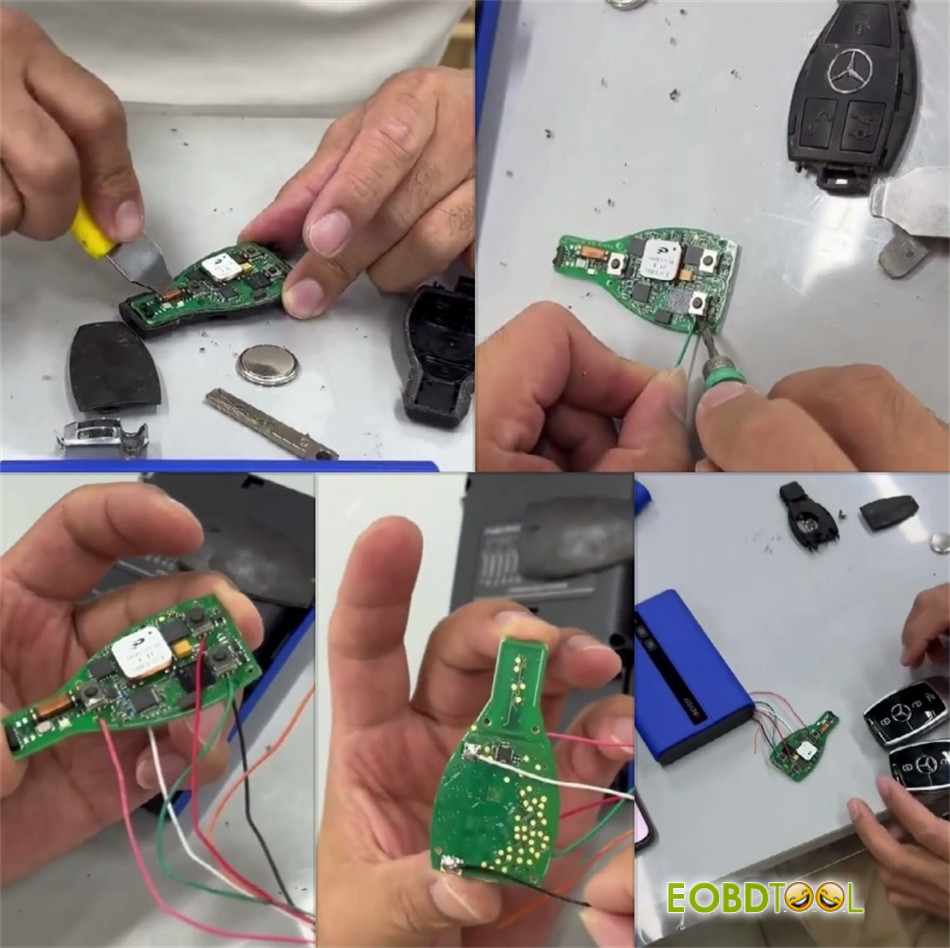
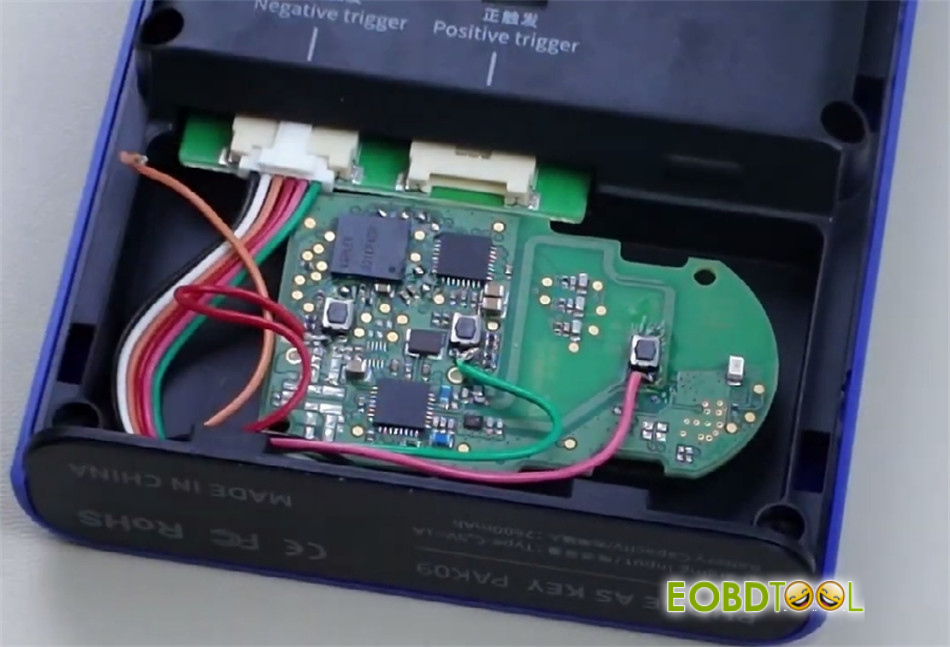
Insert the adapter cable into the designated trigger port on PAK09 device.
Place the soldered PCB into PAK09 unit and securely close the rear cover.
- Power on PAK09 Device
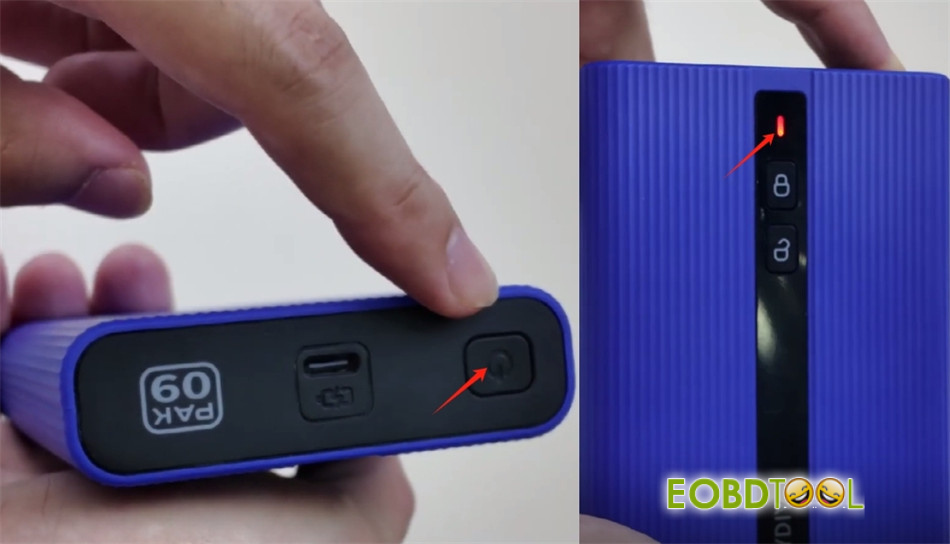
Briefly press the power button once, then press and hold it for about 3 seconds.
A flashing indicator light will confirm that the device is powered on successfully.
- Generate Key Program
Insert Keydiy ZB31 smart remote into KD-X4 key programmer.
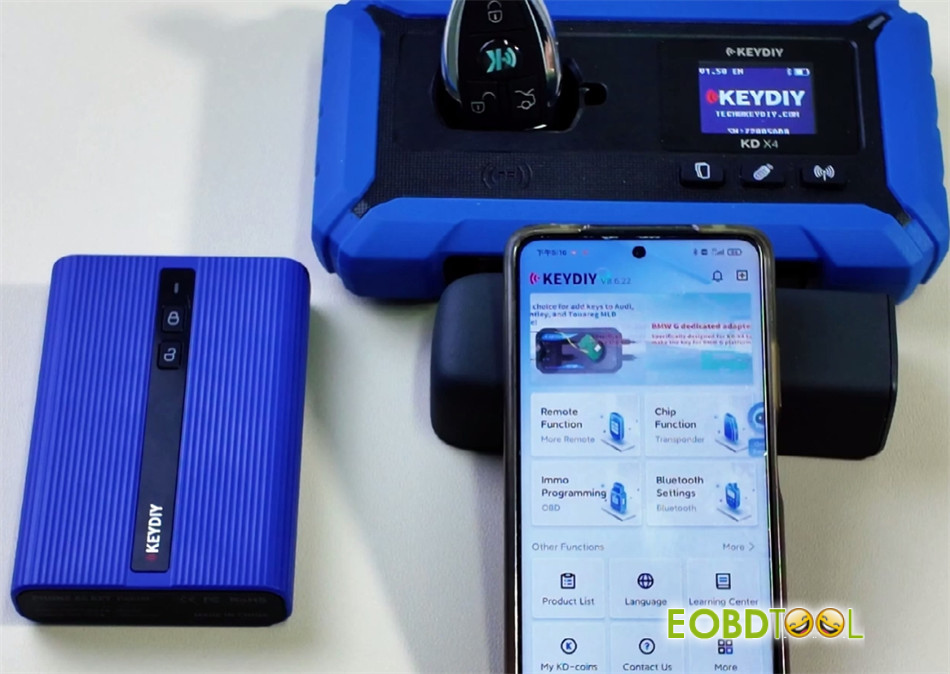
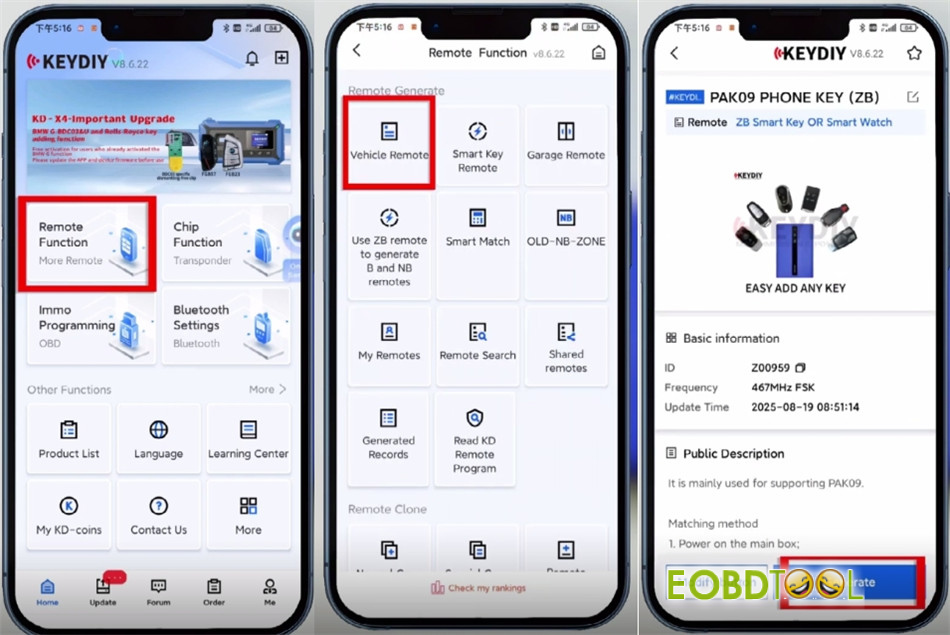
In the Keydiy app, navigate to:
Remote Function → Vehicle Remote
Choose the relevant remote program—select “PAK09 PHONE KEY (ZB)”
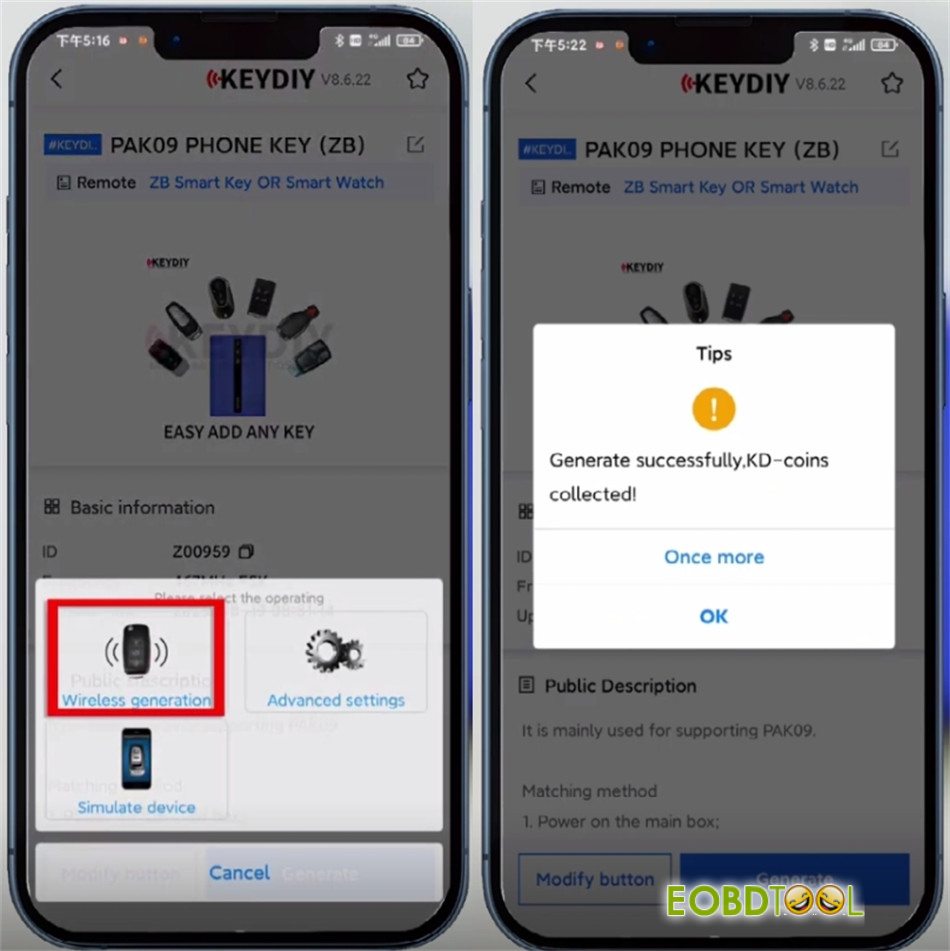
Tap “Generate,” then select “Wireless Generation.”
Wait for the confirmation message: “Generate successfully, KD-coins collected.”
- Pair and Configure Device
In the app, tap Settings (top right) → Device Management → tap the search icon to scan for nearby devices.
Select PAK09 Phone as Key device you wish to connect.
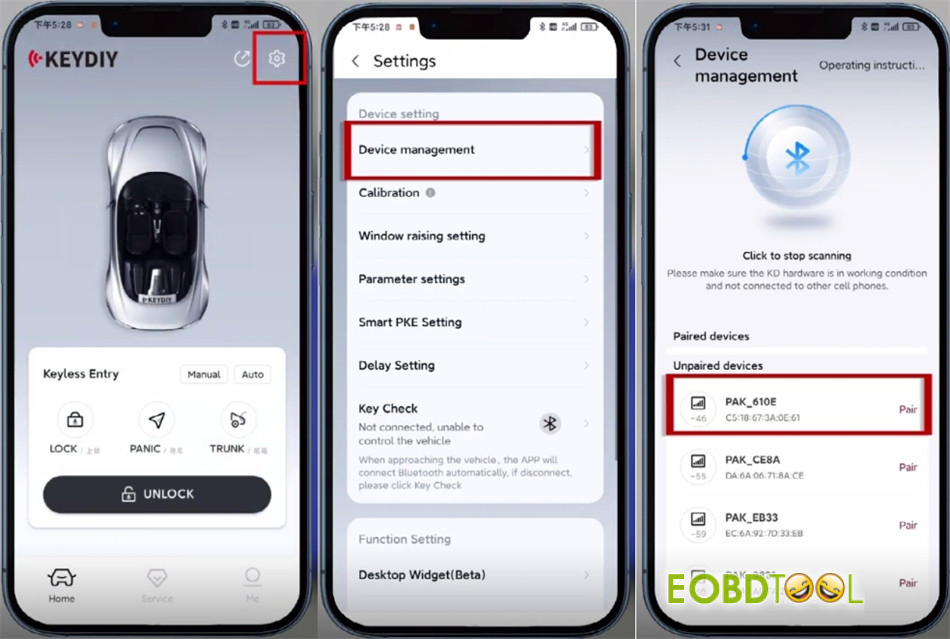
Enter the default password 000000 when prompted. Change the password when prompted during first-time setup.
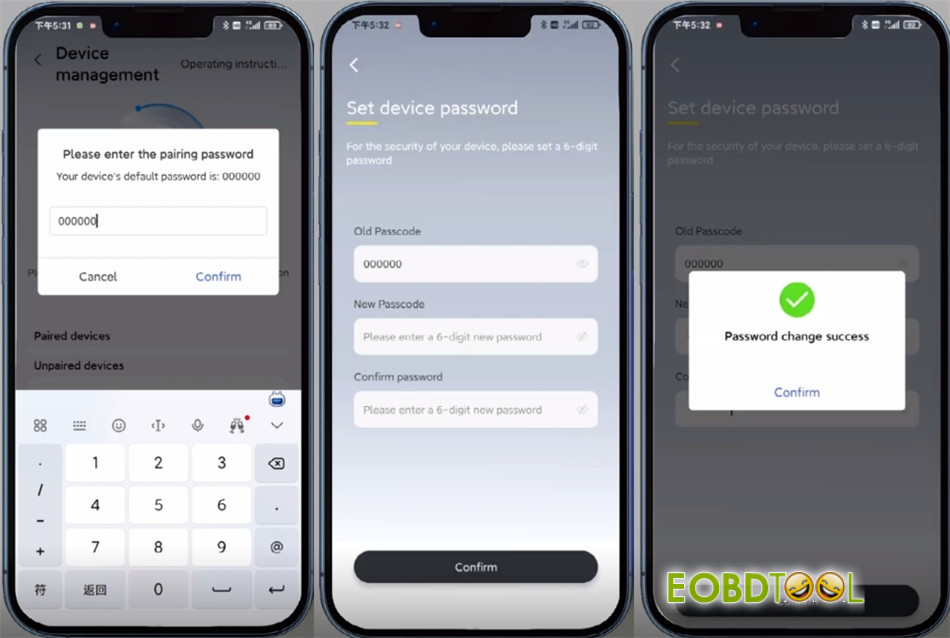
- Add New Key
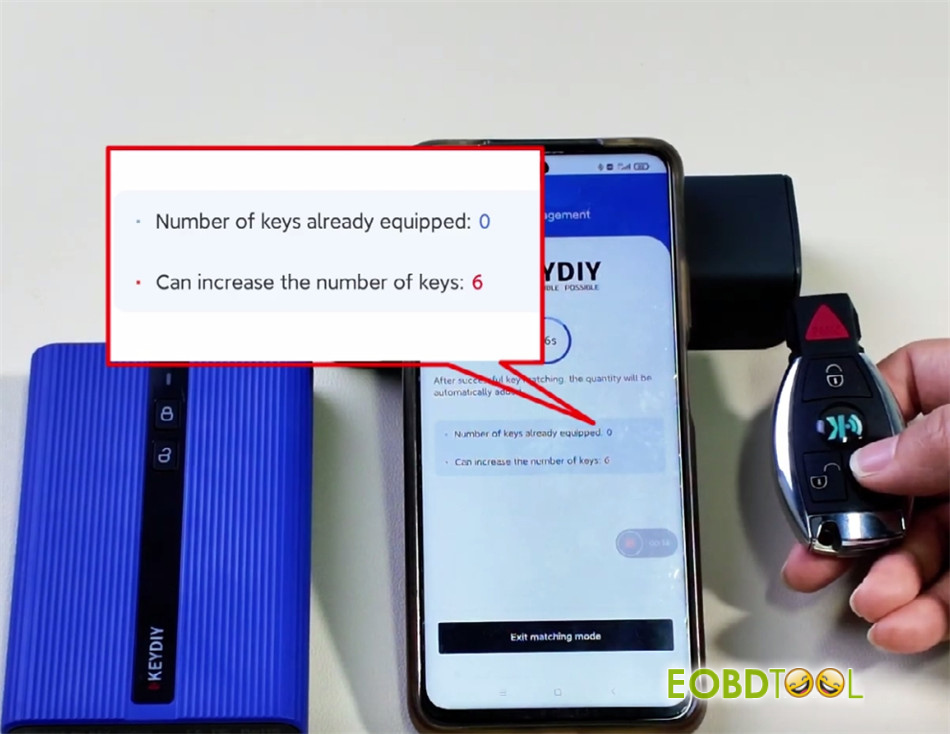
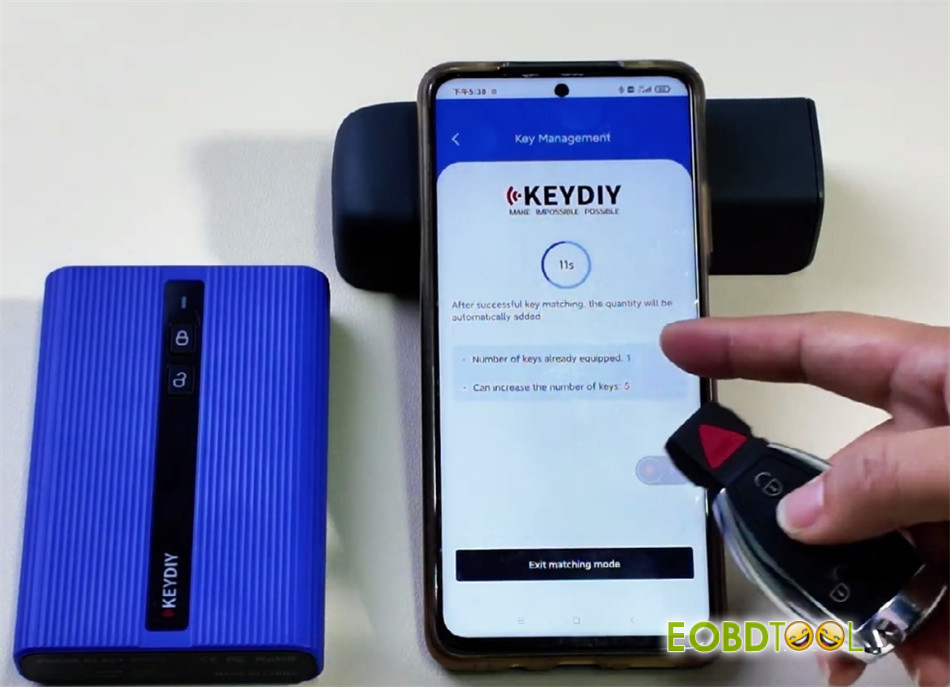
Go to Settings → Key Management.
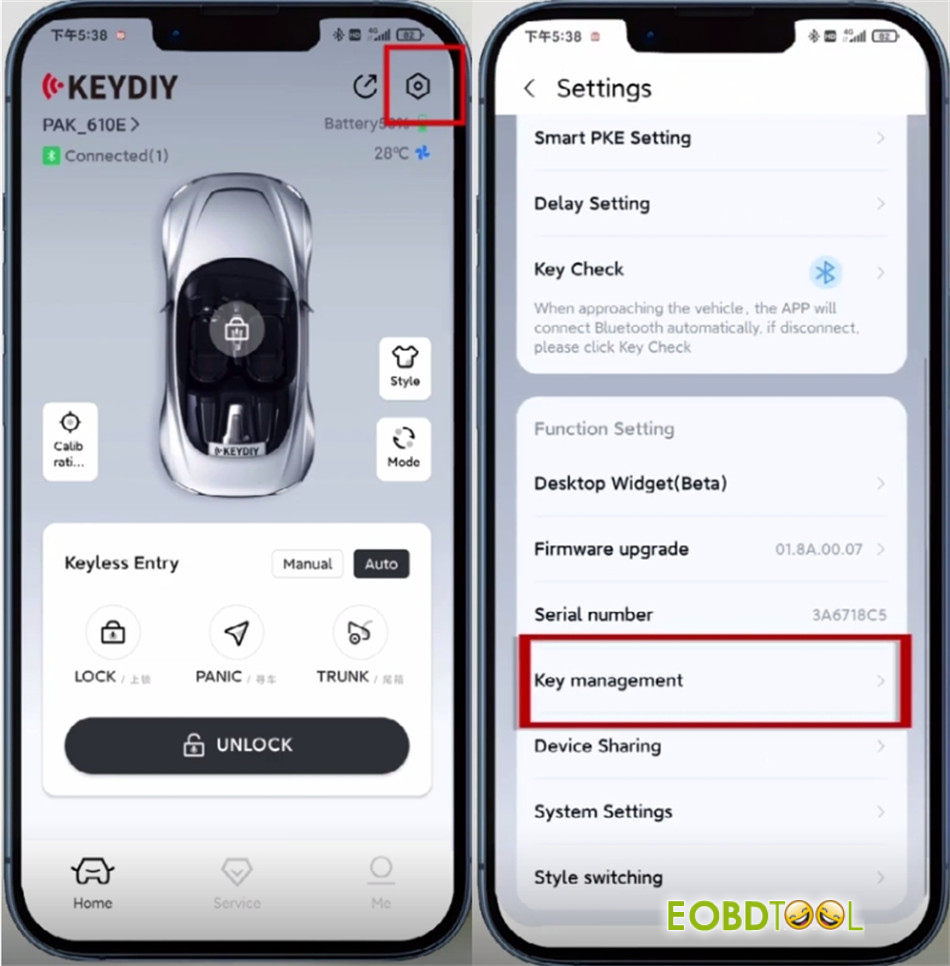
Tap “Enter Matching Mode.”
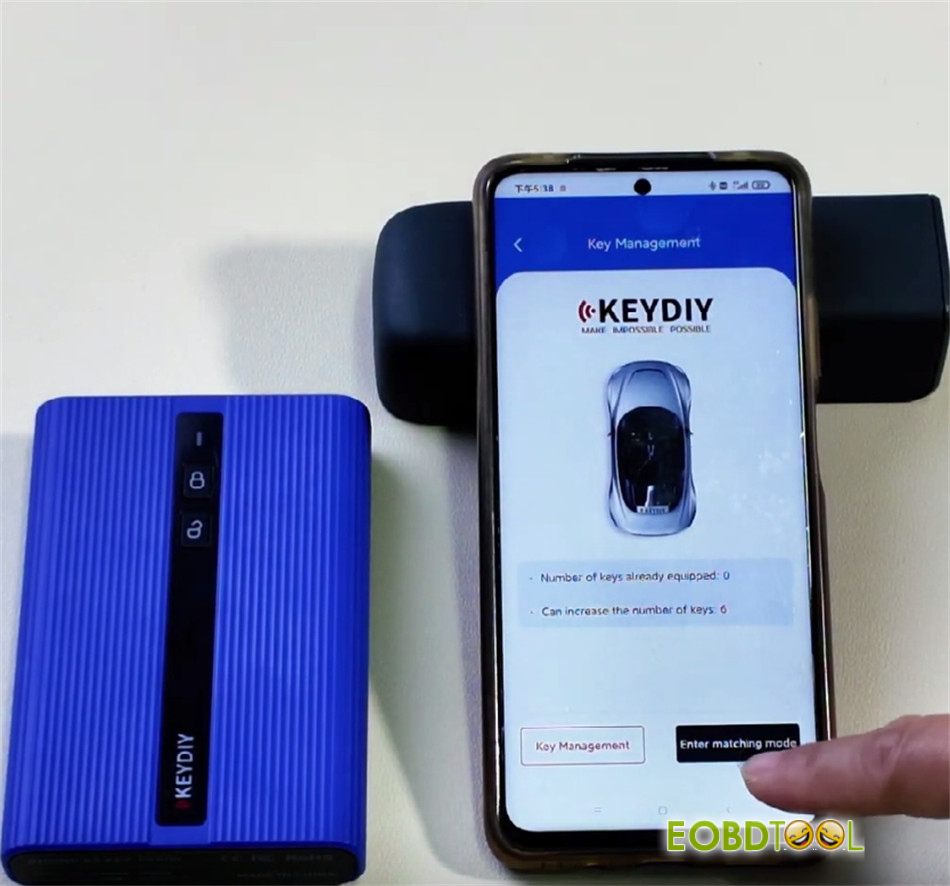
Before the countdown ends, press any button on the remote you are adding.
The key number displayed will update in real time once successfully paired.
- Test Remote Function
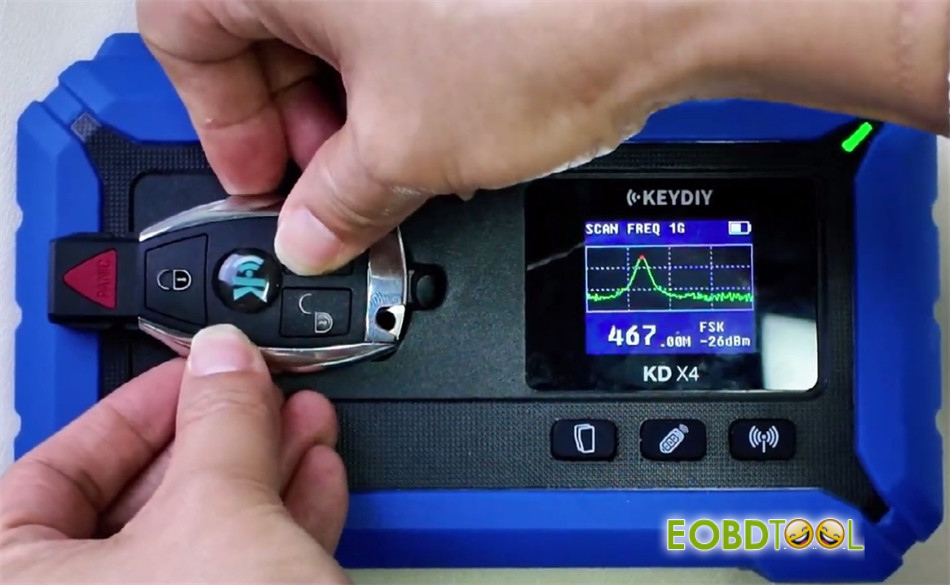
Place Keydiy ZB31 universal smart remote on the inductive area of KD-X4 programmer to verify the remote frequency transmission
✅ Process Complete.
The new full keyless key has been successfully added and is ready for use.







