This guide outlines the procedure for correcting the mileage on the VW MK8 Golf 5D instrument cluster using Yanhua ACDP2. The operation is performed on the bench and takes approximately 10 minutes.
Compatibility:
- Vehicle: VW Golf 8 (2021-2022)
- CPU: R7F701401 / R7F701421
- Cluster Type: 5D Instrument
Required Equipment:
- VW MK8 Golf Dashboard
- Yanhua Mini ACDP2
- ACDP R7F701401/21- (5D) Interface Board
- Yanhua ACDP Module 34(MQB V2 Adapter & 20 PIN Cable) – License Required
Step-by-Step Procedure:
- Software & Configuration
Launch ACDP App or ACDP-II software.
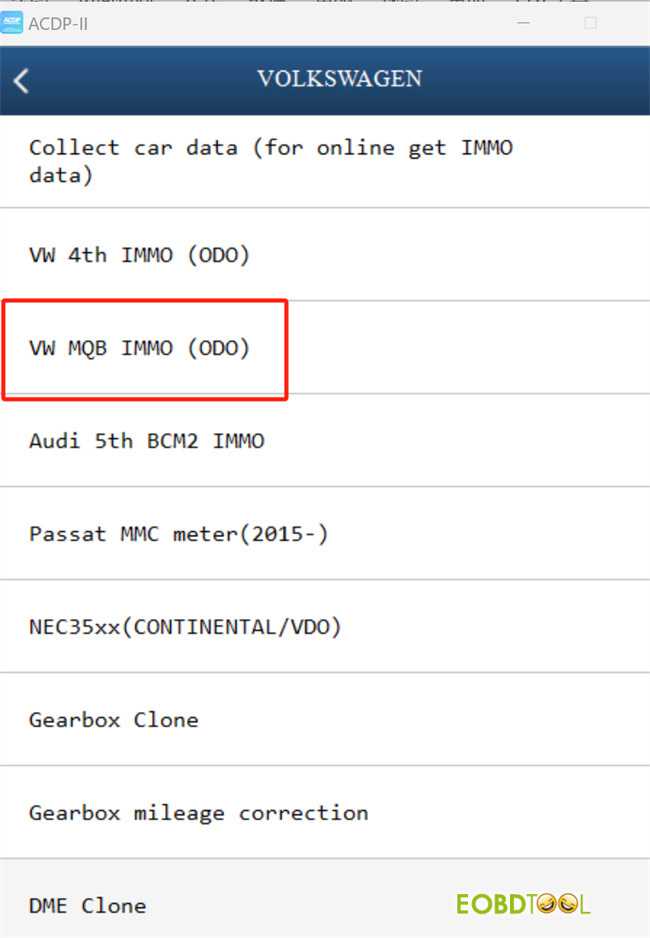
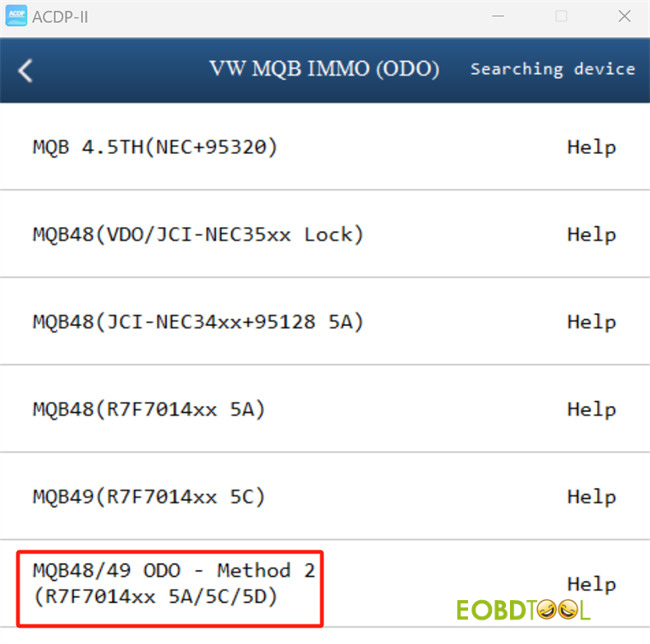
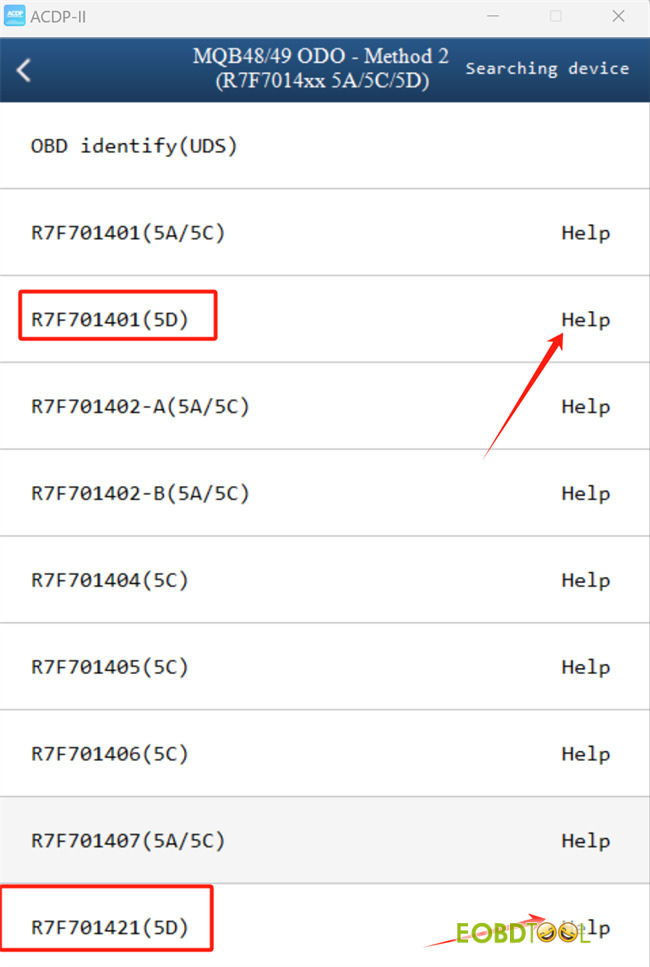
Navigate to: Volkswagen -> VW MQB IMMO (ODO) -> MQB48/49 ODO- Method 2 (R7F7014xx 5A/5C/5D).
Select either R7F701401 (5D) or R7F701421 (5D).
Important: Prior to connecting hardware, click the “Help” button to review the specific wiring diagram for your cluster revision.
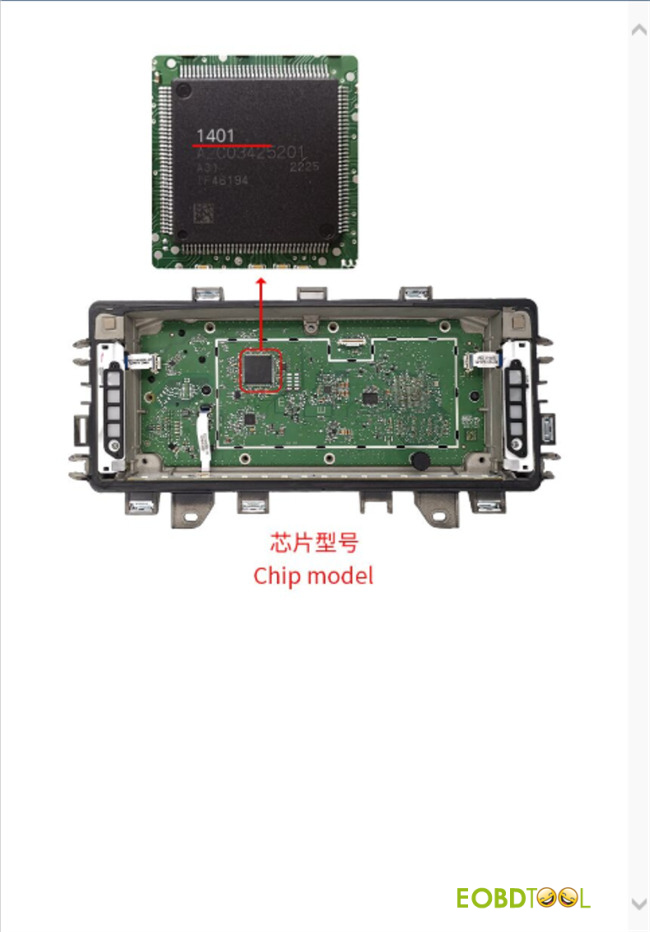
- Hardware Setup (1401 CPU Model)
Preparation: Gather Mini ACDP2, Module 34, 5D Interface Board, and the dashboard.
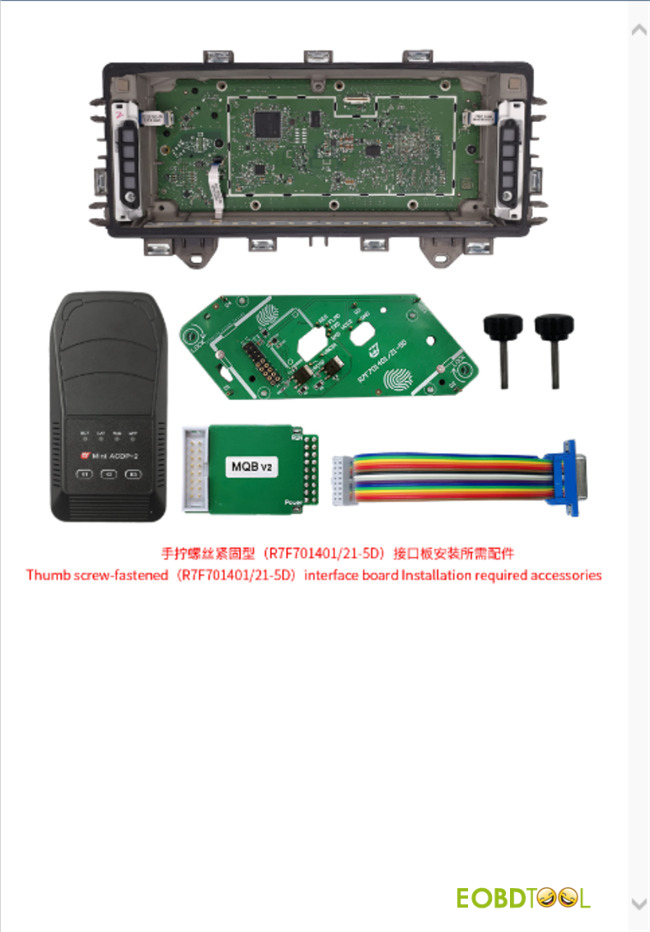
Interface Board Installation:
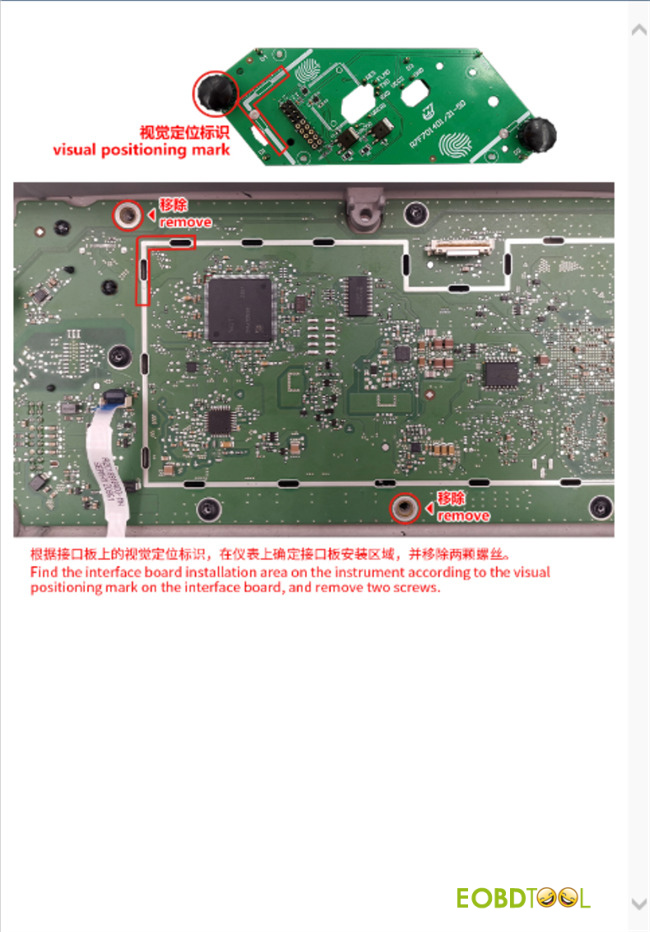
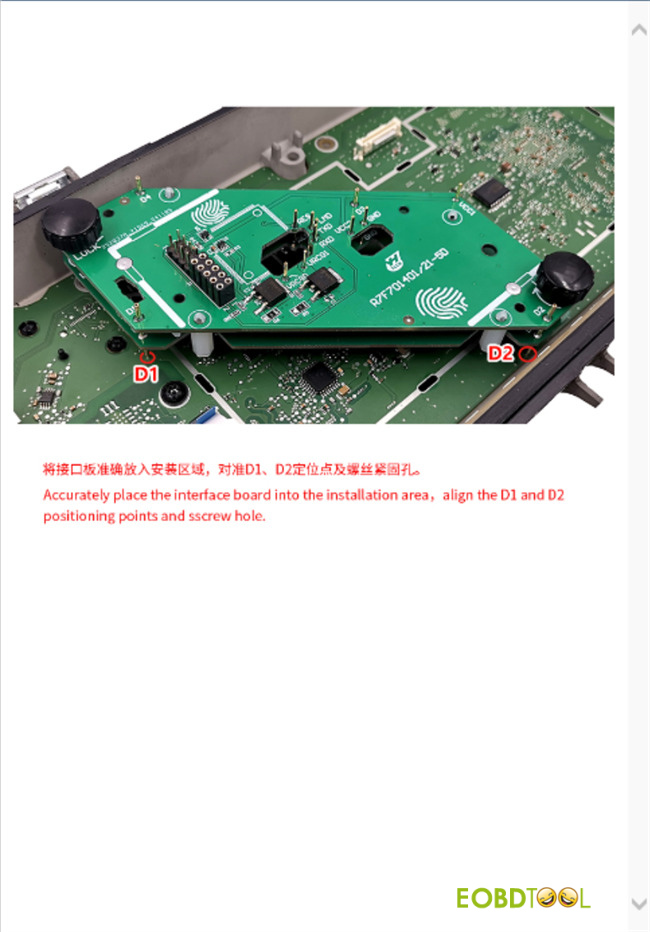
On the cluster PCB, locate the designated mounting area. Use the visual markers on the Yanhua 5D Interface Board for alignment.
Remove the two securing screws from this area.
Identify the four alignment holes (labeled D1, D2, D3, D4) on the PCB.
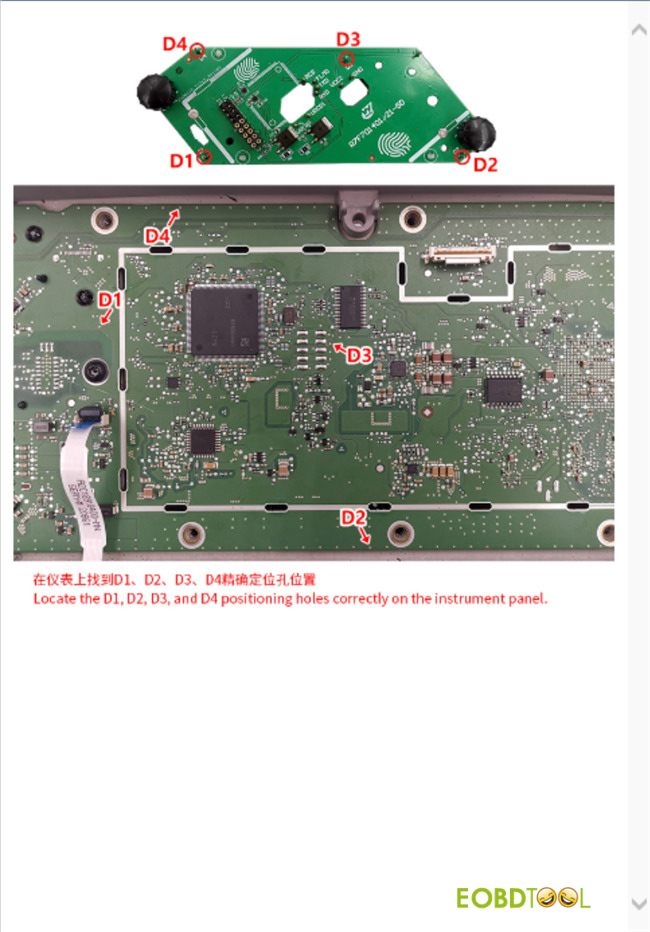
Gently seat the interface board, ensuring D1/D2 align precisely with their corresponding PCB holes. Verify the screw hole alignment.
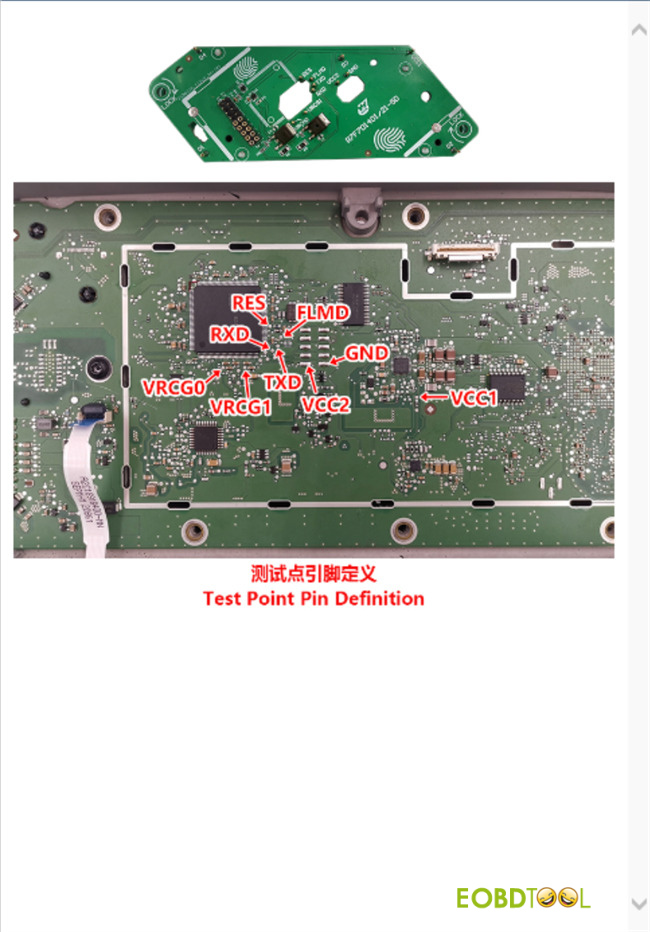
Double-check the test point pin definitions.
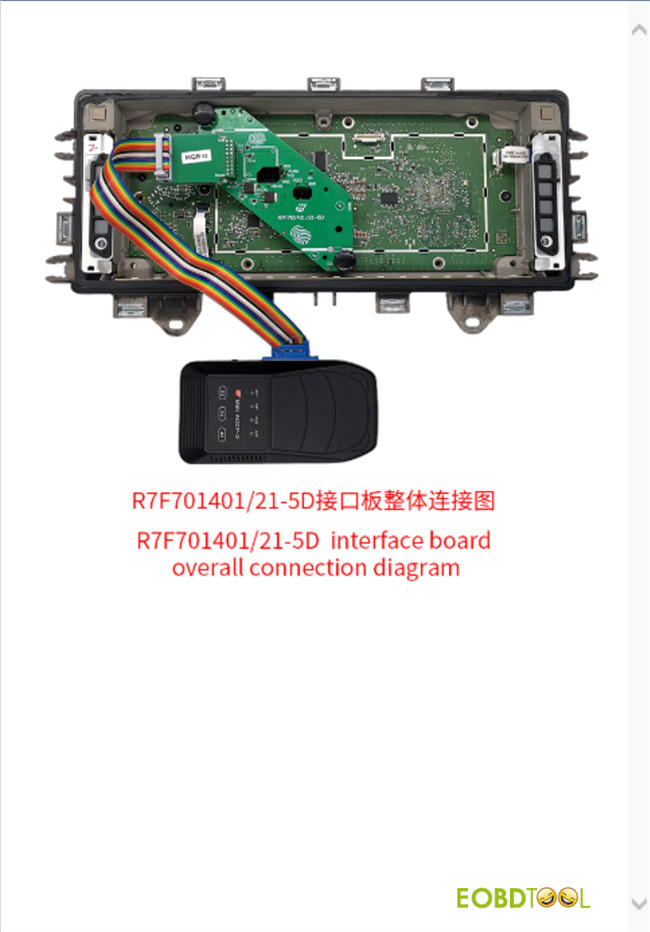
System Connection: Connect ACDP2 to Yanhua Module 34, and link the Module to Yanhua ACDP 5D Interface Board as per the master connection diagram. Confirm all connections are secure.
- Mileage Adjustment
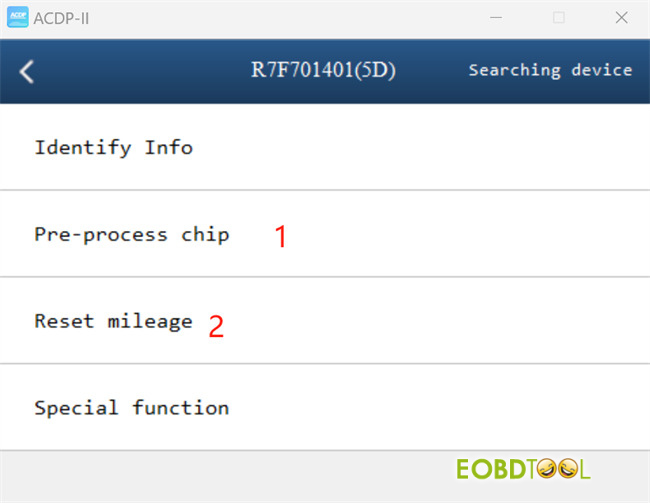
Follow the on-screen instructions to execute the following functions sequentially:
Step 1: Pre-process chip
Step 2: Reset mileage