







If you are working on modern B48, B57, and B58 engines, unlocking the encrypted Bosch MD1 or MG1 ECU with Tricore Aurix TC2xx microprocessors (TC298 / TC299) is a straightforward process when using Magic Motorsport FLEX.
The procedure follows two distinct phases: an initial Boot Glitch unlock on the bench (which requires removing the top cover, unsoldering a resistor, and soldering an E1 wire), followed by standard Bench Mode for all future tuning without opening the box again.
Locked MD1 MG1 ECU Supported Models:
- All Bosch: MD1CE101 (TC299)
- Iveco: MD1CS069 (TC299)
- Ford: MD1CS005 (TC298)
- BMW: MG1CS024 (TC298), MG1CS201 (TC298), MD1CP032 (TC299)
- VAG Group: MG1CS002 H80 (TC298), MG1CS031 H80 (TC298), MG1CS163 (TC298), MD1CS004 H80 (TC298)
- Stellantis: MD1CS003 (TC298), MG1CS042 (TC298)
- JLR: MD1CP007 (TC298), MD1CP017 (TC298), MG1CS028 (TC298)
- Kia / Hyundai: MD1CS012 (TC298)
Note: Here are only some models, for the complete vehicle list, click here to check.
Preparation:
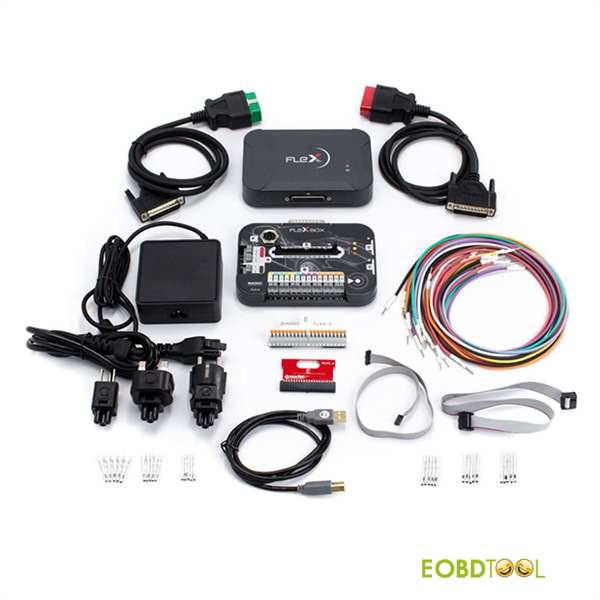
- Flex Full Master Version/Slave Version
- FLX4.1 adapter (default in Flex kit)
- Encrypted Bosch MD1 or MG1 ECU (e.g.BMW MG1CS201/MG1CS024)
Note: make sure Flex software is V8.0 or newer.
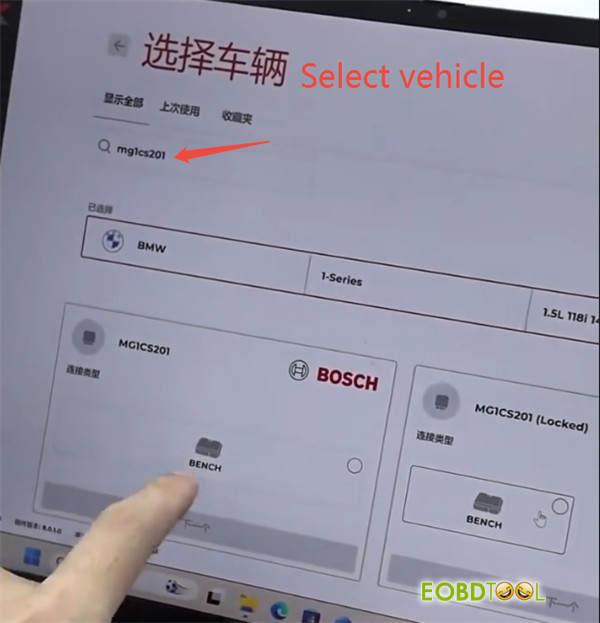
Step 1: Pick the Right Protocol
Start by opening Magic Motorsport Flex software.
Search for mg1cs201 or mg1cs024 and choose the protocol marked (LOCKED):
- MG1CS201 (LOCKED) for B48 engines
- MG1CS024 (LOCKED) for B58 engines
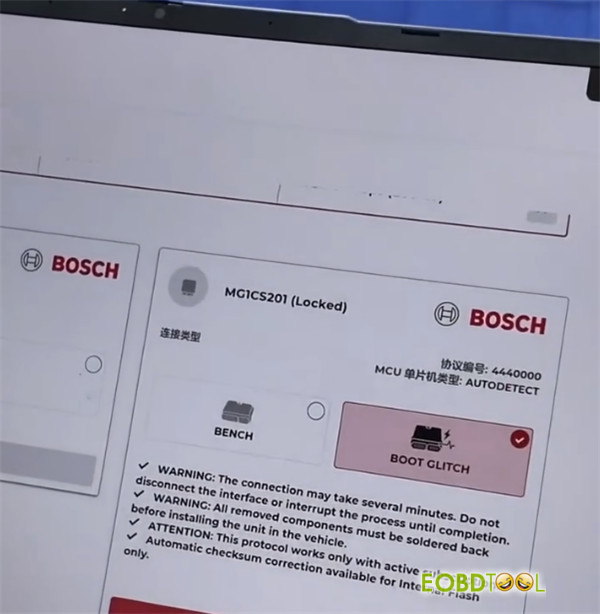
Select BOOT Glitch mode first. Direct Bench mode won’t work until the initial boot unlock is complete.
Step 2: Hardware Setup & PCB Modification
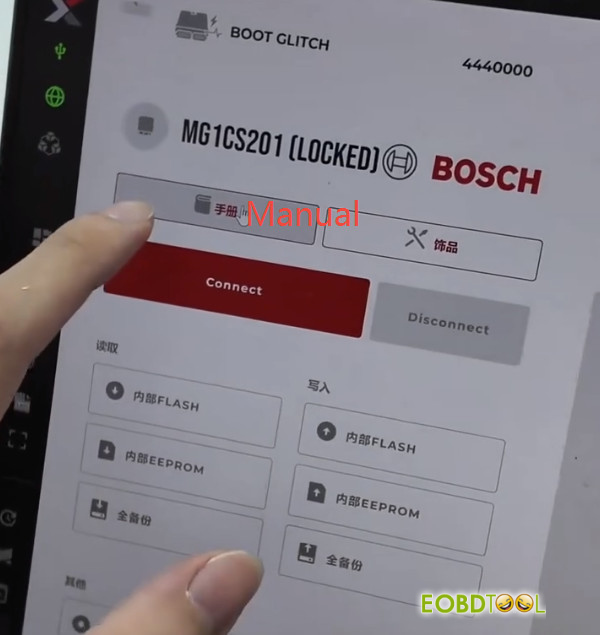
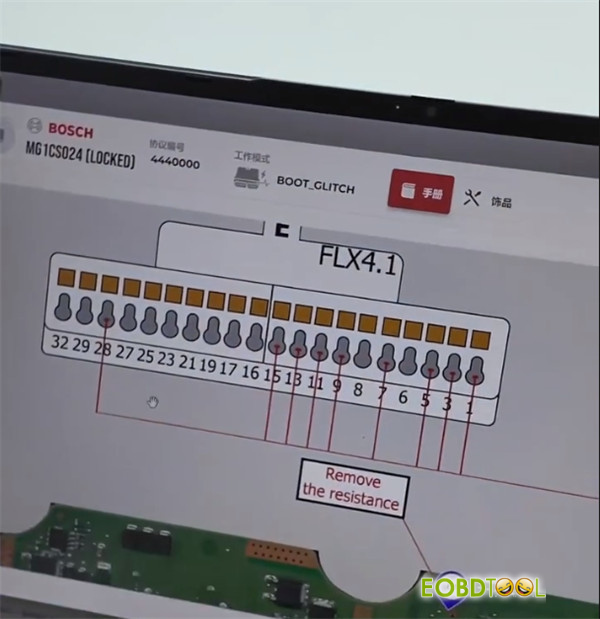
Open the Manual tab in FLEX to check the pinout diagram for your board version.
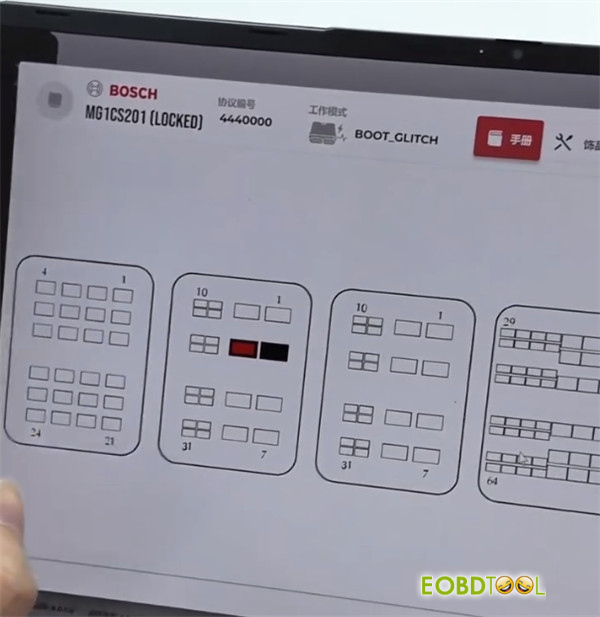
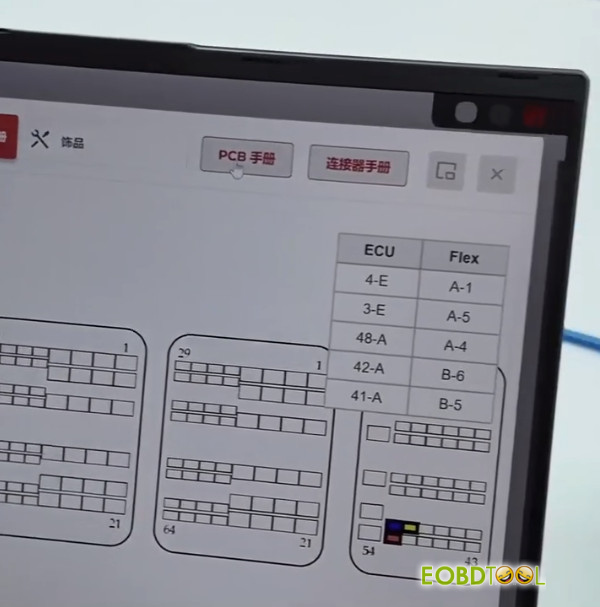
Wire up standard Bench power and the two CAN lines.
Remove the top ECU cover to access the PCB.
Resistor & Wire: Locate the specific SMD resistor indicated in the diagram (B48 and B58 layouts differ slightly). Unsoldered this resistor, then solder the E1 wire directly to the designated pad.
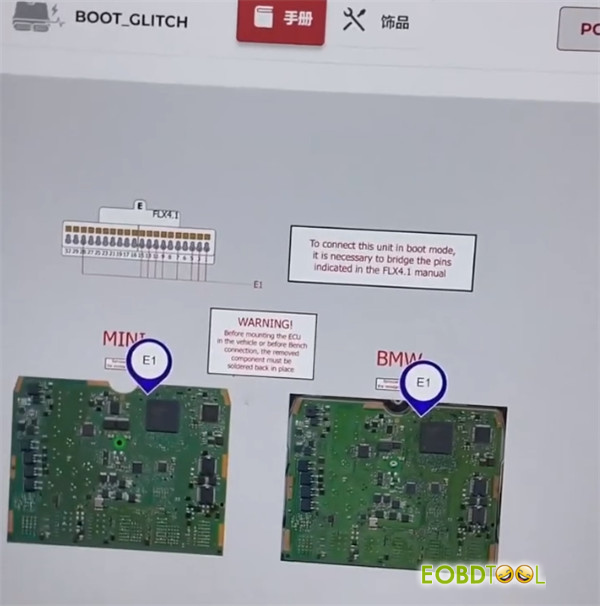
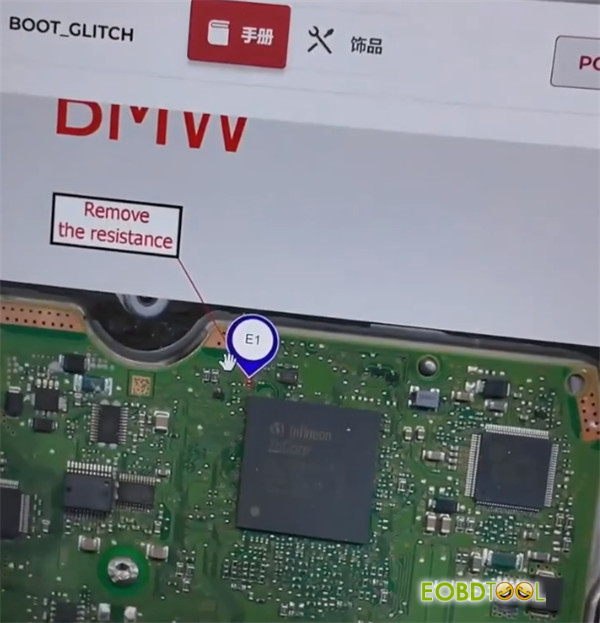
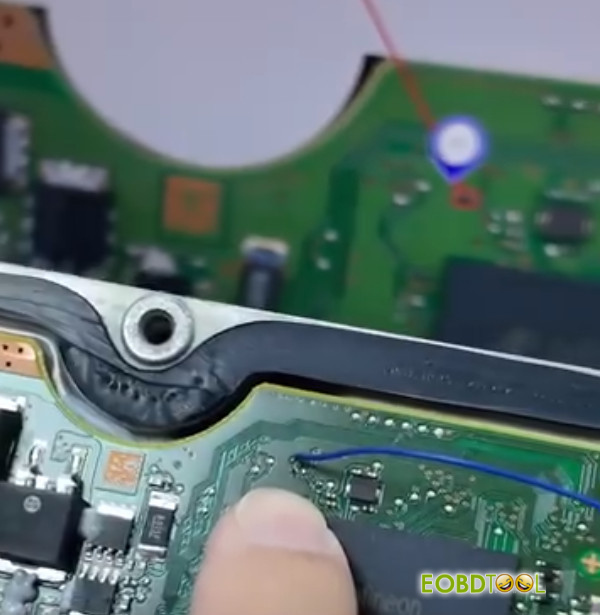
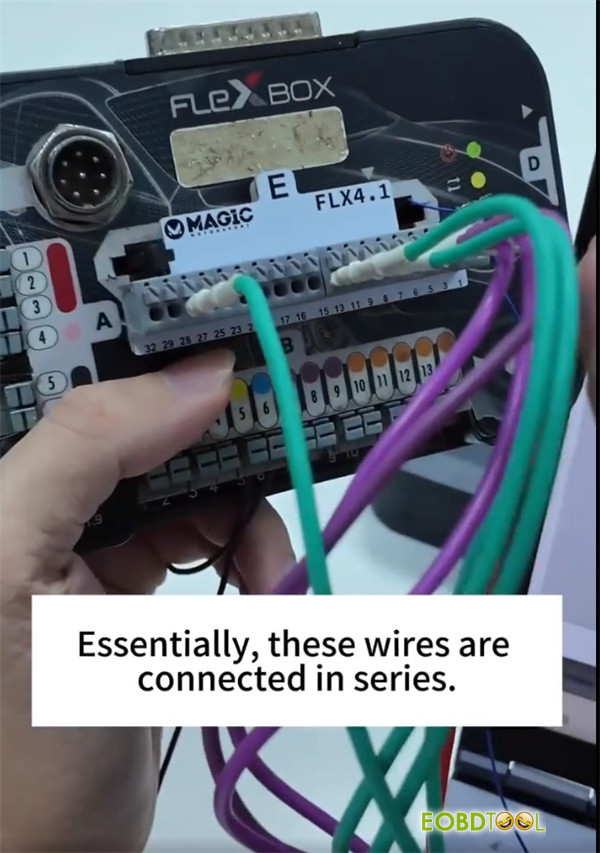
Connect the FLEX harness to Port E according to your pinout (e.g., pins 15 and 28) and link the lead to your E1 wire.
Step 3: Memory Backup, Unlock & Bench Conversion
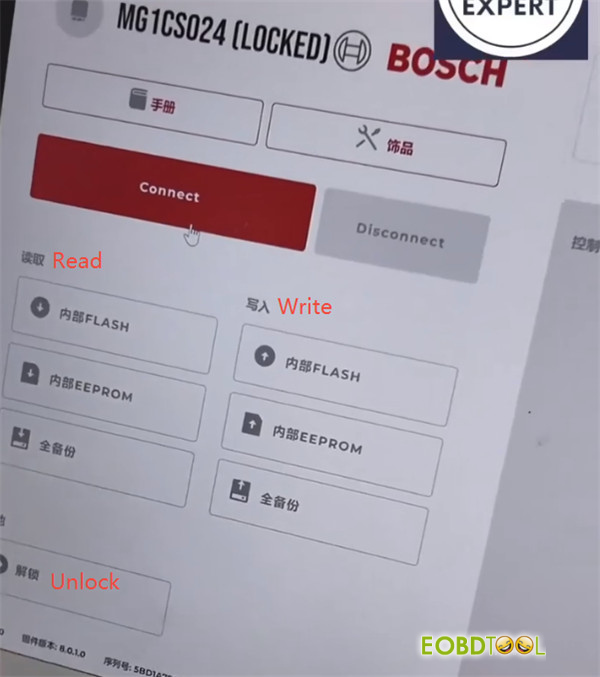
Hit Connect in Flex software.
Make a complete backup of the ECU memory or save the Internal Flash file.
Run the unlock process using BOOT GLITCH protocol.
Disconnect the boot harness, solder the SMD resistor back onto the board, and seal up the ECU casing.
You can now read, write, and tune the ECU directly in Bench Mode.
Important Reminder Checklist
- Keep Power Constant: The unlock procedure takes a few minutes. Ensure your bench power supply is stable to prevent communication drops.
- Don’t Forget the Resistor:Re-soldering the removed SMD resistor back onto the board is mandatory before reinstalling the ECU in the vehicle.
- Subscription & Checksums:This function needs an active FLEX subscription. Automated checksum correction is available for Internal Flash files.
Learn more:
UK Professional OBD2 Tools Online Shop







