







The new Diatronik BIMMERX BMW software version, released on September 5, adds support for DME FSC calculation.
The new function is simple to use and is available to all BIMMERX users.
- New function:DME FSC Calculation
- Cost:Free
- Access:Available to all users
- BMW authorization:This function is not authorized by BMW
The DME FSC option is not part of the paid functions, so all users can access and use it without an additional charge.
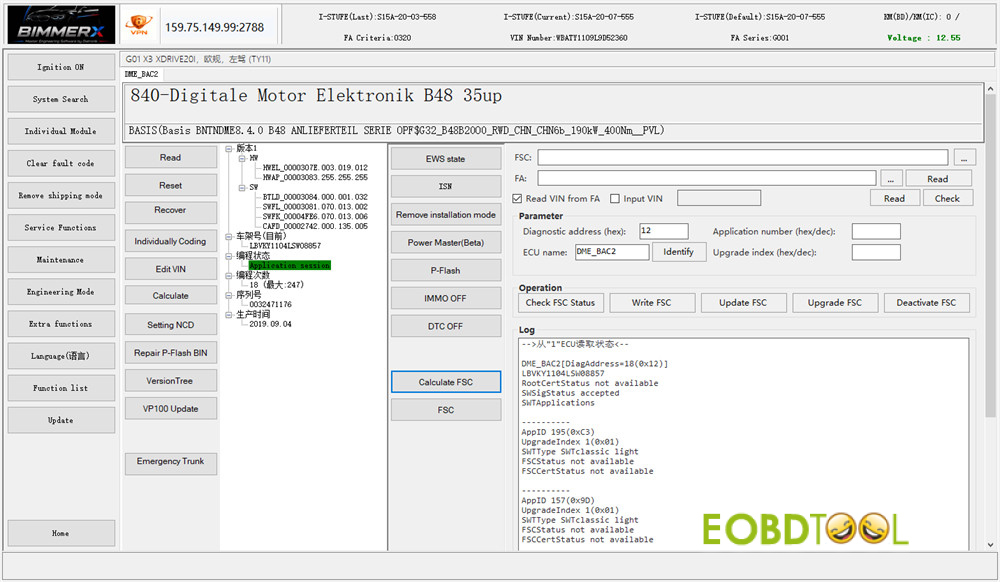
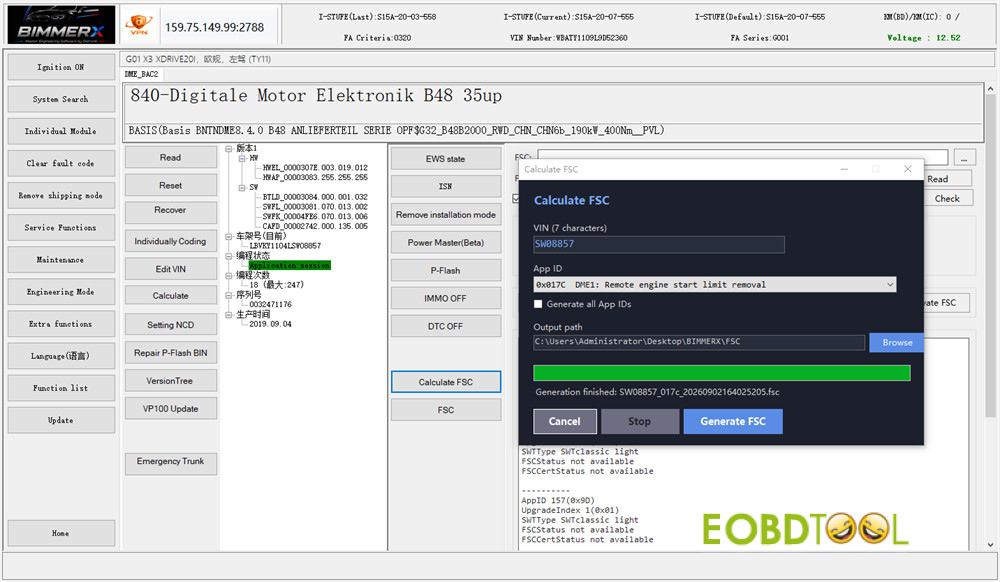
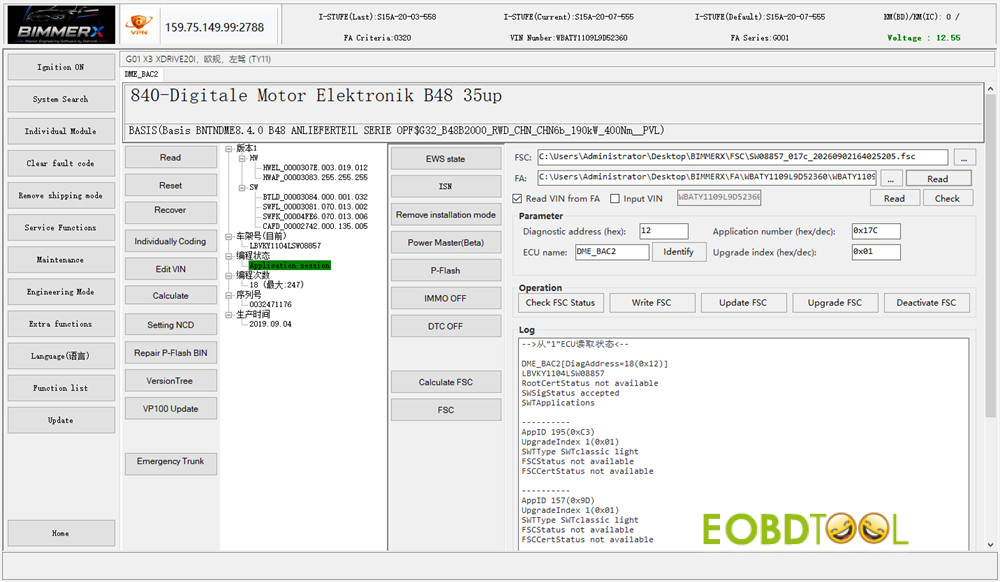
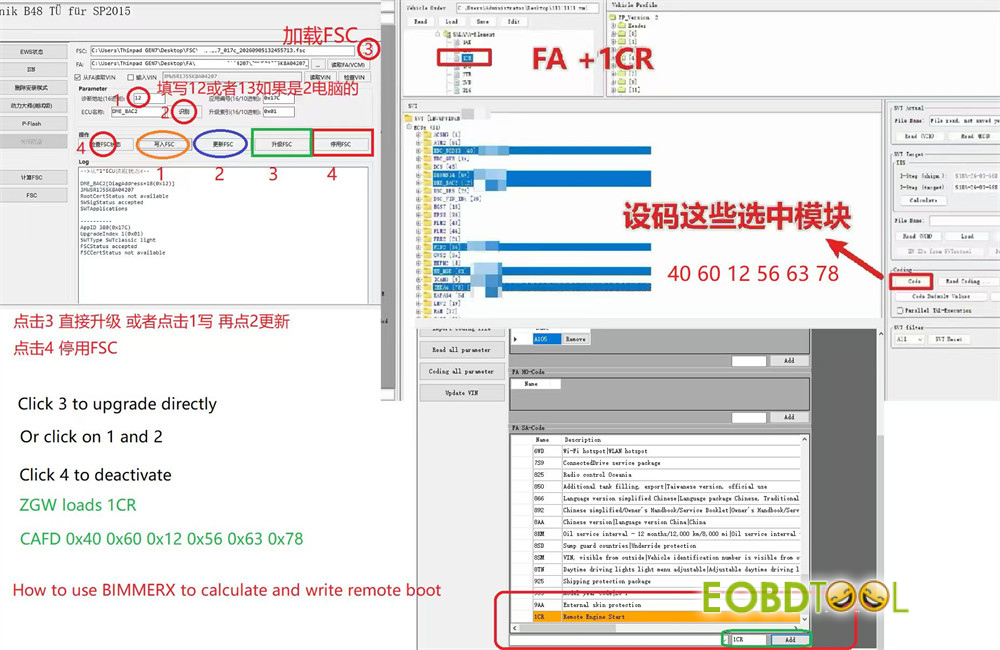
DME FSC Calculation Display in BIMMERX Software:
How to Update Software?
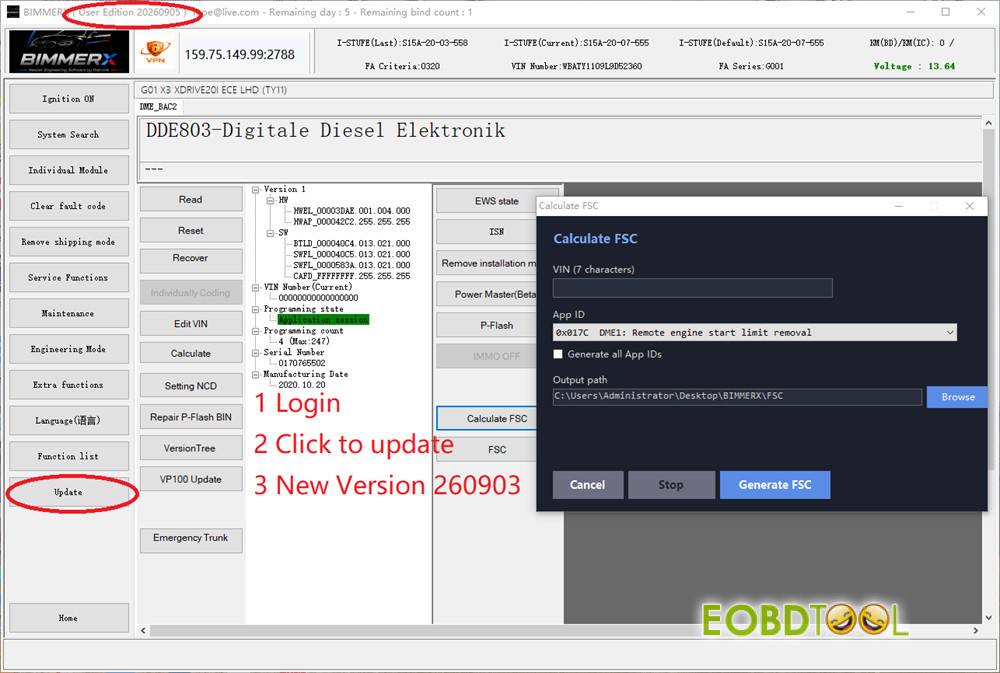
1.Run BIMMERX software, log in with available username and password (contact your dealer to get for free),no need dongle.
2.Click “Update”, the latest version is 20260905
3.Click “Calculate FSC”
4.Two ways to update:
Method 1: Click “Upgrade FSC” to update directly
Method 2: Click “Write FSC” and “Update FSC”
If you don’t want use FSC, click “Deactivate FSC”
Note:
- ZGW loads 1CR
- CAFD 0x40 0x60 0x12 0x56 0x63 0x78
Read also:
Diatronik BimmerX: The Master-Level BMW Diagnostic & ECU Repair Software







