







If you use a Launch X431 diagnostic tool to work on Volkswagen Group (VAG) vehicles, there is an important new update you need to know about.
To keep vehicle data safe, VAG now requires Two-Factor Authentication (2FA) to unlock protected features (SFD). If you work on Volkswagen, Audi, Skoda, or Seat cars, you must follow this new process to avoid any service interruptions.
Key Date & What’s Changing
- Start Date:May 25, 2026
- What is affected:Any diagnostic tool used to unlock VAG SFD.
- The New Rule:You must now use Google Authenticator to get a temporary, 6-digit code every time you want to unlock an SFD system. If you haven’t set it up yet, you will be asked to do a quick, one-time setup the next time you use the tool.

Supported Launch X431 tools
This update applies to the following tools (and newer models):
| Item | Compatible Launch X431 diagnostic scanner |
| 7-inch Tools | CRP919EBT, CRP919XBT |
| 8-inch Tools | X431 PRO Elite, PROS Elite, PROS V5.0, PRO TT… |
| 10.1-inch & Larger | X431 PRO5, PRO3 ACE Elite, PRO3 APEX, PRO DYNO, PRO3S+ V5.0 Elite, PRO3S+ Elite, PRO3 V+ Elite, PAD V, PAD VII… |
Step-by-Step Guide: How to Unlock SFD with 2FA
Step 1: Start the Process
Begin the standard SFD-Unlock process on your Launch diagnostic tablet as you normally would.
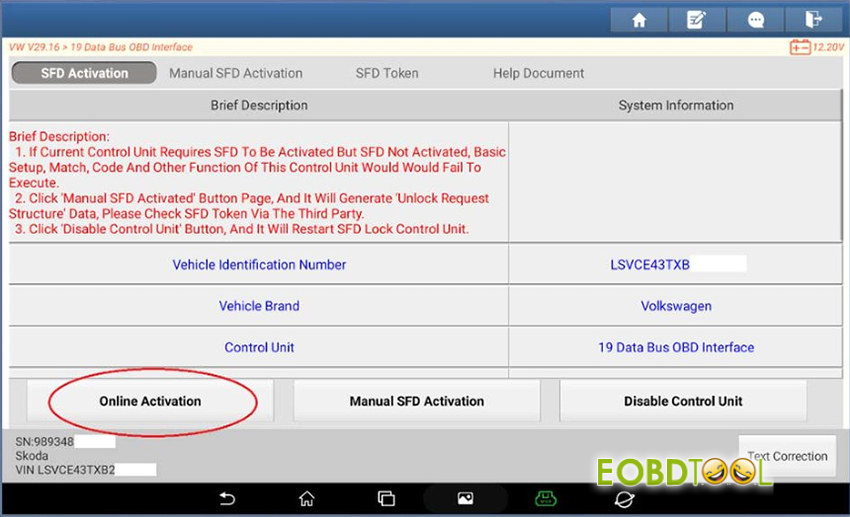
Step 2: Scan the QR Code (First Time Only)
If this is your first time doing this, a “Google Authenticator” window with a QR code will pop up on your screen. Open the Google Authenticator app on your smartphone and scan this QR code to link your tool.
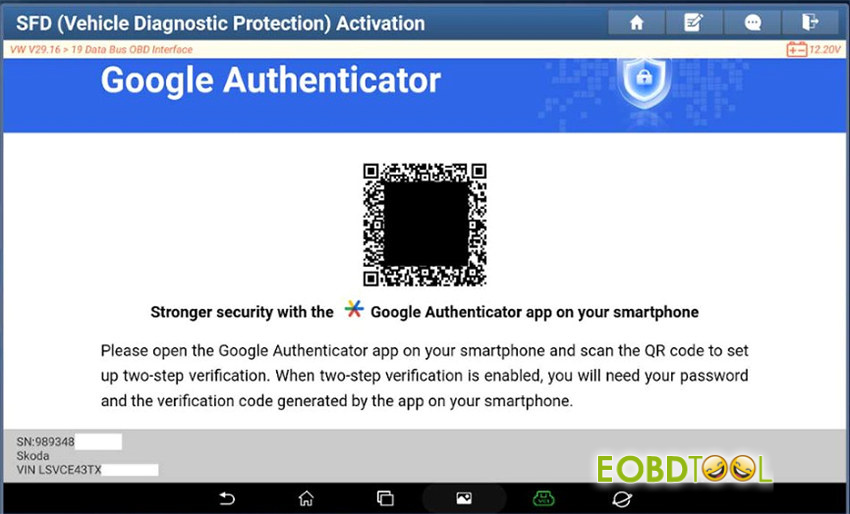
Step 3: Get your 6-Digit Code
Once linked, your phone’s Google Authenticator app will show a temporary 6-digit security code.
Step 4: Enter the Code
Type that 6-digit code into the entry boxes on your Launch tool’s screen and press confirm.
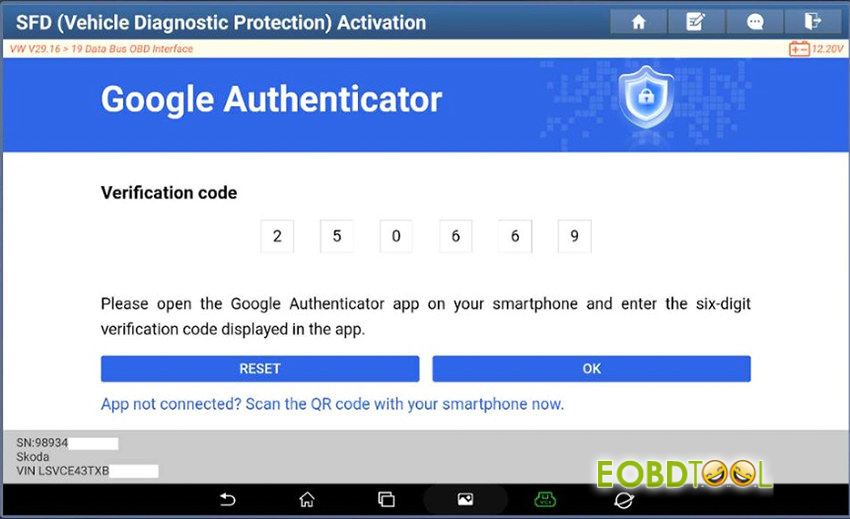
Step 5: SFD Unlocked!
Once the code is verified, the SFD protection will turn off, and you can freely perform your diagnostic and repair work on the vehicle.







