








Yanhua has released a free ACDP upgrade that adds an alarm state clearing function for supported new Jaguar Land Rover (JLR) vehicles. Designed for all-keys-lost situations, the new function helps restore OBD communication when the vehicle’s anti-theft alarm prevents normal diagnostics after the door has been opened with a lock-opening tool.
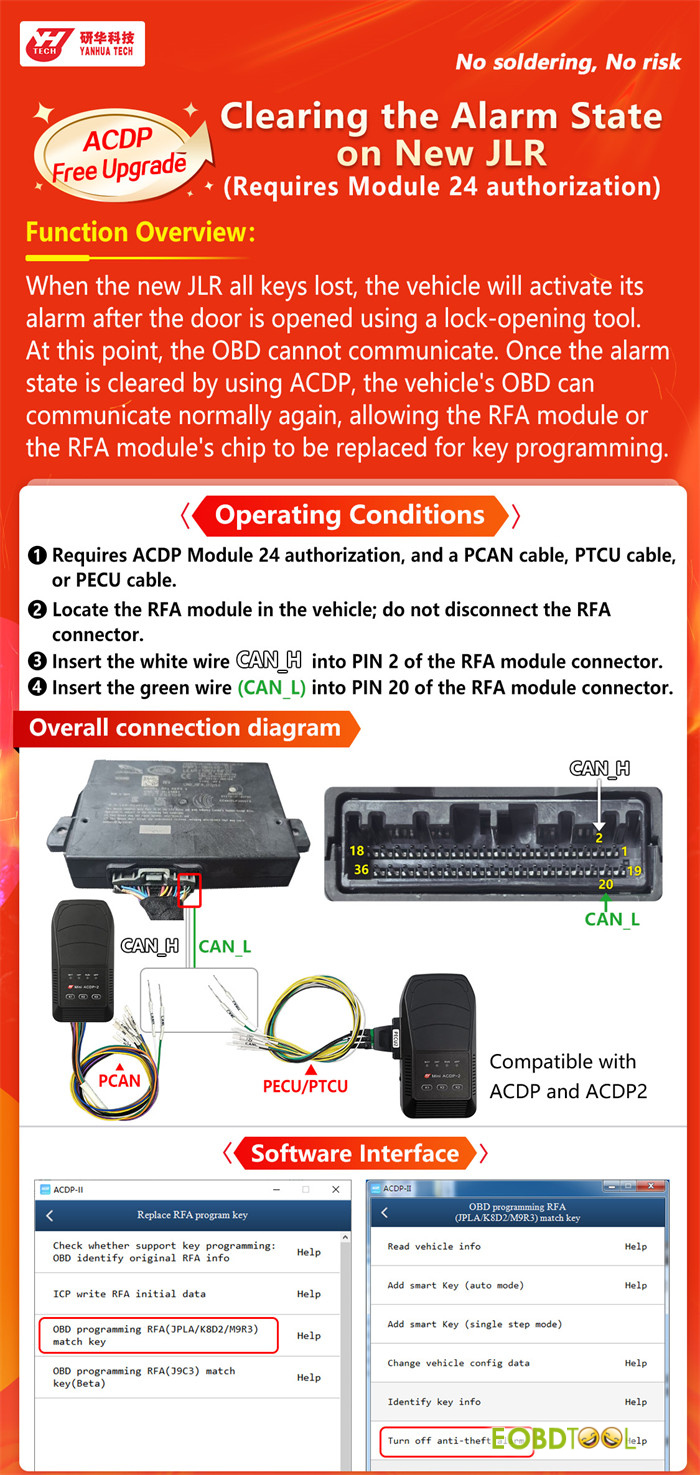
The function requires ACDP Module 24 authorization and a PCAN, PTCU, or PECU cable. It is compatible with both Yanhua ACDP and ACDP2, and the illustrated connection procedure requires no soldering.
What Problem Does the New JLR Alarm Clearing Function Solve?
In certain new JLR all-keys-lost scenarios, opening the vehicle with a lock-opening tool can activate the anti-theft alarm. While the vehicle is in this alarm state, OBD communication may be unavailable, preventing technicians from continuing with normal diagnostic and key programming procedures.
The new Yanhua ACDP function allows users to turn off the anti-theft alarm through the supported RFA connection. Once the alarm state has been cleared, OBD communication can be restored, allowing subsequent RFA module service or RFA chip replacement procedures to be carried out for key programming.
Key Features at a Glance
- Adds alarm state clearing for supported new JLR vehicles
- Designed for all-keys-lost scenarios where the alarm blocks OBD communication
- Helps restore normal OBD communication for further service procedures
- Requires ACDP Module 24 license
- Works with a PCAN, PTCU, or PECU cable
- Compatible with Yanhua ACDP and ACDP2
- Uses a solder-free RFA connection
- Available through the OBD programming RFA (JPLA/K8D2/M9R3) software menu
What Do You Need Before Starting?
Before using the new function, prepare the following:
- Device: Yanhua Mini ACDP-1or ACDP–2
- Authorization: Yanhua ACDP Module 24 License A702
- Supported Cable:PCAN cable, PTCU cable, or PECU cable
- Vehicle Access: Access to the RFA module and its connected harness
- Software function: OBD programming RFA (JPLA/K8D2/M9R3) match key
Important:
1.Locate the RFA module in the vehicle, but do not disconnect the RFA connector.
2.The cables are supplied with certain Mini ACDP Modules and may not require a separate purchase.
- PCAN Cable:Included in Yanhua ACDP Module 3
- PECU Cable:Included in Yanhua ACDP Module 18
- PTCU Cable: Included in Yanhua ACDPModule 19 / Yanhua ACDP Module 36
If you do not have the relevant module, the cable can be purchased separately.
How Do You Connect ACDP to the RFA Module?
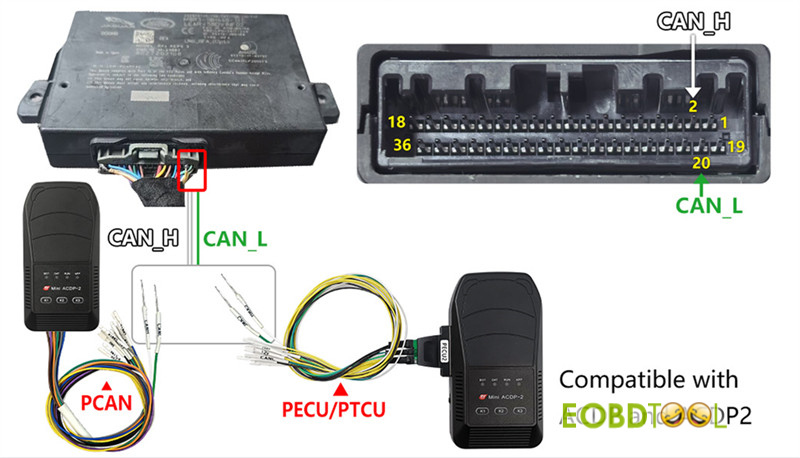
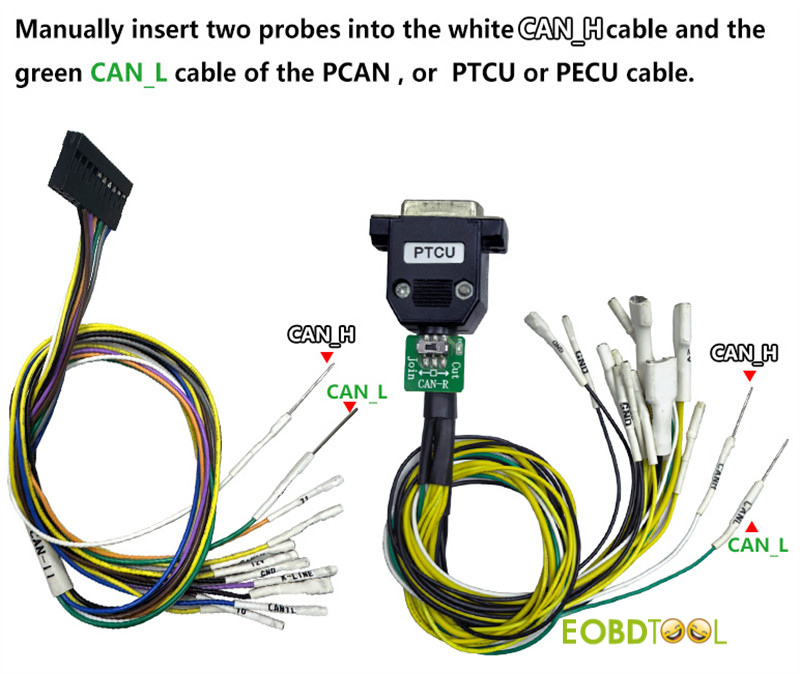
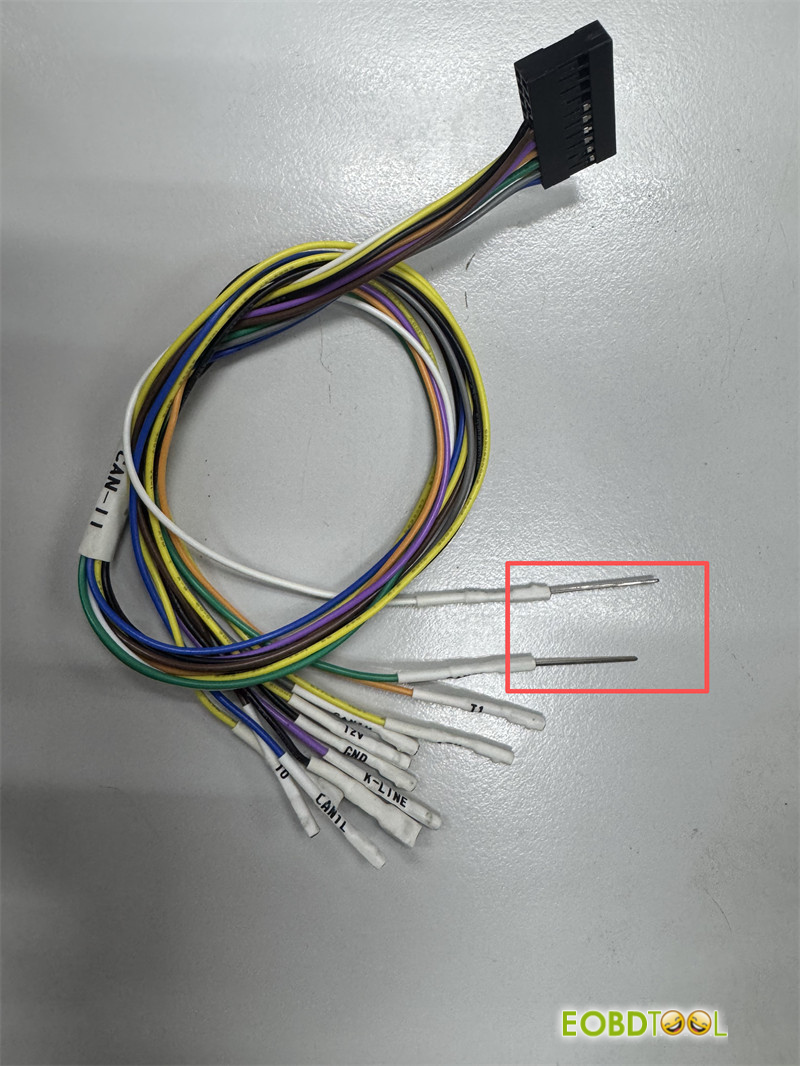
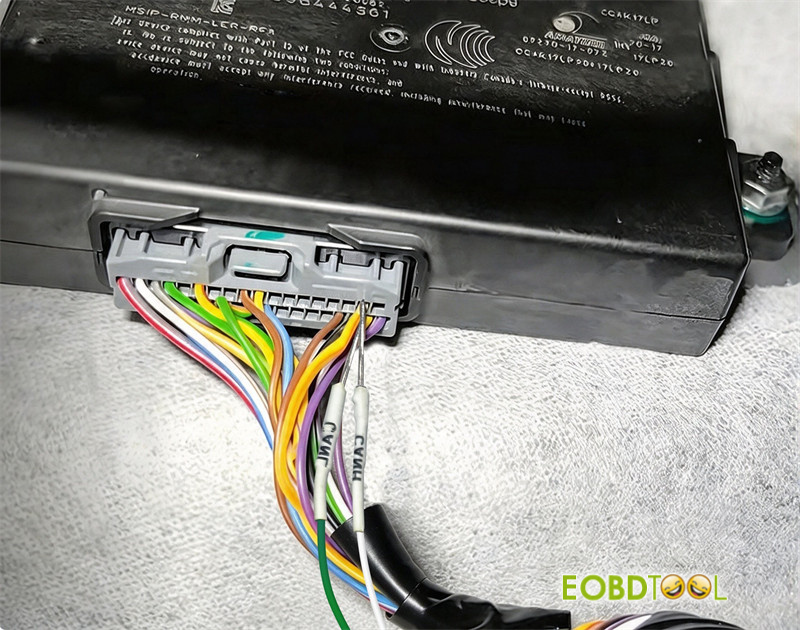
Use the white and green CAN wires as shown in the official connection diagram:
1.Insert the white CAN_H wire into PIN 2 of the RFA module connector.
2.Insert the green CAN_L wire into PIN 20 of the RFA module connector.
3.Keep the RFA connector connected to the module.
4.Complete the remaining connections using your PCAN, PTCU, or PECU cable and ACDP device.
Always verify the pin locations and wiring against the official diagram before starting the procedure.
Where Is the Alarm Clearing Function in the Software?
Open the ACDP software and follow this menu path:
Replace RFA program key → OBD programming RFA (JPLA/K8D2/M9R3) match key → Turn off anti-theft alarm
Follow the on-screen instructions to operate.
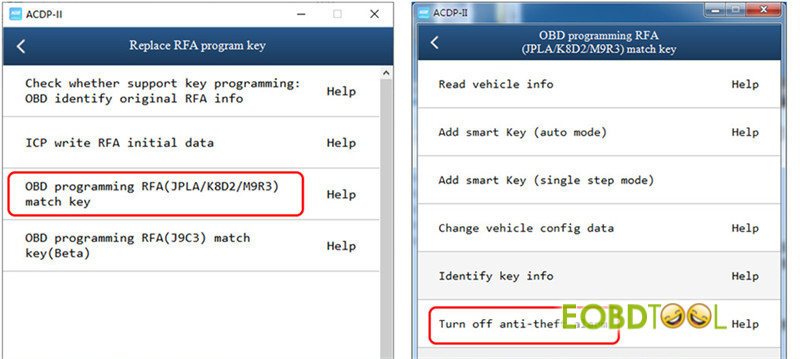
After the alarm state has been cleared, check whether OBD communication has been restored before continuing with the applicable RFA or key programming workflow.







