







In this post, you’ll learn how to perform mileage and runtime correction on 2022+ VW DQ38x Gen2 (0DE/0GC) and DQ500 (0DL) transmissions using Yanhua ACDP1/ACDP2 on bench. These units feature the BH1G0401 bootloader and a 7-pin TCU connector.
Three hardware options are available:
- Option 1: Mini ACDP1 + ACDP1 Module 45
- Option 2: Mini ACDP2+ ACDP2 Module 45
- Option 3: Mini ACDP1/ACDP2 + A60B License+ Module 19, 25, or 30
Tip for existing users: If you already own ACDP Module 19/25/30 or ACDP2 Module 19/25/30, you only need to purchase Module 45 A60B license. No additional hardware required!
Step-by-Step Instructions
The following example uses Yanhua ACDP with Module 45.
Step 1: Verify Your TCU
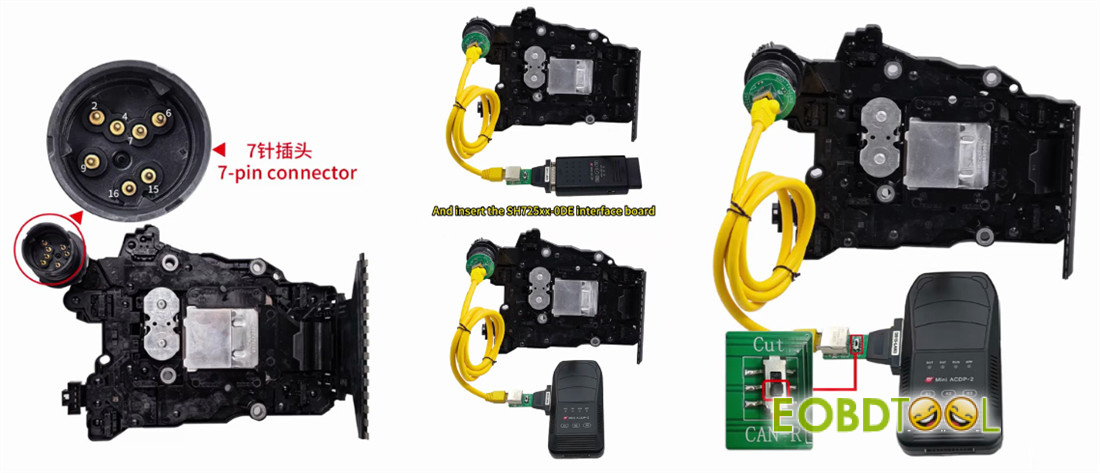
Open the hood and locate the gearbox TCU. You are looking for a 7-pin connector
✅ 7 pins → Proceed with this guide
❌ 4 or 6 pins → Stop – this method is not compatible
Step 2: Connect Hardware
Disconnect the original gearbox connector
Attach Mini ACDP and Module 45 SH25xx-0DE board to the gearbox
Set the jumper cap to the “CAN-R” position
Power on ACDP device
Step 3: Read Current Data
Open ACDP App
Check the top-right corner – ensure your device shows as connected
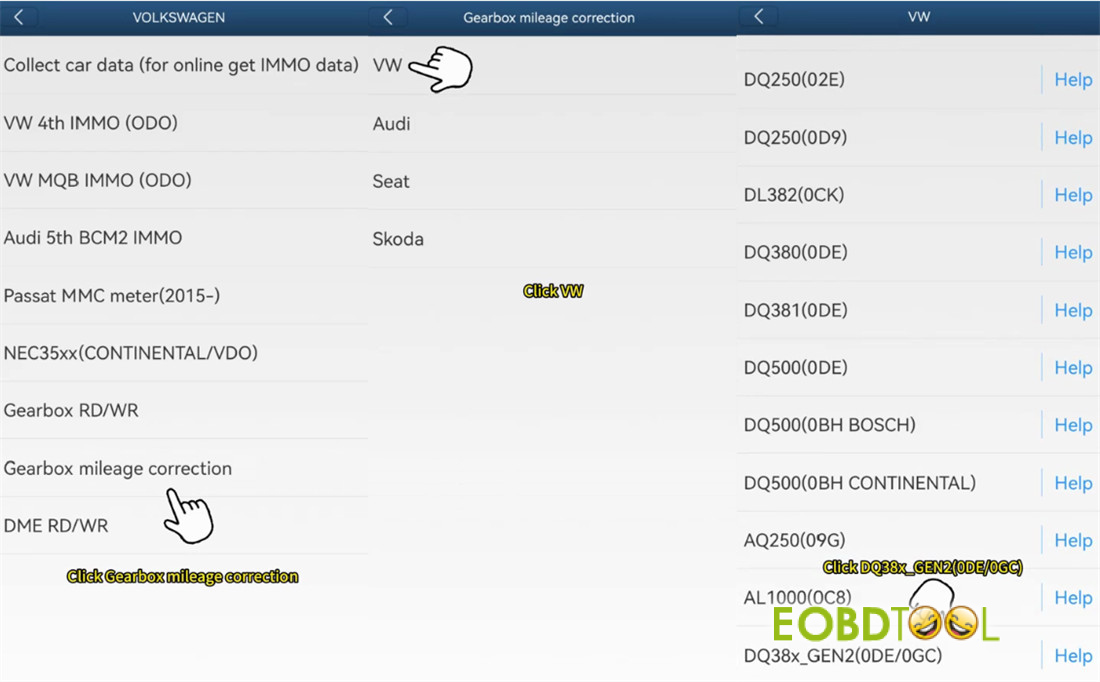
Navigate to:
VW/AUDI → Gearbox mileage correction → VW → DQ38x_Gen2 (0DE/0GC)
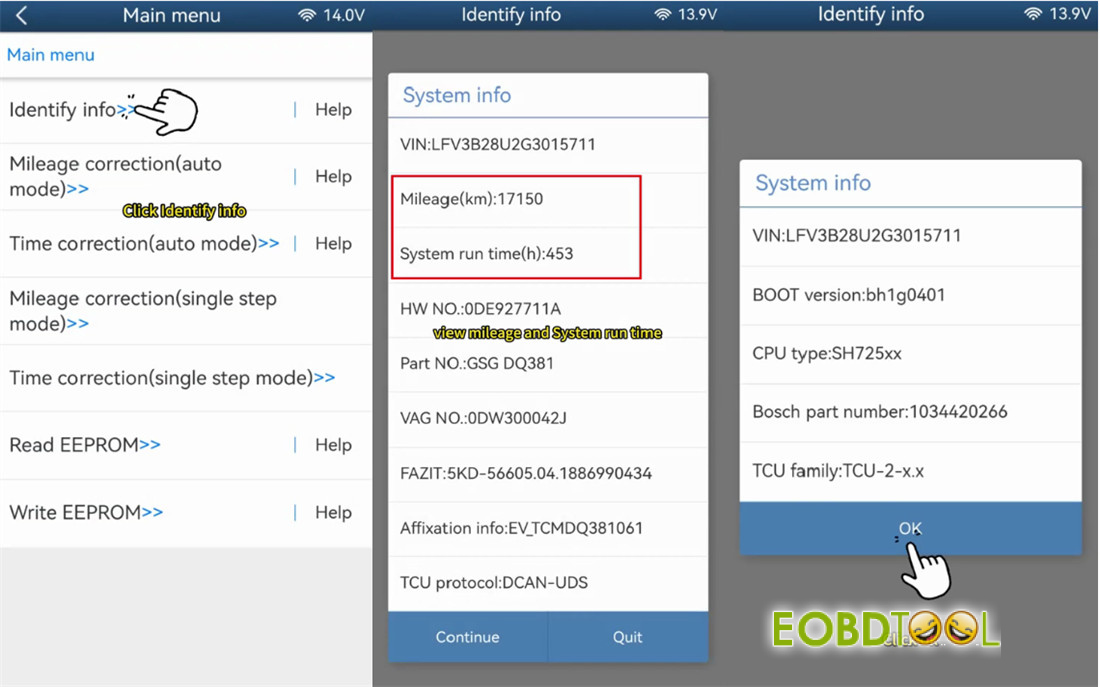
Tap “Identify info”
The app will display:
- Current mileage (e.g., 17,150 km)
- Current runtime (e.g., 453 hours)
Take a screenshot and save it for your records
Step 4: Change Mileage
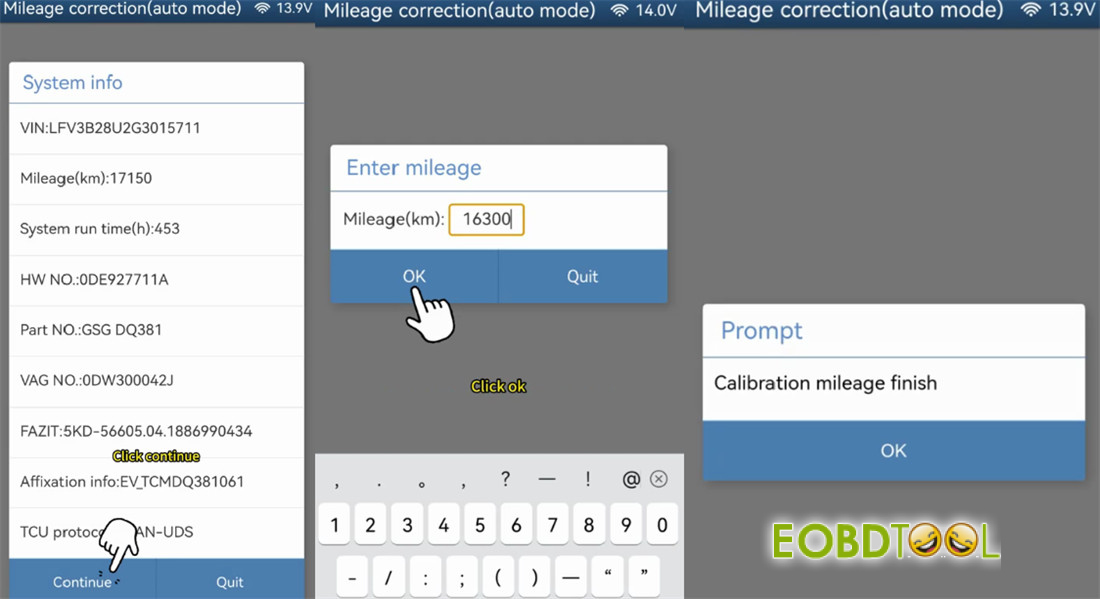
Tap “Mileage correction (auto mode)”
Wait for the tool to read system and chip data
⚠️ CRITICAL: Save the EEPROM data – this is your backup
Enter your desired mileage
Example: 16,300 km (was 17,150 km)
Tap write to program the chip
Wait for the completion confirmation
Step 5: Change Runtime
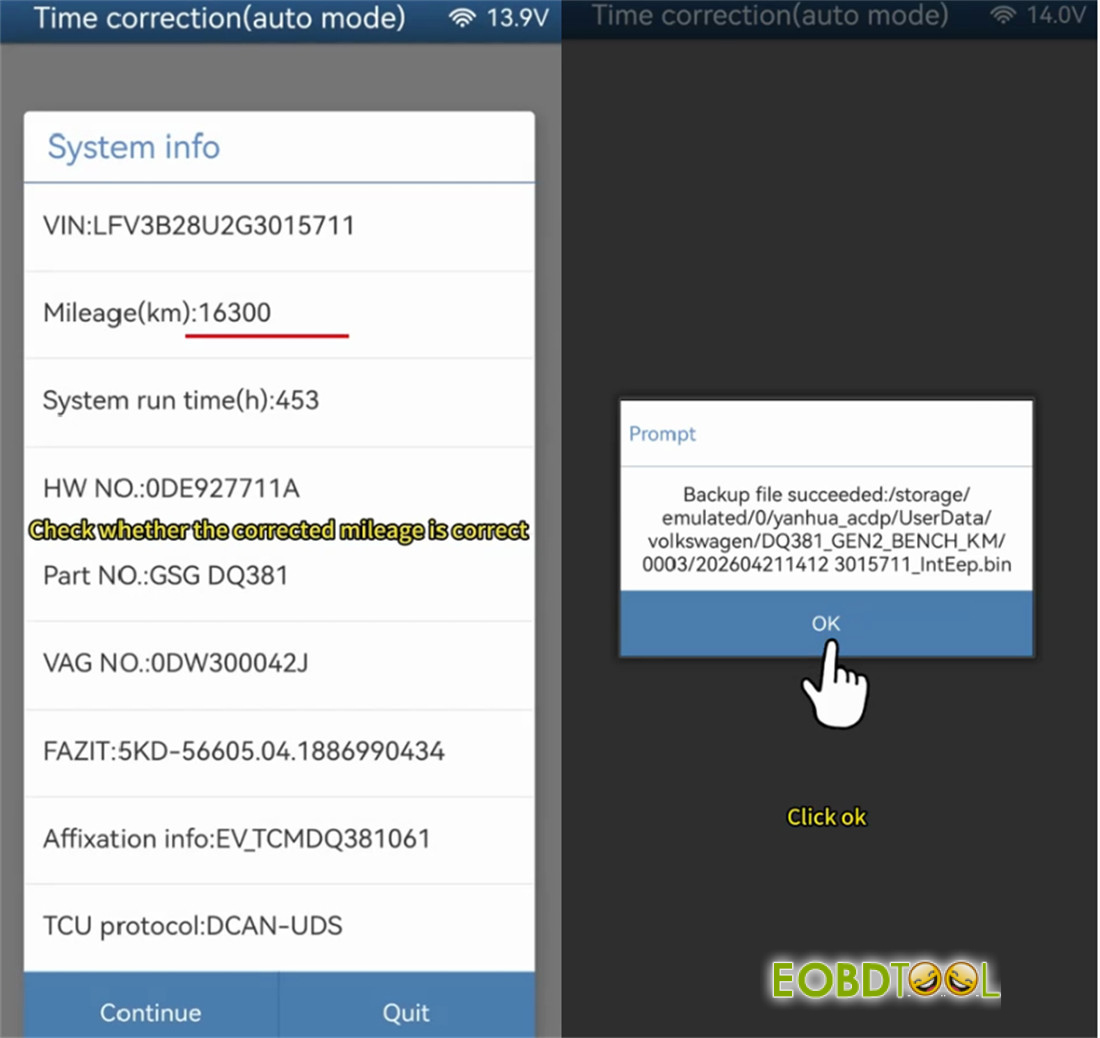
Tap “Time correction (auto mode)”
Verify the mileage field shows your new value
Save the EEPROM data again
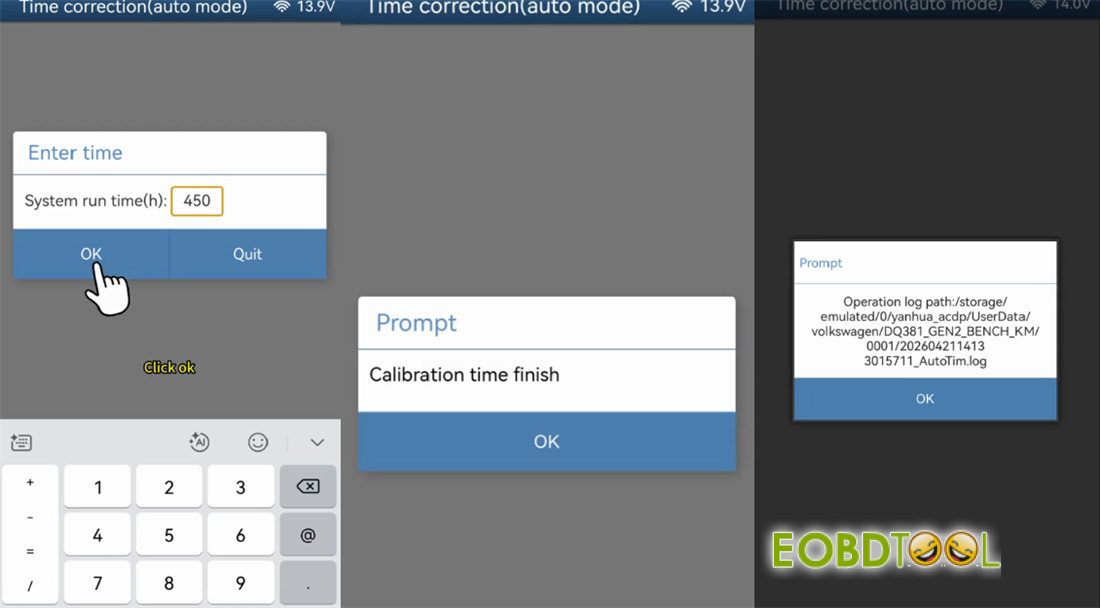
Enter your desired runtime
Example: 450 hours (was 453 hours)
Tap write to program the chip
Wait for the success confirmation message
Read also:
How to Read and Write 2022- VW DQ38x_GEN2 Data by Yanhua ACDP2?
UK Professional OBD2 Tools Online Shop







