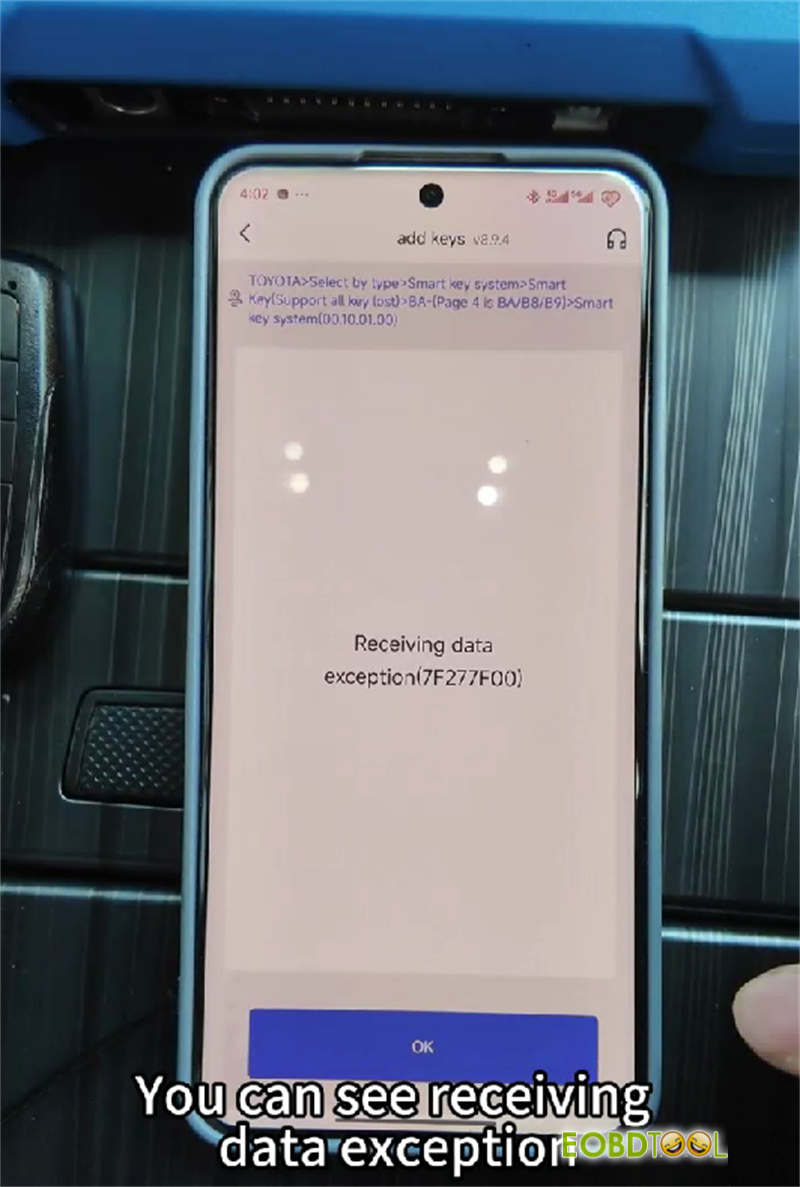







Modern car thieves like to break into cars, plug a programmer into the OBD port, and make a new working key in under two minutes. Keydiy Key Defender stops this by shutting down key programming through the OBD port, while keeping your mechanic’s diagnostic tools working fine.

What This Device Does
- Stops thieves from adding new keys through the OBD port.
- Leaves standard OBD diagnostic scans and code clearing active.
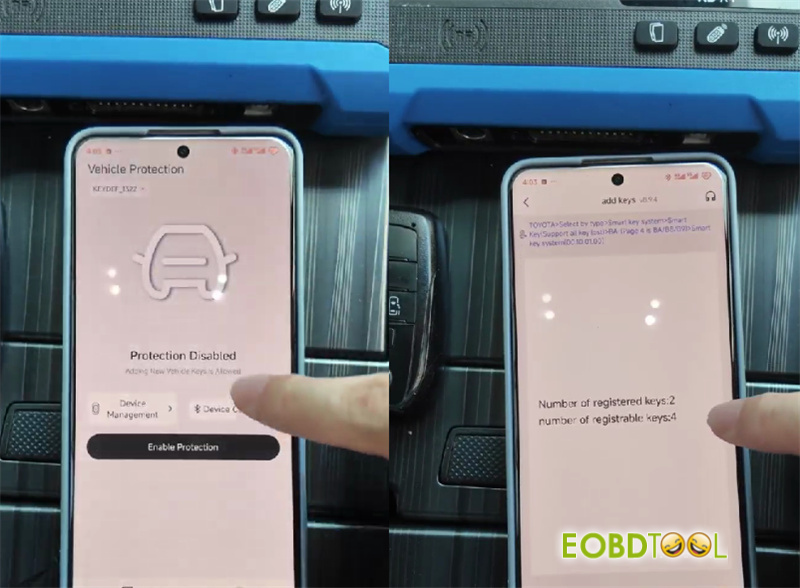
- Allows you to switch protection ON or OFF directly from your phone.
How to Install and Wire It
- App Download
Get the KEYDIY app on your phone.

- Wiring Setup
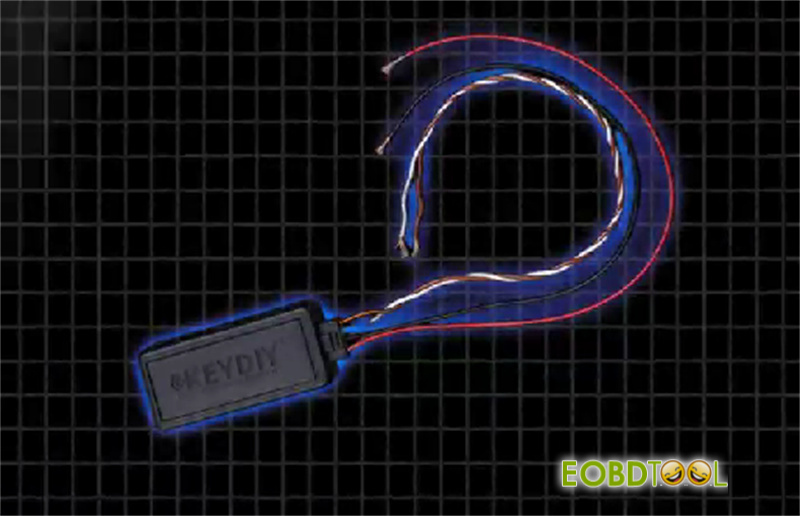
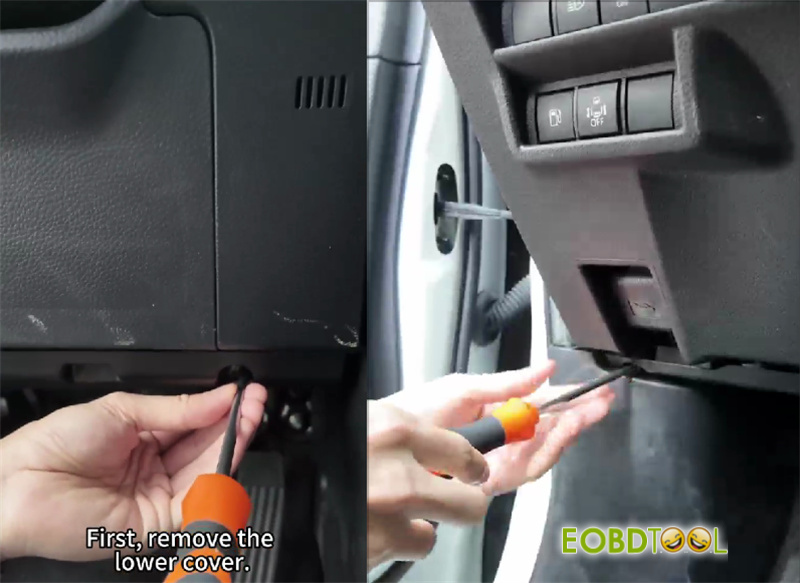
Pop off the lower dash panel and test your wires with a multimeter. Connect the four module wires:
- Red:Constant 12V power
- Black:Chassis ground
- Yellow:CAN-High line
- White:CAN-Low line
Tuck the module and wires out of sight behind the interior trim.
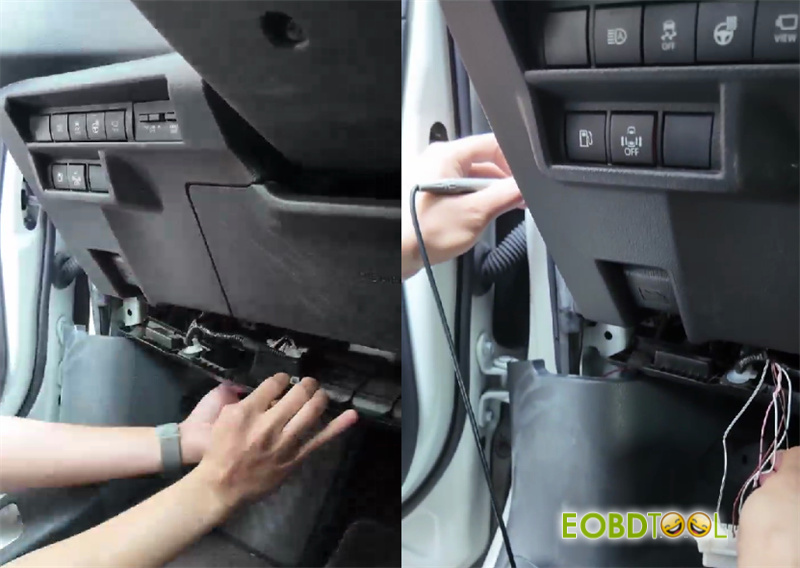
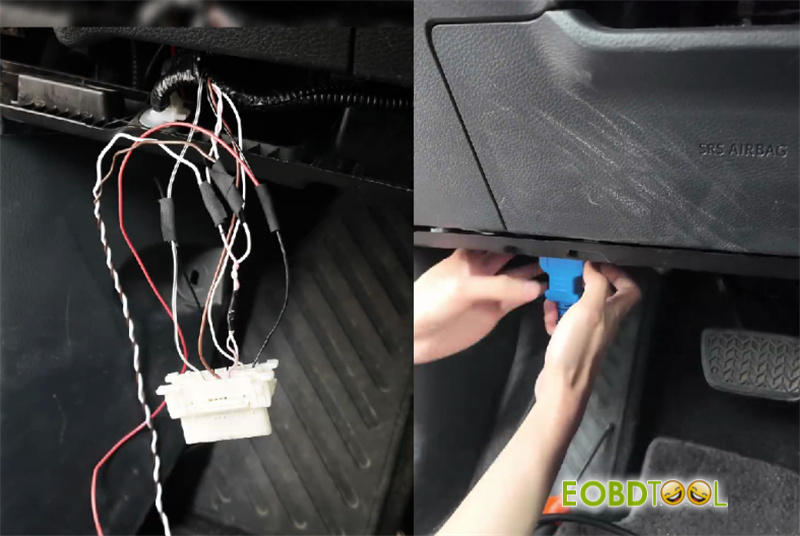
- Pairing with Phone
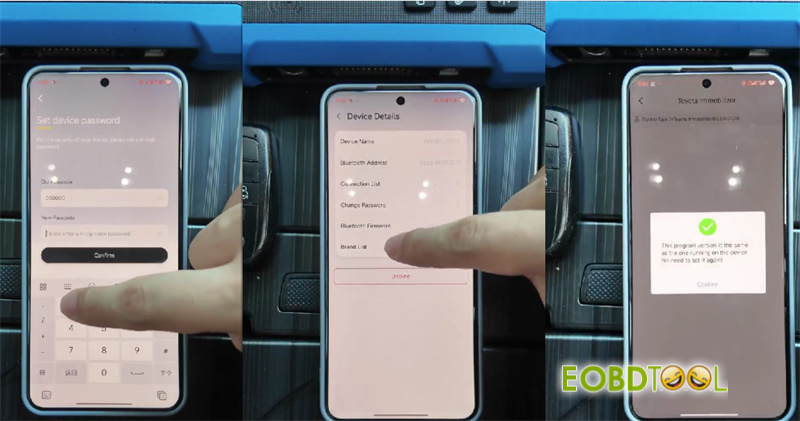
Open the app, head to Device Management, tap Bind Device, and locate your module.
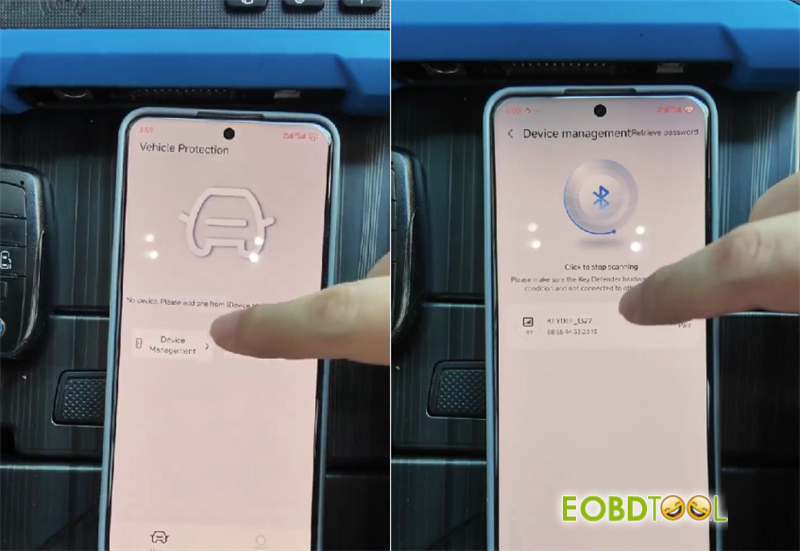
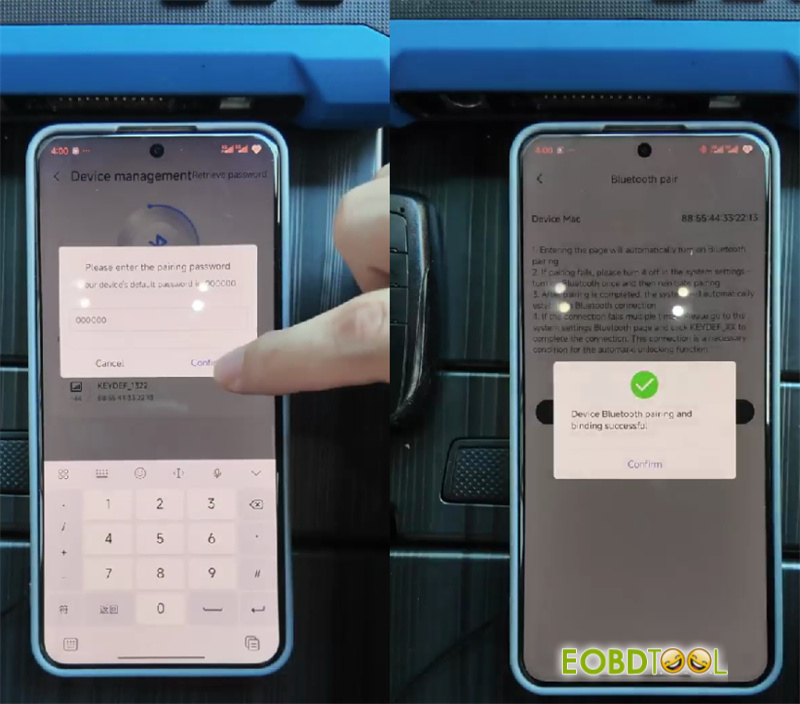
- Flashing and Locking
Log in with the default code 000000 and change the password right away.
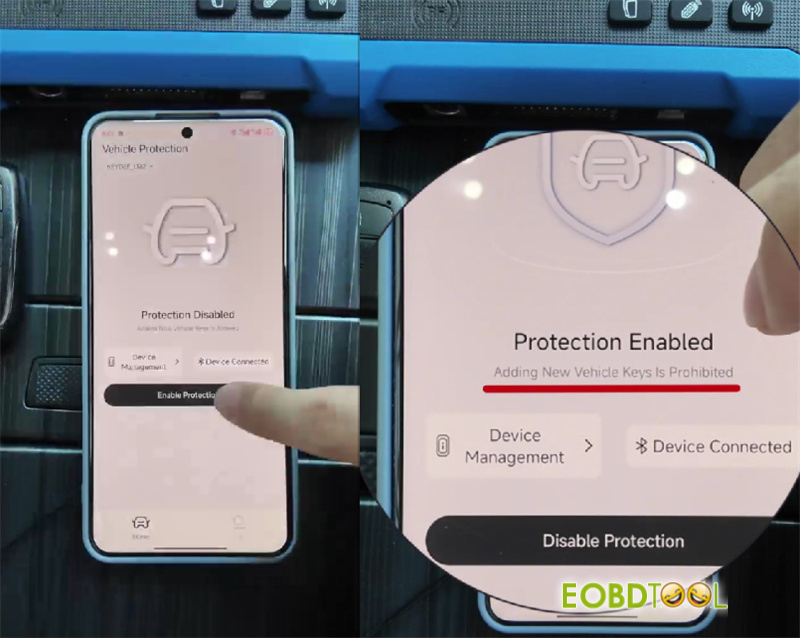
Select your car model in the app menu to load the software file, then press Enable Protection.
Real-World Test
Once enabled (tested on a Toyota), plugging a key tool into the OBD port fails to communicate for key programming. When you need to program a real key yourself, just open the app, turn protection OFF, and the OBD port goes back to stock settings.