




LAUNCH has officially updated new IMMO software and X431 X-PROG5 key programmer capabilities.
The IMMO software is for X431 IMMO Plus/Elite/Pro key programmer and standard X431 tablets with active IMMO Software License.
This update speeds up key matching, ECU cloning, and module replacement for many popular car brands.
Upgrade 1: New IMMO Software
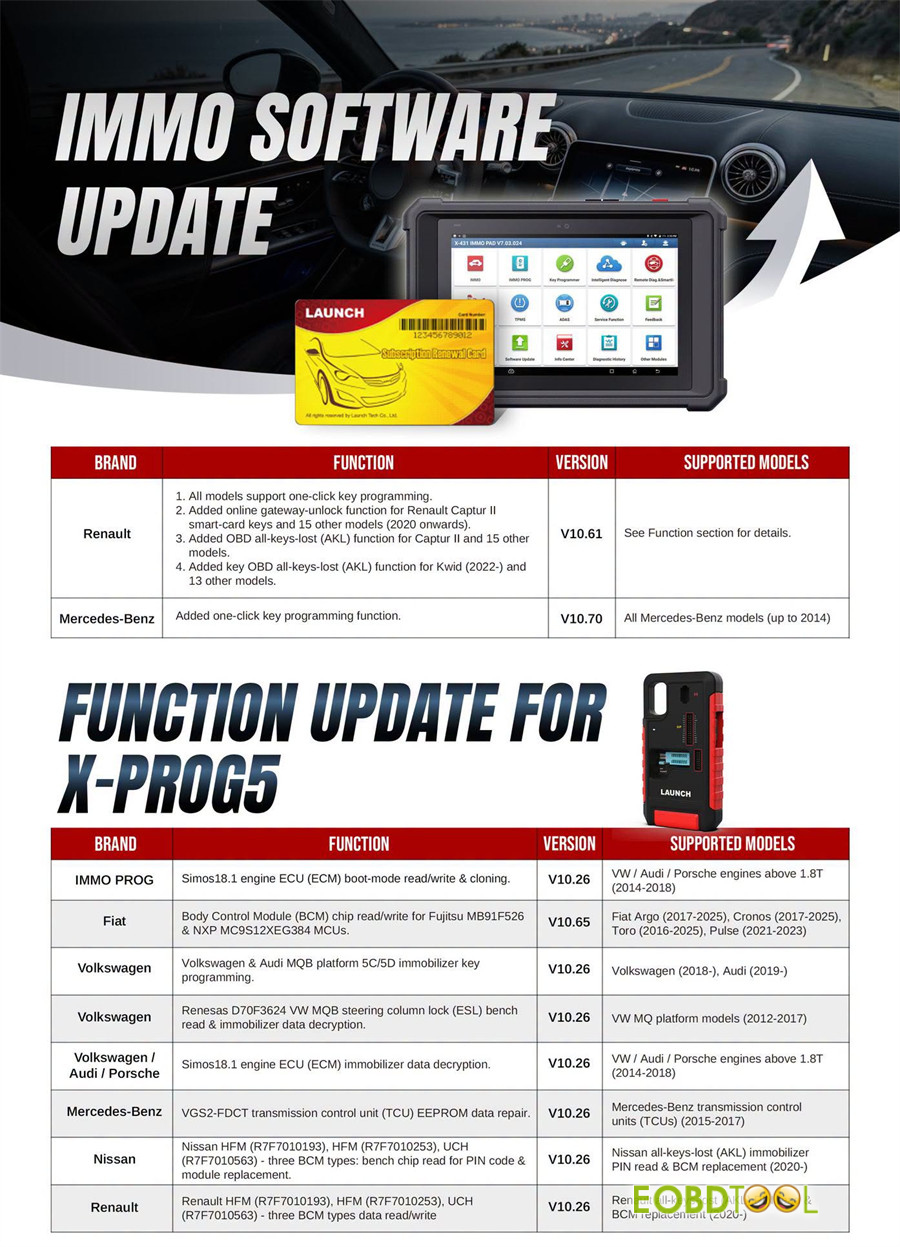
1.Renault (V10.61):
- Adds one-click key programming for supported models
- Enables online gateway unlocking for Renault Captur II and 15 other models (2020 onward).
- Adds OBD All-Keys-Lost (AKL) support for Captur II, Kwid (2022 onward), and over 28 additional models
2.Mercedes-Benz (V10.70):
- Enables one-click key programming for Mercedes-Benz models up to 2014
Upgrade 2: New X-PROG5 Function
1.IMMO PROG V10.26
- Supports boot-mode reading, writing, and cloning for VW / Audi / Porsche1 engine ECUs (1.8T+ engines, 2014–2018)
2.Fiat V10.65
- Adds Body Control Module (BCM) chip read/write support for Fujitsu MB91F526 and NXP MC9S12XEG384 MCUs on Fiat Argo (2017–2025), Cronos (2017–2025), Toro (2016–2025), Pulse (2021–2023)
3.Volkswagen V10.26
- Adds MQB 5C/5D IMMO key programming for Volkswagen (2018–), Audi (2019–)
- Adds Renesas D70F3624 VW MQB steering column lock (ESL) bench read & IMMO decryptionfor VW MQB platform models (2012–2017)
- VW / Audi / PorscheV10.26
- Adds 1 engine ECU (ECM) immobilizer data decryptionfor VW / Audi / Porsche 1.8T+ engines (2014–2018)
5.Mercedes-Benz V10.26
- Adds VGS2-FDCT transmission control unit (TCU) EEPROM repair for Benz TCUs (2015–2017)
6.Nissan V10.26
- Supports bench chip reading for HFM (R7F7010193, R7F7010253) and UCH (R7F7010563) BCM types for PIN code extraction and module replacement on 2020+ models.
7.Renault V10.26
- Supports AKL PIN read and BCM data read/write for Renault HFM (R7F7010193, R7F7010253) & UCH (R7F7010563) BCM on 2020+ models.
How to Update IMMO Software on Your Launch X431 Tablet?
Method 1: For LAUNCH X431 IMMO Plus/IMMO Elite/IMMO PRO
1.Connect your tablet to a strong Wi-Fi network.
2.Tap Software Update on the main menu.
3.Select and download the latest IMMO software.
Method 2: For Standard X431 Tablets with XPROG3 (PAD V, PAD VII, PRO5, PRO Elite, CRP919EBT/XBT…)
1.Ensure your device has an active IMMO software subscription (1-Year or 2-Year license).
2.If you do not have a license, purchase and activate it first.
3.Open the Software Update page and download the new software package.
How to Update LAUNCH X-PROG5 PC Software
1.Visit the official LAUNCH site or click here to download the X431 ECU Clone Software in your language.
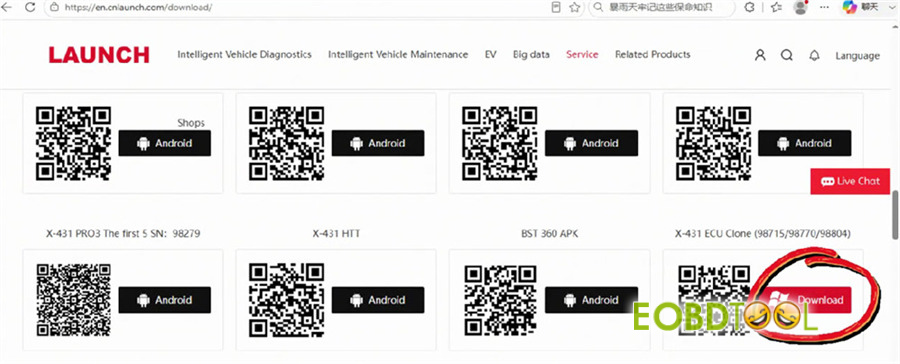
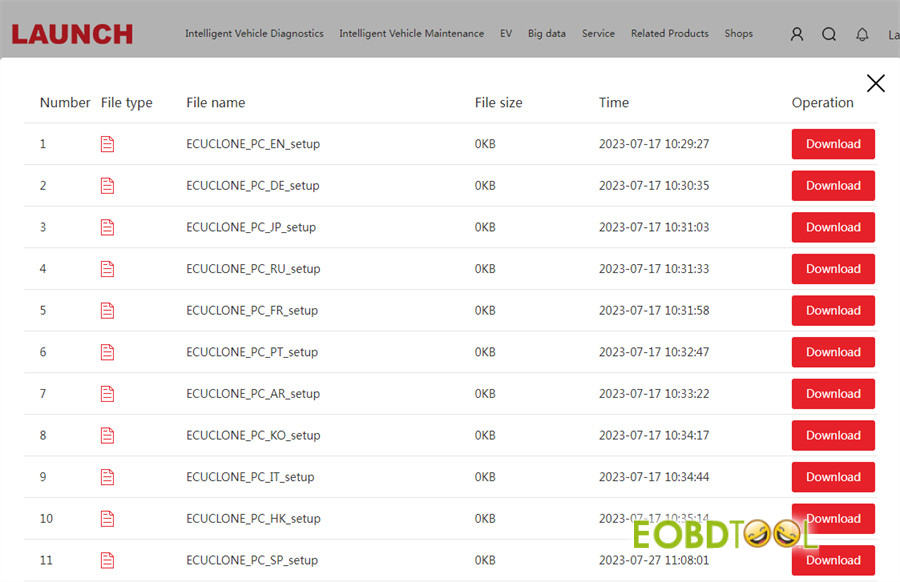
2.Install the setup file on your Windows PC.
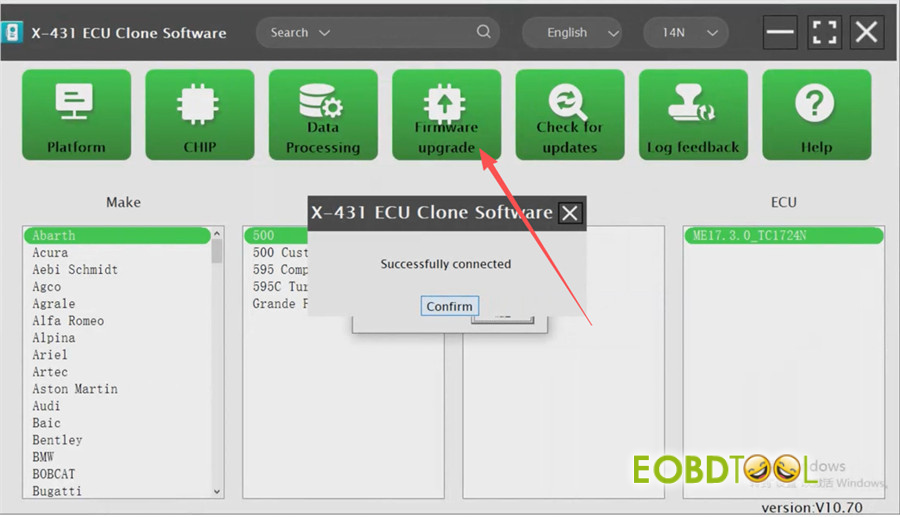
3.Connect your programmer, open the software, and run the Firmware Upgrade to finish.
Quick FAQ
Q1: Do I need a paid license to get this update?
A: Dedicated IMMO tools (IMMO Elite/Plus/PRO) get updates via their standard subscription. Standard X431 diagnostic tablets require an active IMMO Software License.
Q2: Can I use X-PROG5 with older software versions?
A: Updating to the latest software ensures full compatibility with newer vehicle immobilizer chips and prevents connection failures.
Q3: Does X431 X-Prog3 with PC Adapter support Chip function with the latest PC software?
A: No, the dedicated “Chip” read and write functionality is available exclusively on LAUNCH X-PROG5 programmer. LAUNCH currently has no plans to add this specific feature to the X-PROG3 PC software platform. If your workflow requires deep chip-level reading and writing, you must use G5 along with the latest X431 ECU Clone PC Software. Standard X-PROG3 hardware remains focused on mainstream bench cloning and vehicle immobilizer key programming.







