







Customer Problem:
My Yanhua ACDP2 APP shows white screen suddenly. Does the network have issue?
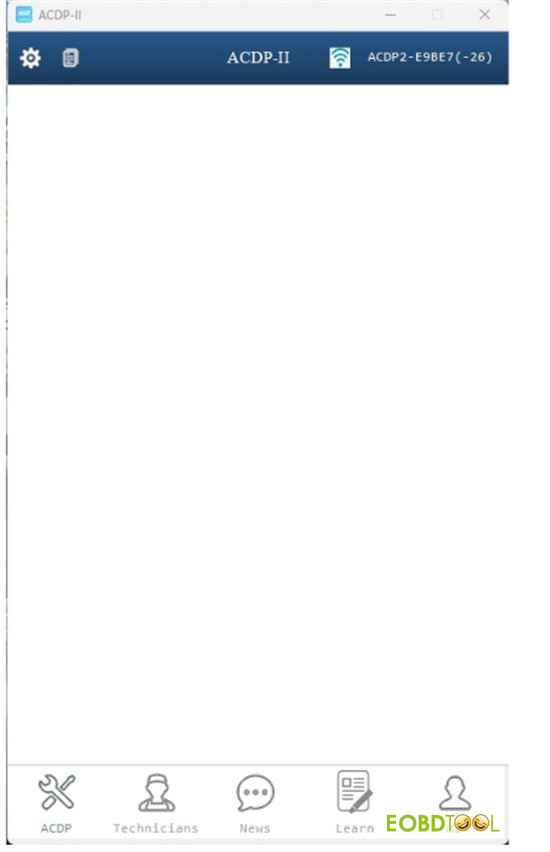
Eobdtool.co.uk engineer replied:
It’s often due to loading errors, the app freezing, or network interruptions.
Try these fixes:
1.Restart ACDP App
Swipe it closed on your phone or tablet, then open it again.
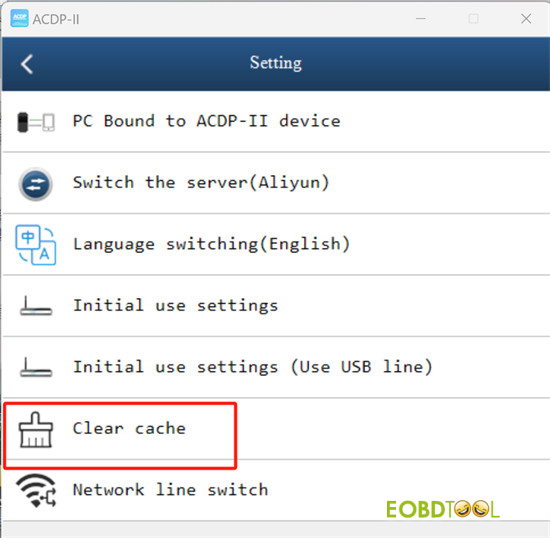
2.Clear Cache
Go to ACDP2 App’s “Setting” and tap “Clear Cache”.
3.Check Your WiFi
Make sure your signal is strong.
If your WiFi name is very long, consider renaming it—this can sometimes block connections.
4.Reinstall the App
Delete the current version.
Download the newest version from the Yanhua website, App Store, or Google Play.
5.For BAV Key Programming: Check the Adapter
If the white screen shows up while programming a BAV key, unplug the adapter and plug it back in firmly.
6.For PC Users: Check Your Runtime Environment
Make sure your computer has the required software like .NET Framework installed to run ACDP-2.
7.Update Your Phone or Tablet
If nothing else works, check for system updates on your Android or iOS device and install them.
Tech support:
Email: sales@eOBDTool.co.uk
WhatsApp: +86 159 7293 3706
Skype: Eobdtool.co.uk
Business Time: Monday – Friday, 8:30am – 6:00pm CST (UTC/ GMT+08:00)







