







Here’s a walkthrough on BMW BDC2 encrypted key copying by Yanhua ACDP2 on bench.
Hardware Requirement:
- Yanhua Mini ACDP/ACDP2 with Module 38 License
- ACDP BMW BDC2 BDC3 Encrypted Key Copying Interface Board Set
- Original key
- New key to be programmed (original key or second-hand locked keys)
Software Requirement:
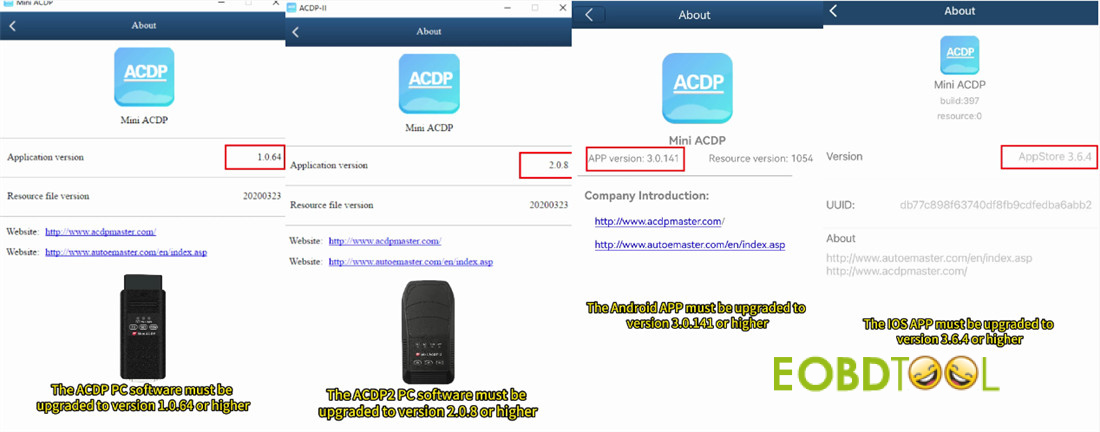
- ACDP PC software: V1.0.64 or newer
- ACDP2 PC software: V2.0.58 or newer
- Android App: V3.0.141 or newer
- iOS App: V3.6.4 or newer
Step-by-step guide:
Step 1: Read Original Key Data
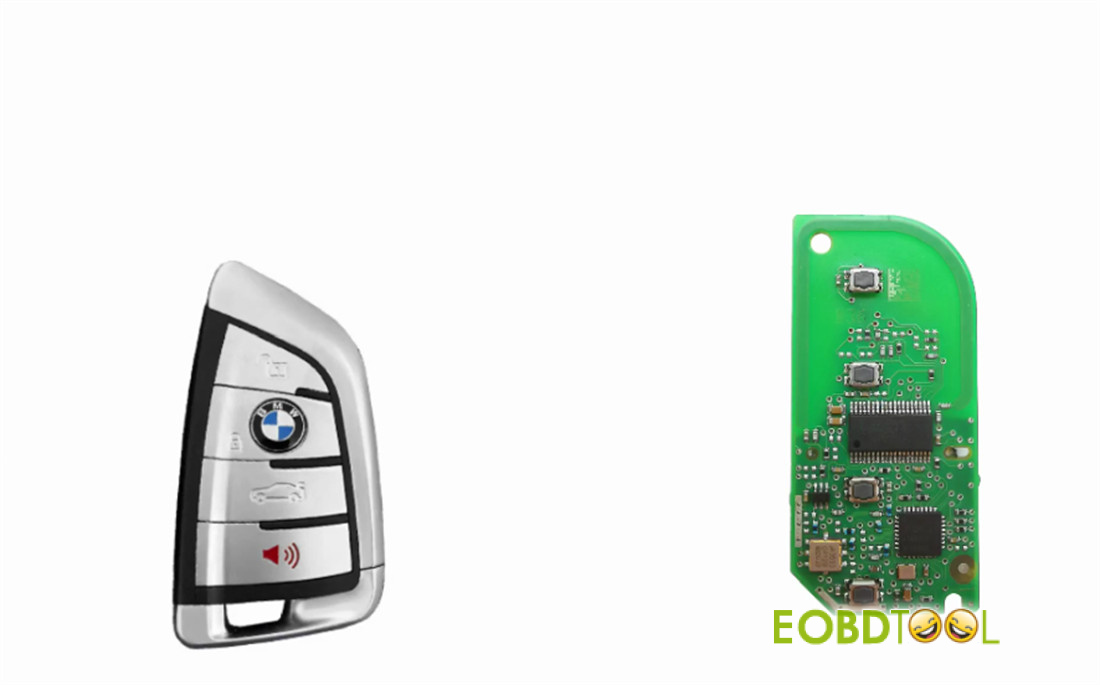
First, you’ll need to take apart your original BDC2 key.
You’ll notice it has a long rectangular main chip on the board.
Hook up your ACDP2, Yanhua BDC2 Encrypted Key Copying Interface Board, and the original BMW key
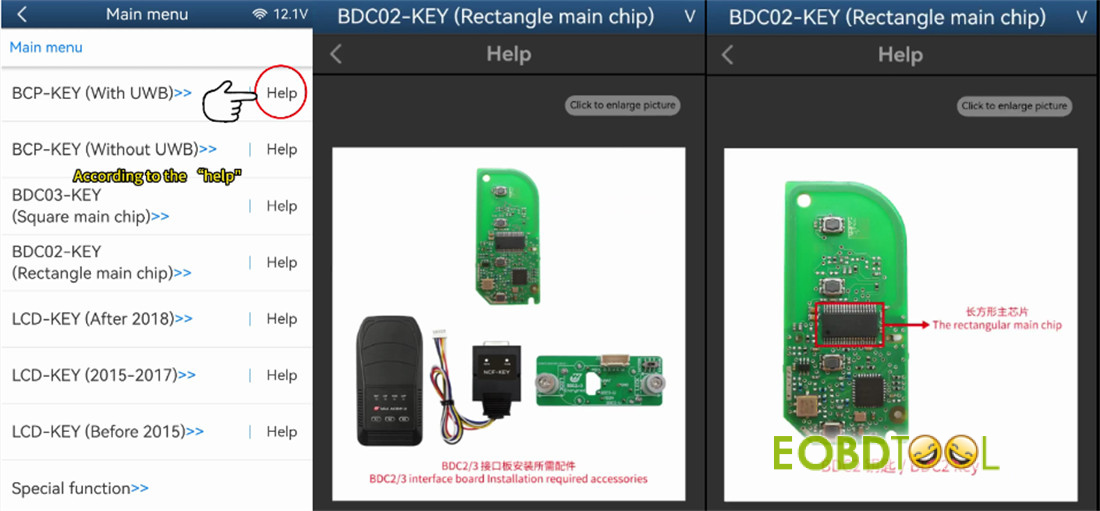
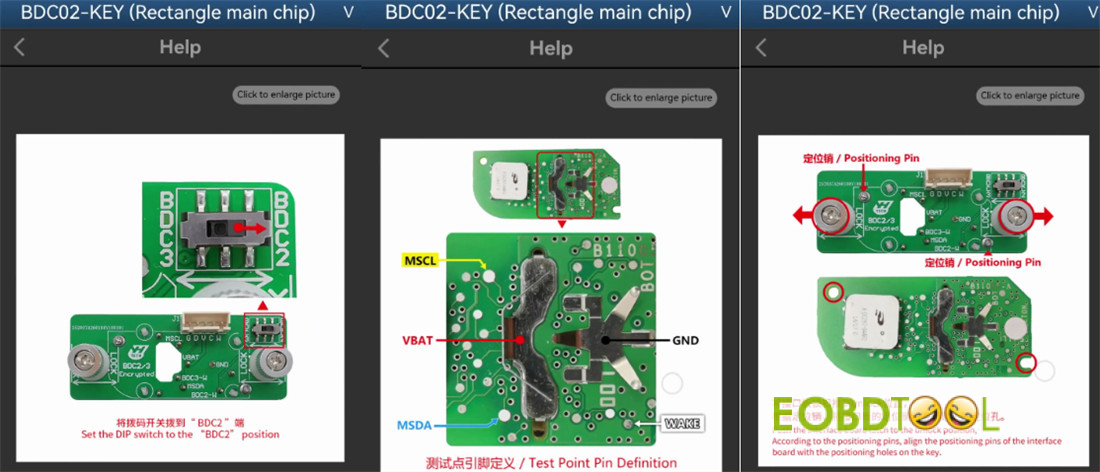
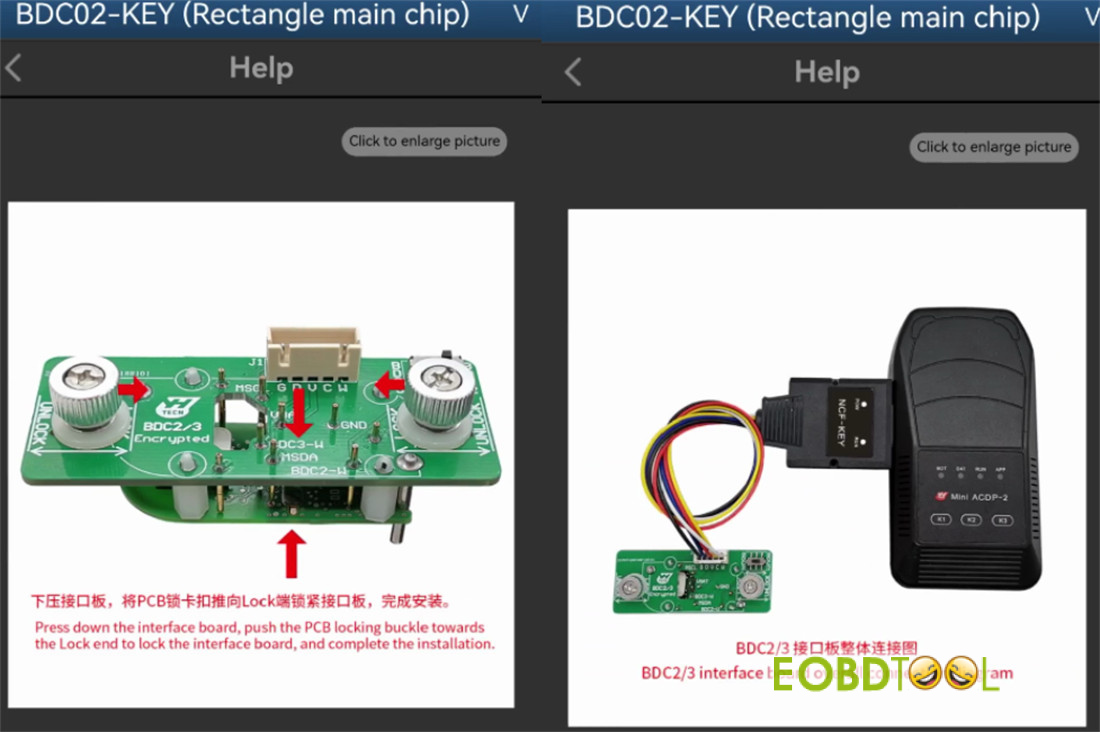
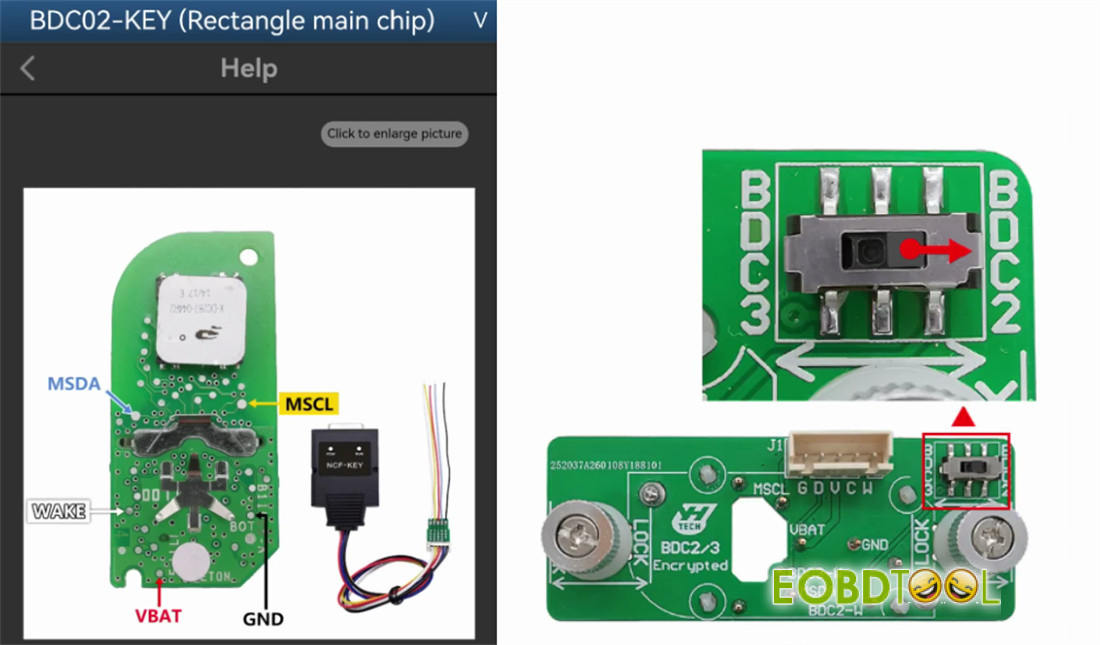
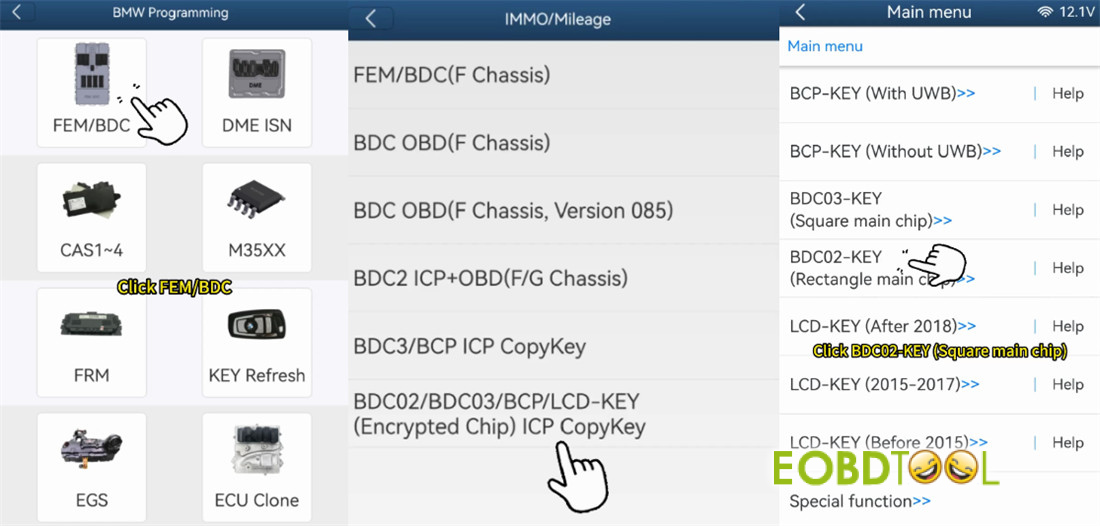
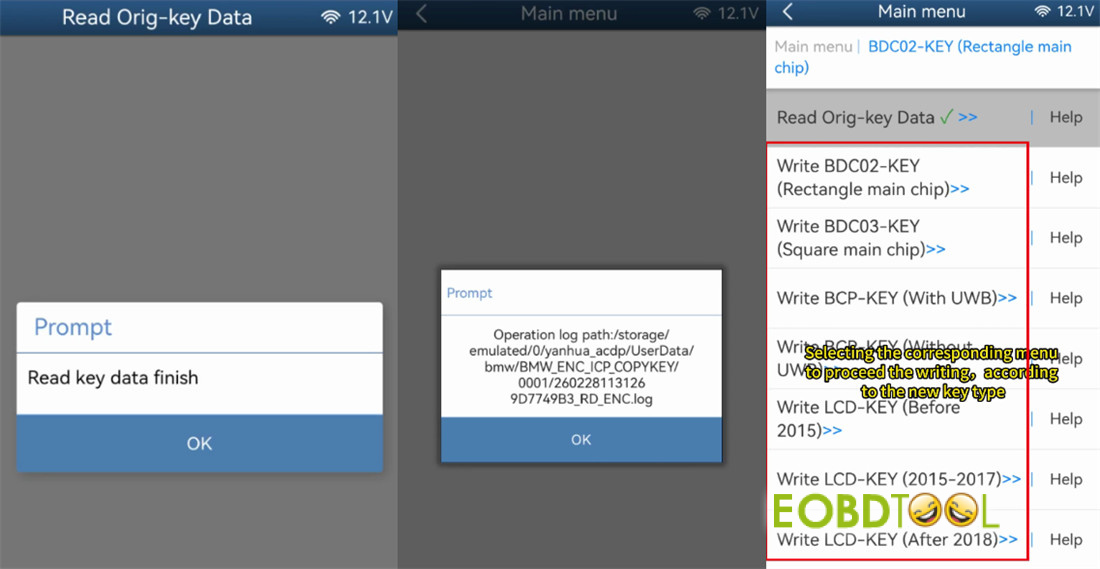
In ACDP software, navigate to: BMW > FEM/BDC > IMMO/Mileage > BDC02/BDC03/BCP/LCD key (encrypted chip) ICP copy key > BDC02 Key (Rectangle main chip).
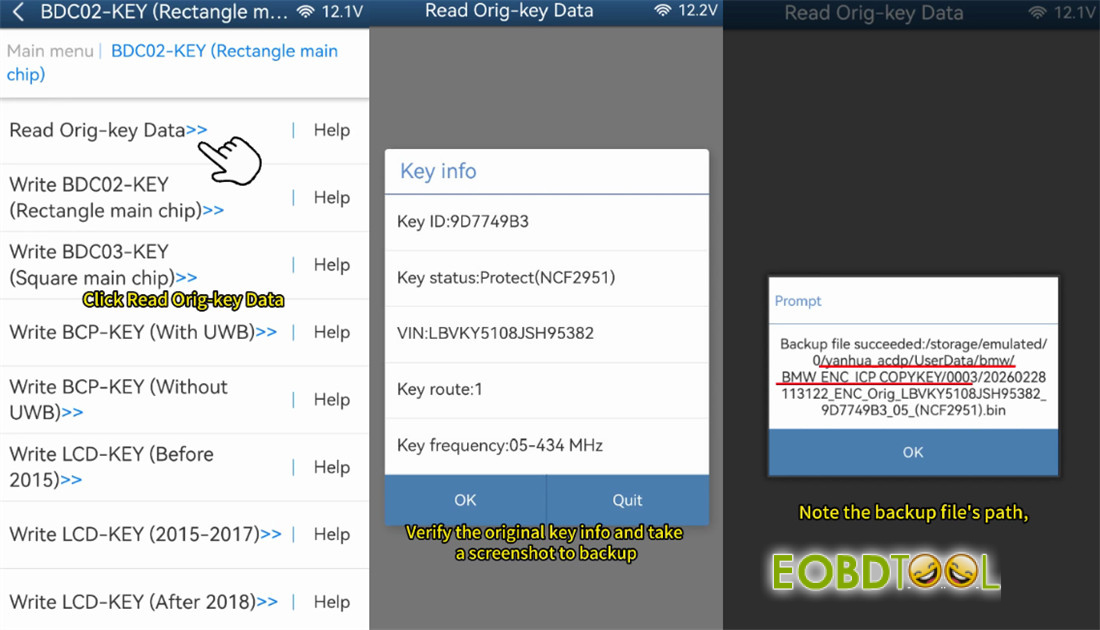
Go ahead and read the original key data.
Once it’s done, the screen will show the key info—take a screenshot for your records.
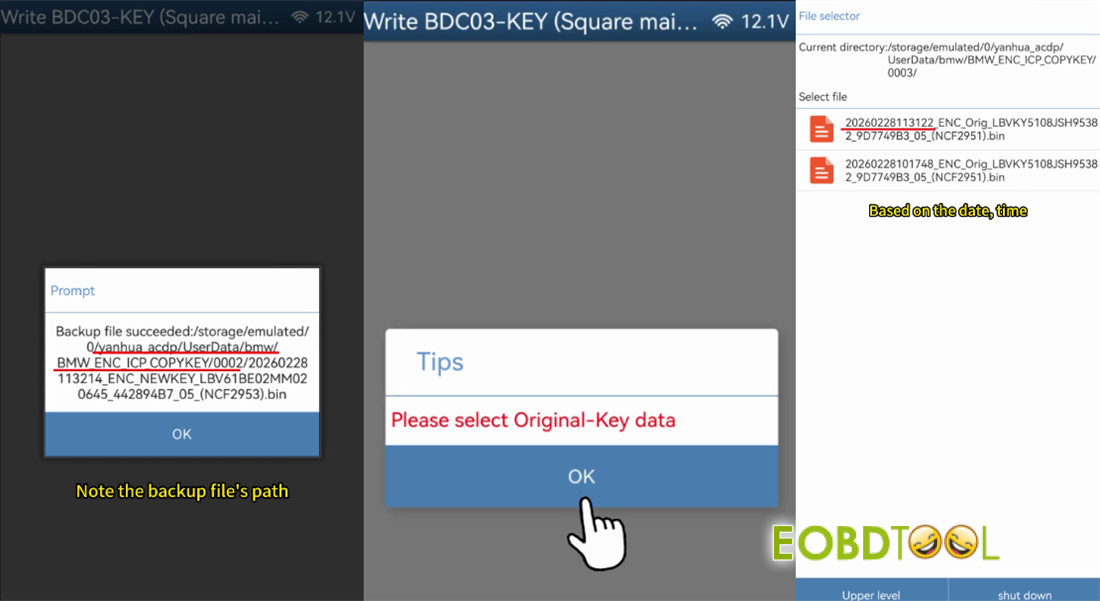
ACDP2 software will save a backup file
Just make sure you note where it’s saved (the path) and that the filename ends in .bin.
You’ll need the VIN and Key ID from this step later.
Step 2: Get Your New Key Ready
Now, decide what kind of key you’re programming.
Mini ACDP2 supports BDC03, BCP, and LCD display keys.
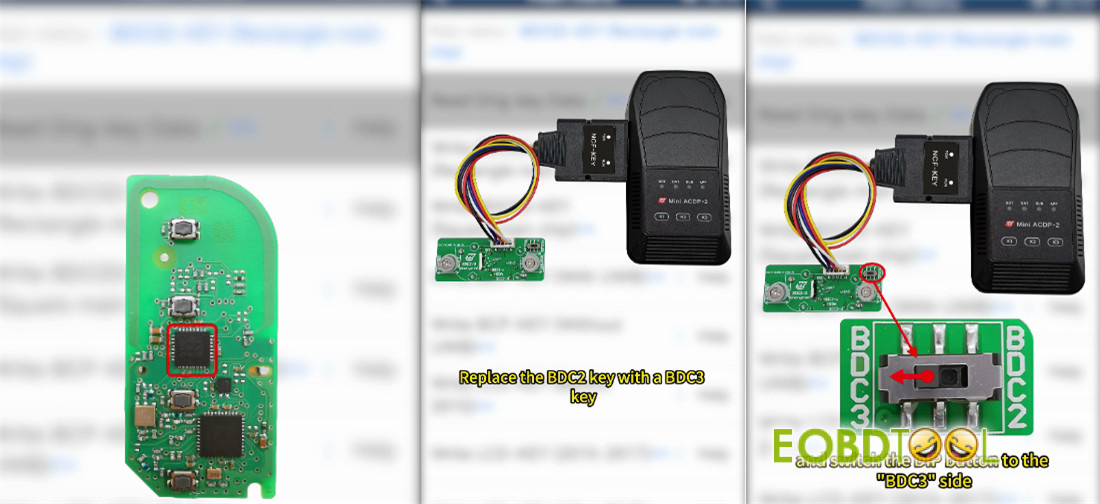
Take apart your new key so you can access its board.
Step 3: Write BDC2 Key Data
This is the crucial part. Disconnect the original key completely and connect the new key to ACDP2 and Yanhua BDC2 Encrypted Key Copying Interface Board.
If you’re upgrading from a BDC2 to a BDC3 key, remember to flip the DIP switch on the interface to the BDC3 side.
Here’s a very important warning:
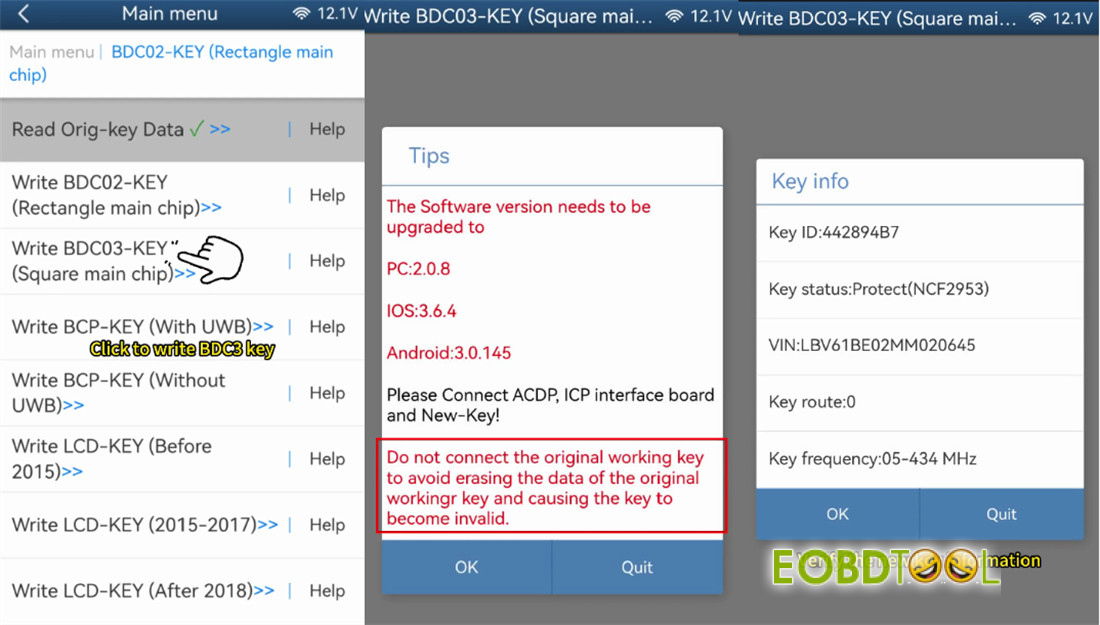
Never have the original key connected at the same time as the new key during writing. You could accidentally erase the original, leaving you with no working keys.
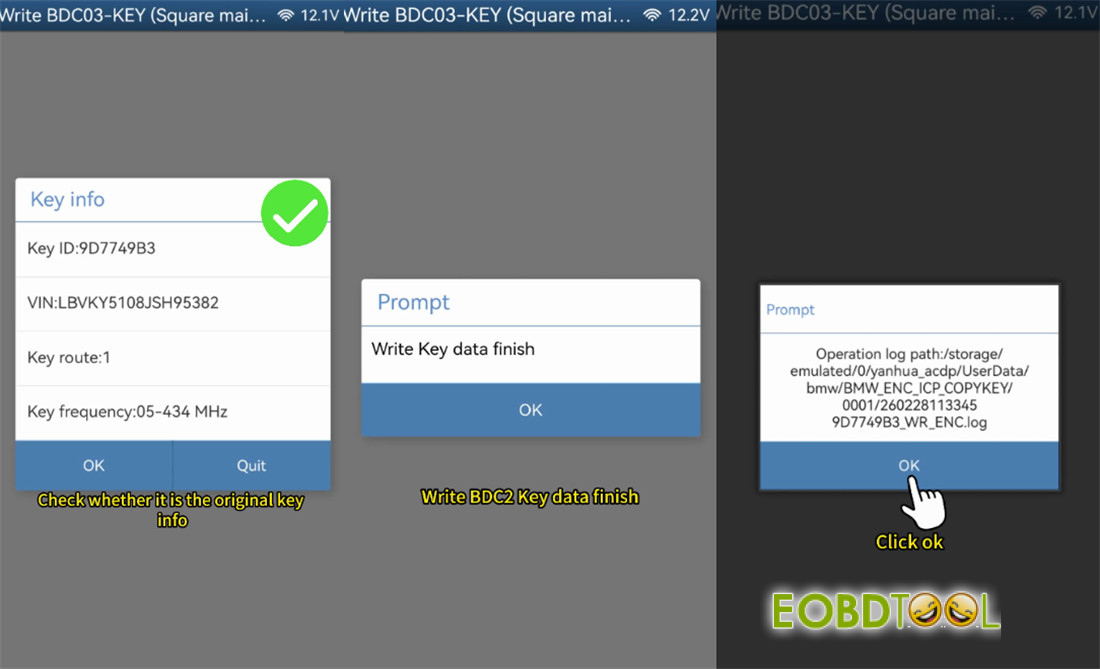
Select the correct write option for your new key (like BDC03 Key Square main chip).
The software will ask you to choose the original data file—browse and select the .bin file you saved earlier.
Double-check that the VIN and Key ID match the original. Then, start the writing process.
Once it says it’s finished, read the new key data back to make sure everything wrote correctly and take another screenshot.
Step 4: Test Everything
Put both key shells back together and head to your car.
Test both the original key and the new one to make sure they lock, unlock, and start the car without any issues.
Video guide:
Read also:
Yanhua ACDP2 Clone BMW BDC3 Encrypted Key







