







When replacing a damaged Mercedes-Benz VGS4 NAG2 (7G-Tronic Plus) transmission control unit (TCU) with a donor unit, cloning the Immobilizer (IMMO) and Coding data is essential to ensure proper operation without dealer online coding. Yanhua ACDP2 with Module 46/Module 16 makes this job perfectly.
Hardware Setup & Connection
- Power on your Yanhua Mini ACDP2
- Connect the VGS4 NAG2 Interface Board– ACDP Module 46 or ACDP Module 16 to the original VGS4 TCU and ACDP2
- Critical Step:Ensure the jumper cap on the interface board is shifted to the CAN-R position to establish stable CAN bus communication.
Note: If you have already purchased Yanhua Module 16, it’s only necessary to buy Module 46 License.
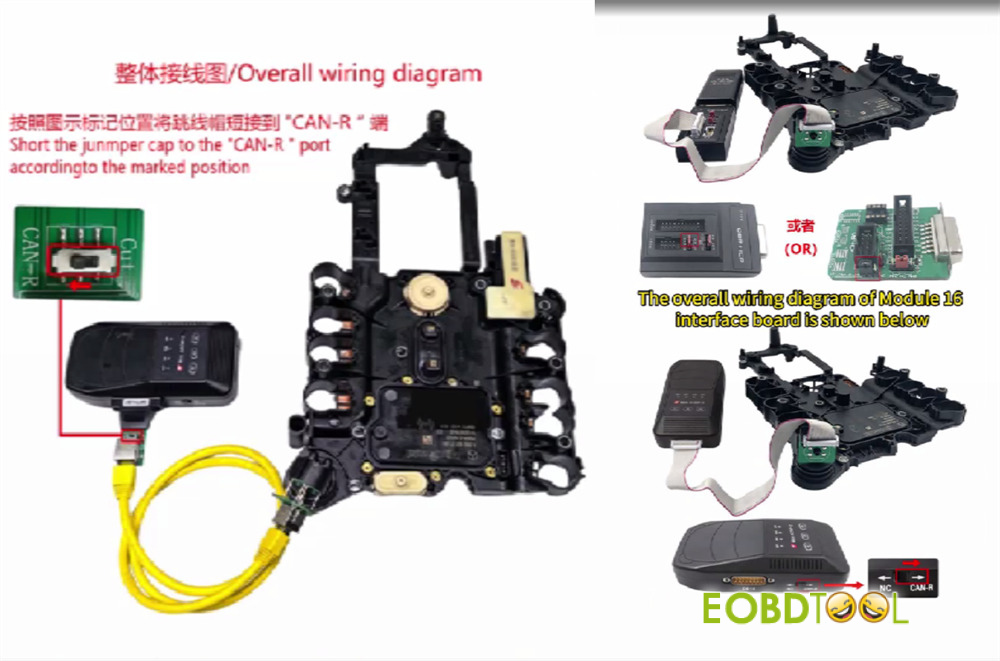
Step-by-Step Data Transfer Procedure
1.Backup Original TCU Data
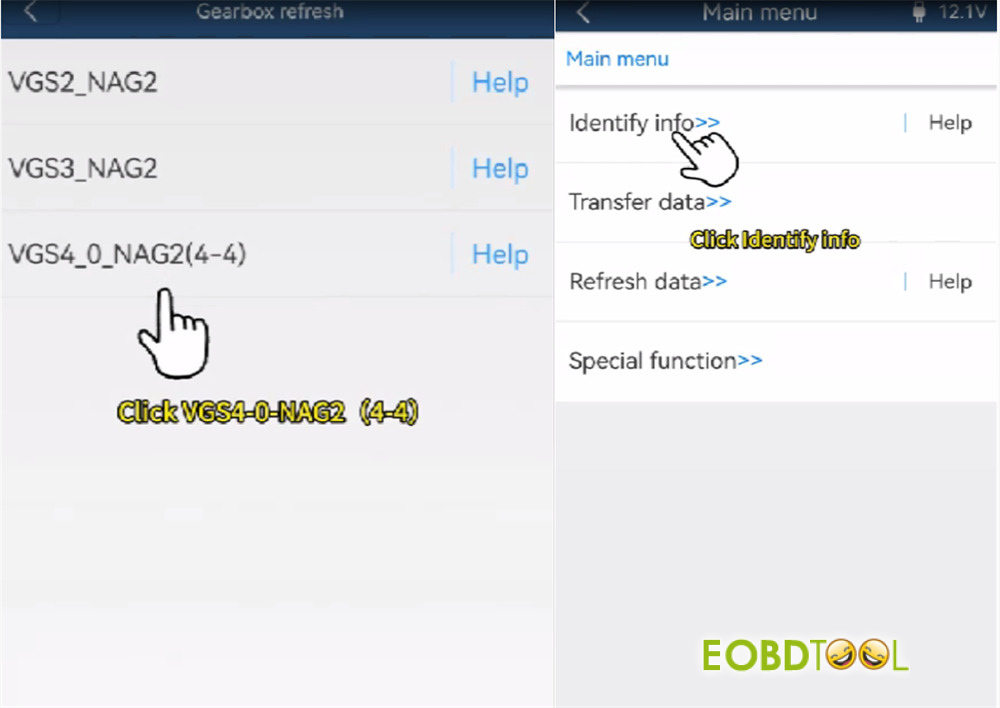
Navigate to: BENZ-> Gearbox refresh-> VGS4 NAG2 -> Identify Info
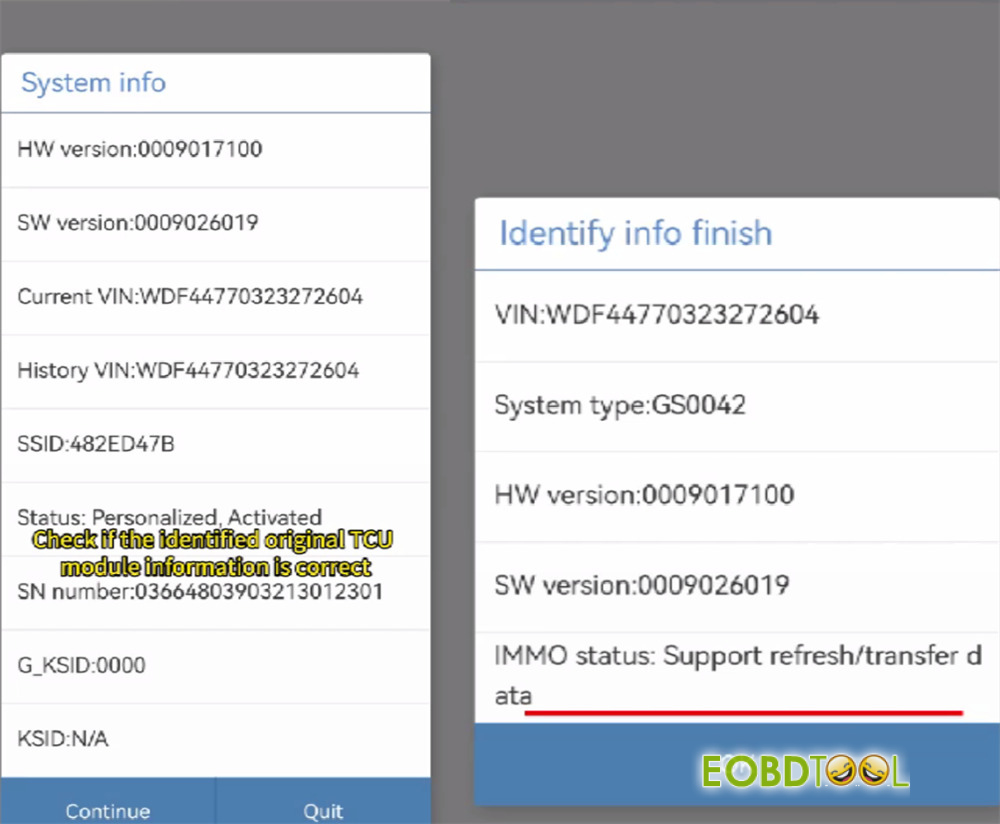
Confirm system info is correct.
The IMMO status should be Support refresh/transfer data.
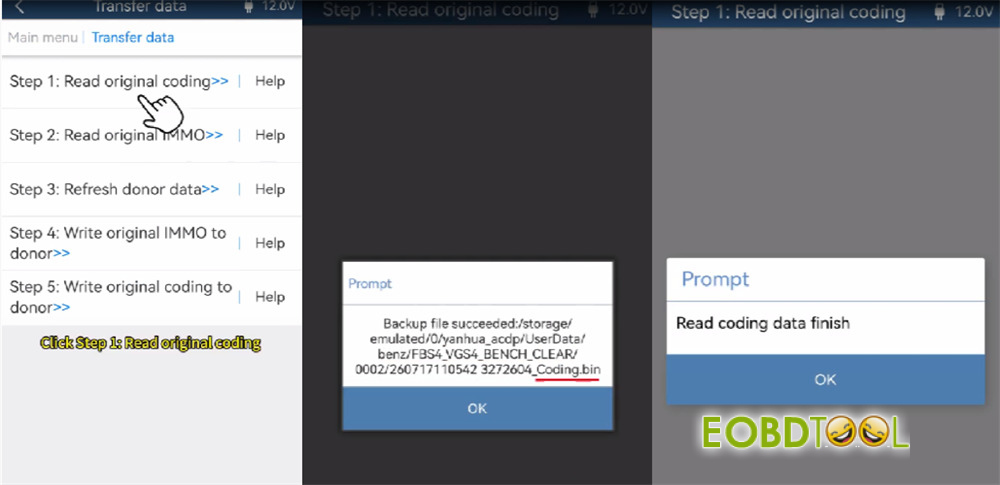
- Transfer Data
Select Transfer Data -> Step 1: Read Original Coding.
Confirm prompts and save the file (ends with …coding.bin).
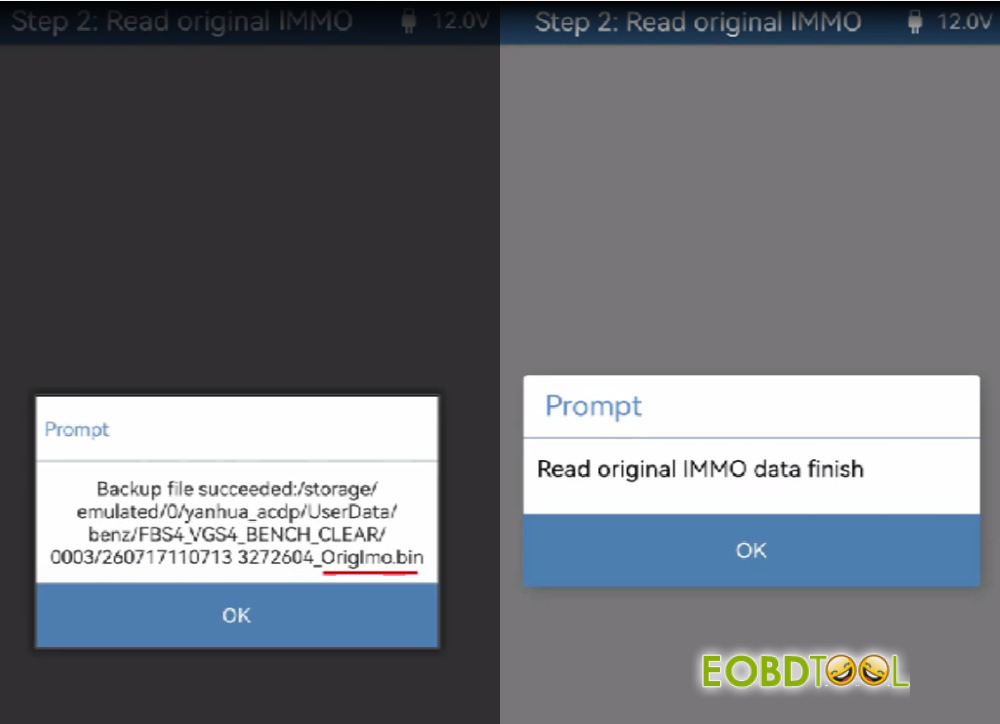
Step 2: Read Original Immo
Confirm prompts and save the file (ends with …OrigImo.bin).
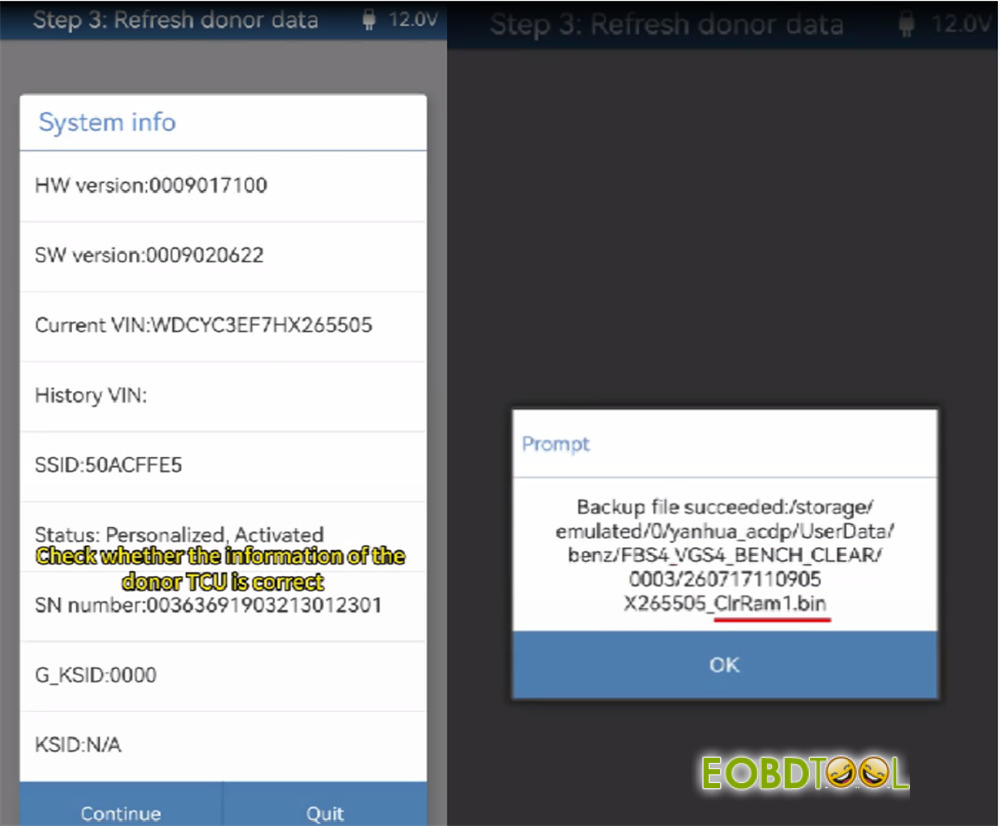
Step 3: Refresh Donor Data
Disconnect the original TCU and connect the donor VGS4 TCU with ACDP2 and Yanhua ACDP Module 16 or Module 46.
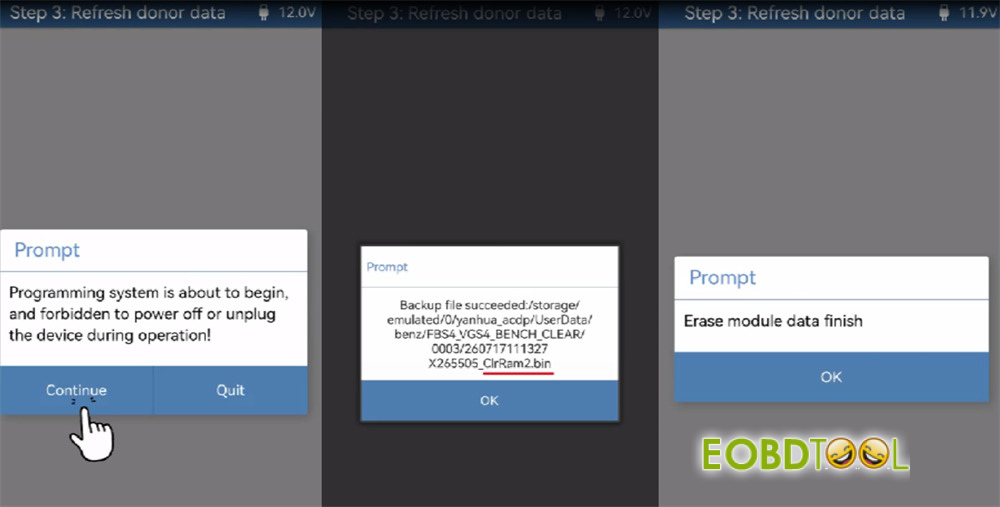
Select “Step 3: Refresh Donor Data”.
Verify donor TCU details and save system backups (…ClrRam1.bin and … ClrRam2.bin).
The ACDP will automatically erase the donor module data.
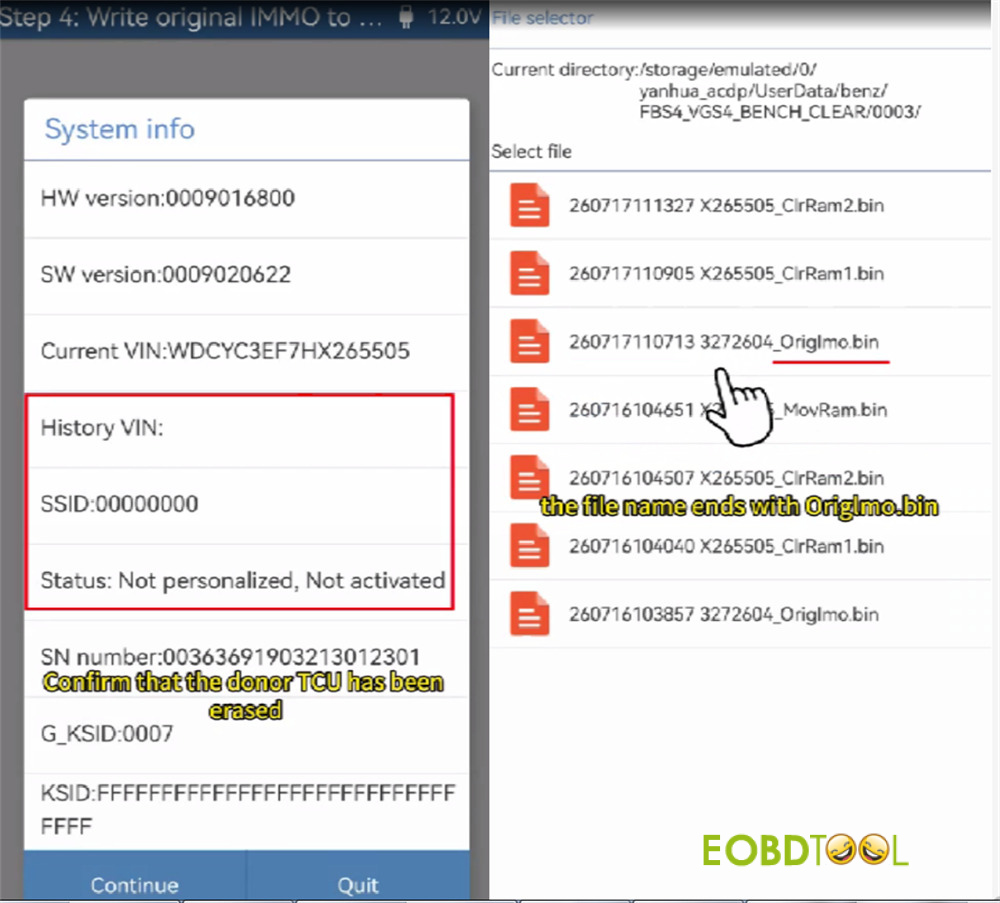
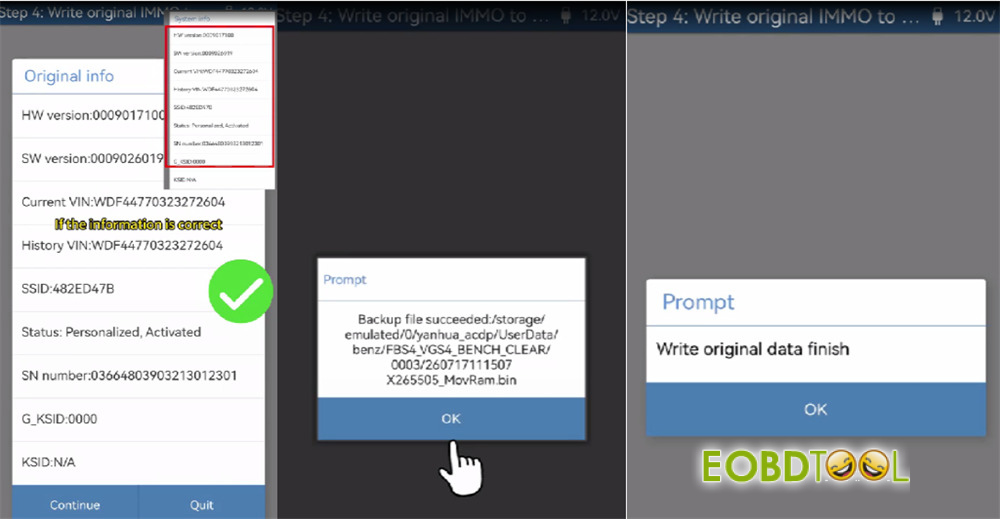
Step 4: Write Original IMMO to Donor
Confirm the donor TCU has been erased
Select the previously saved original Immo file (…OrigImo.bin).
Confirm module details and execute the writing process.
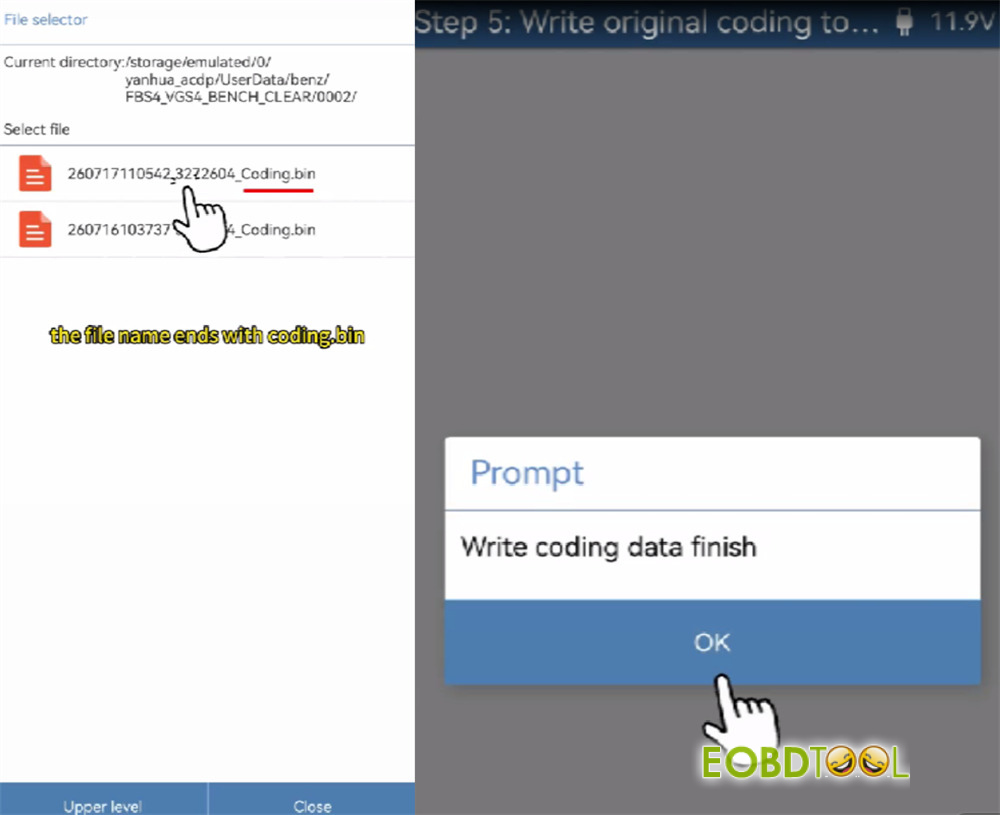
Select Step 5: Write Original Coding to Donor.
Select the saved original coding file (…coding.bin).
Execute the coding transfer until completed.
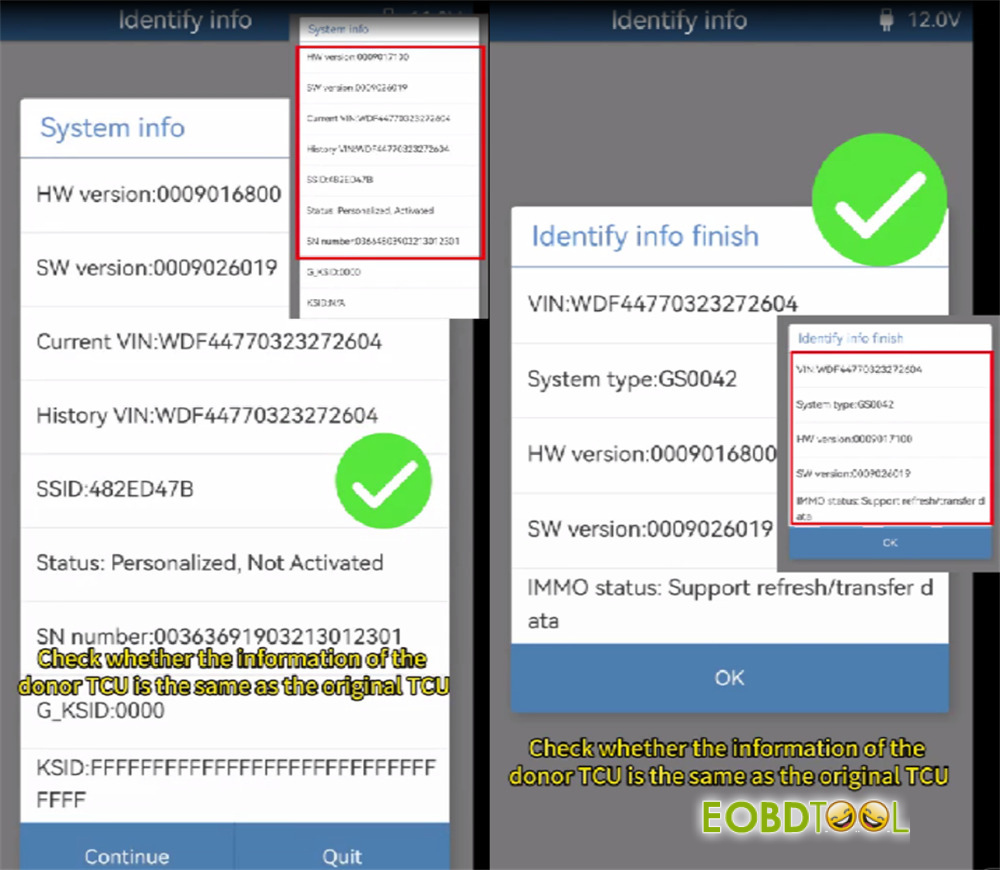
Verification
Return to the main menu and select Identify Info. Verify that the VIN, Immo status, and coding in the donor TCU match the original vehicle data before re-installing the unit into the car.
Done!







