







Handling the latest Toyota GEN3 (R7F701216) engine control modules requires a blend of technical precision and the right hardware. Fortunately, both OBDSTAR X300 Classic G3 and DC706 ECU Tool now offer comprehensive support for these units via Bench Mode.
Whether you are performing a full ECU clone or a data recovery mission, this guide outlines the professional workflow for a successful read/write operation.
Phase 1: Equipment & Prerequisites
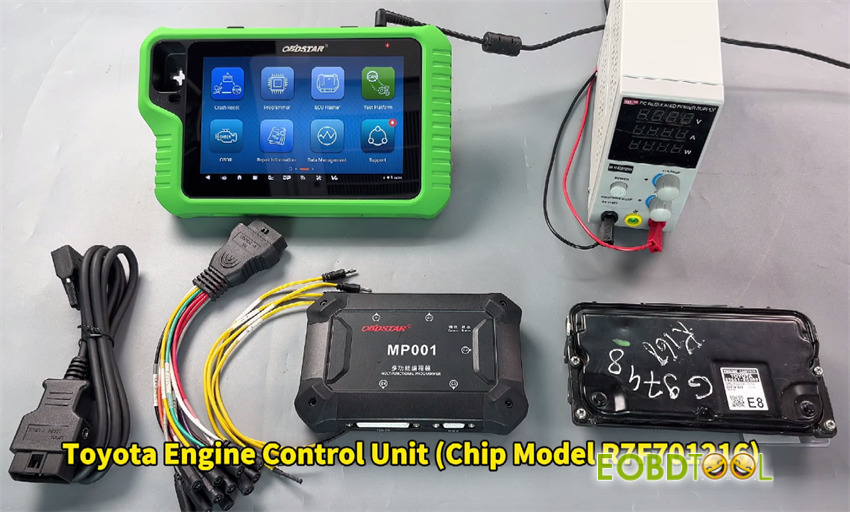
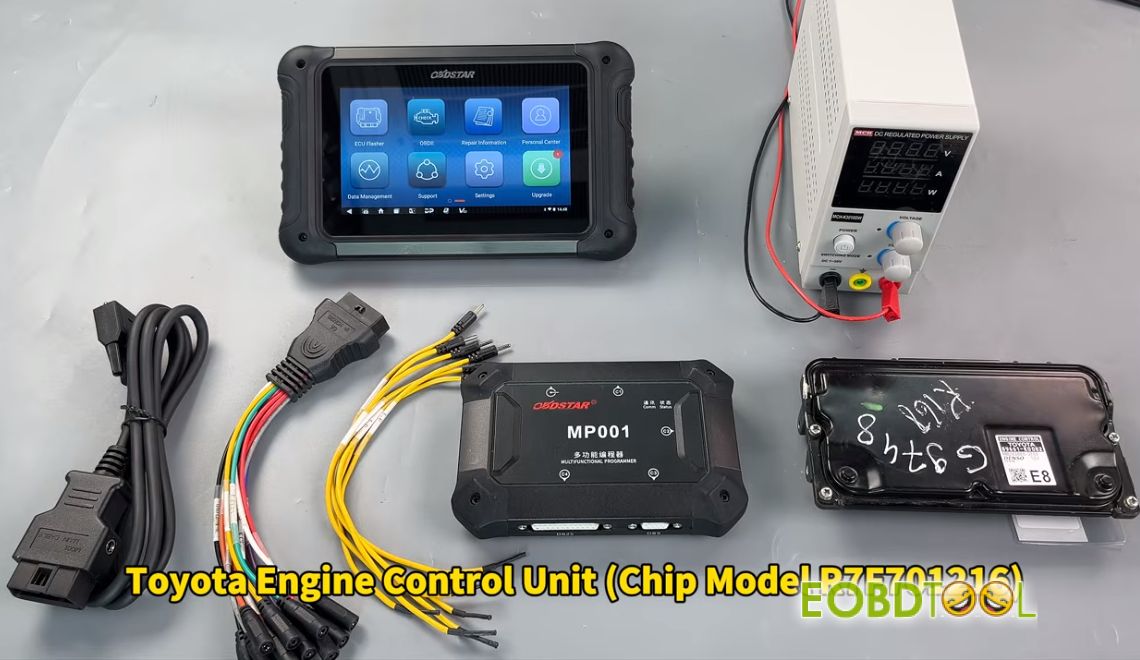
To ensure a stable connection and prevent data corruption, verify you have the following gear ready:
- Device required: OBDSTAR G3 (Full version/OBDSTAR G3+ECU Flasher license) or OBDSTAR DC706.
- Essential Adapter: MP001 Programmer(Mandatory for this specific protocol).
- Power Supply: A high-quality, regulated DC power source to maintain steady voltage.
- Accessories: Main OBDII cable and the specialized jumper wire kit.
- Target Hardware: Toyota GEN3 (R7F701216) ECM.
Phase 2: Software Configuration
Before making physical connections, prepare your device software:
System Update: Sync your device to the latest firmware version to ensure the ECM V32.90 (or higher) database is active.
Locate the Protocol: Navigate to ECU Flasher > ECM > ECM V32.90.
Search & Filter: Use the search bar to type “GEN3” for a quick result.
Select Model: Choose Toyota DENSO GEN3 (M15A-EXE) R7F701216.
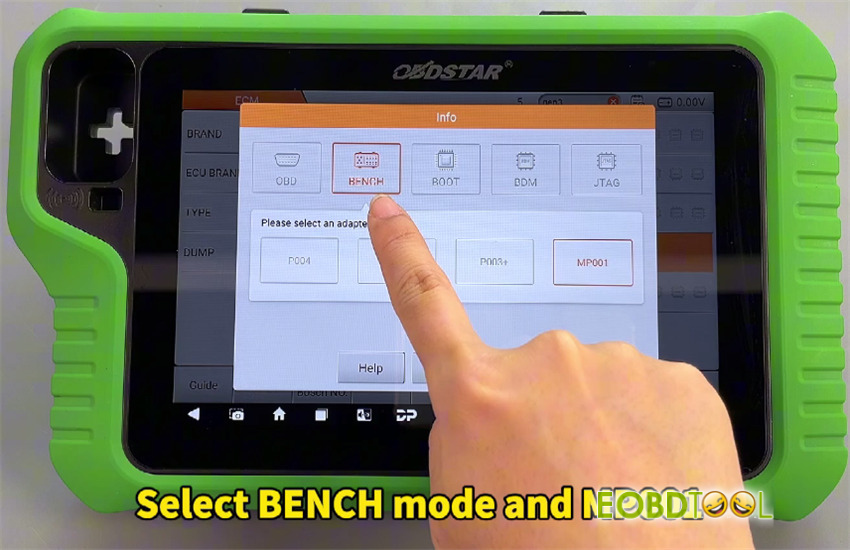
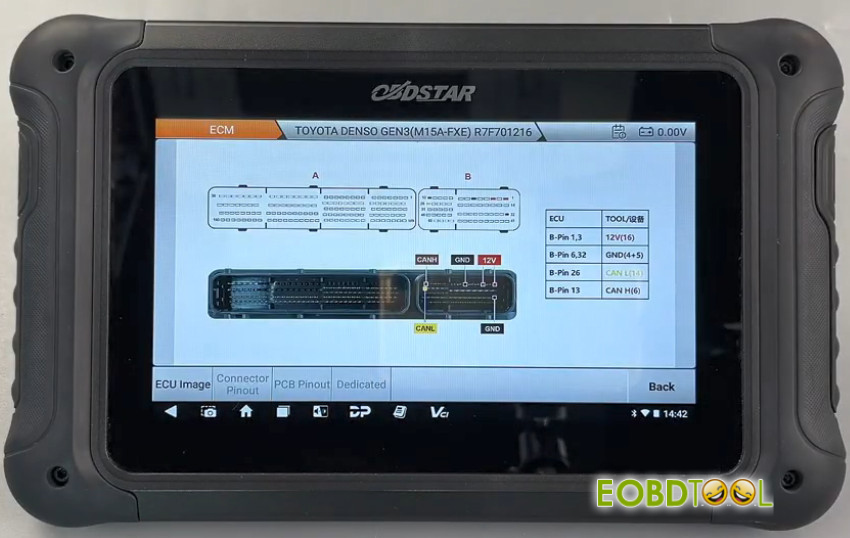
Documentation: Click “Guide” for step-by-step instructions and “Pinout” to view the wiring diagram. Ensure the mode is set to BENCH and MP001.
Phase 3: Hardware Pinout
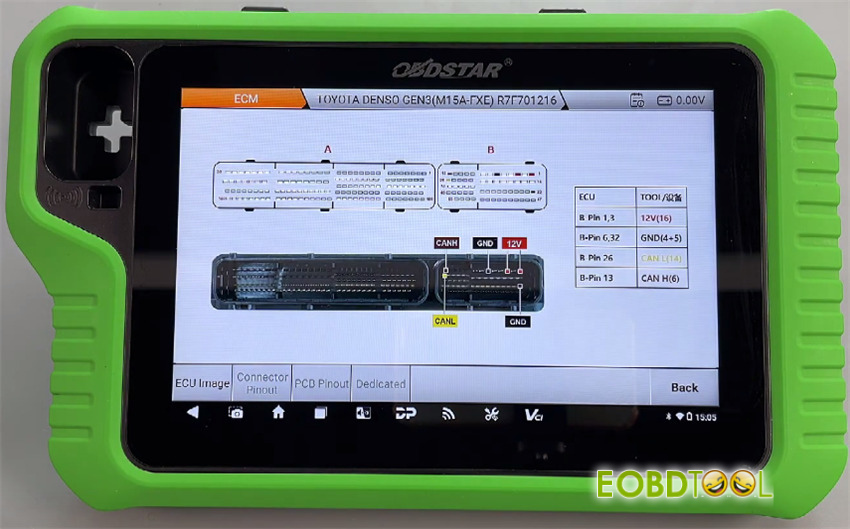
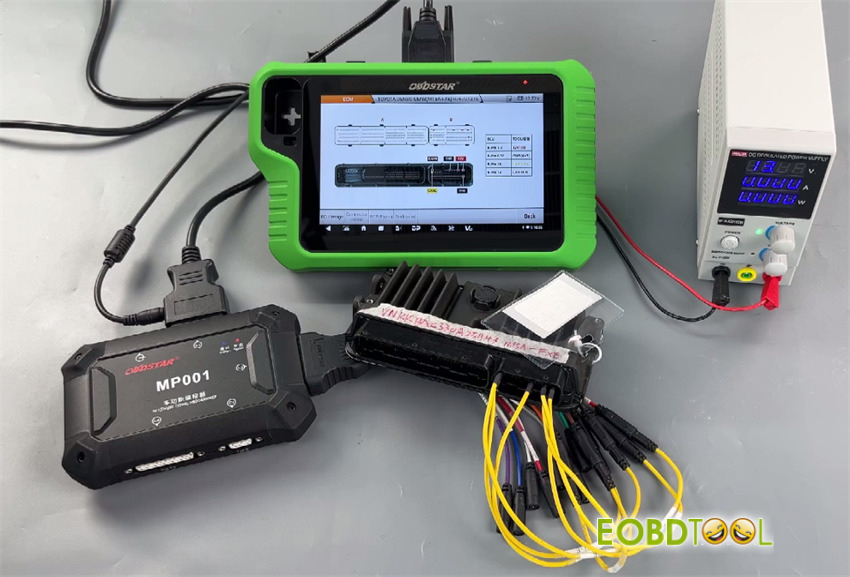
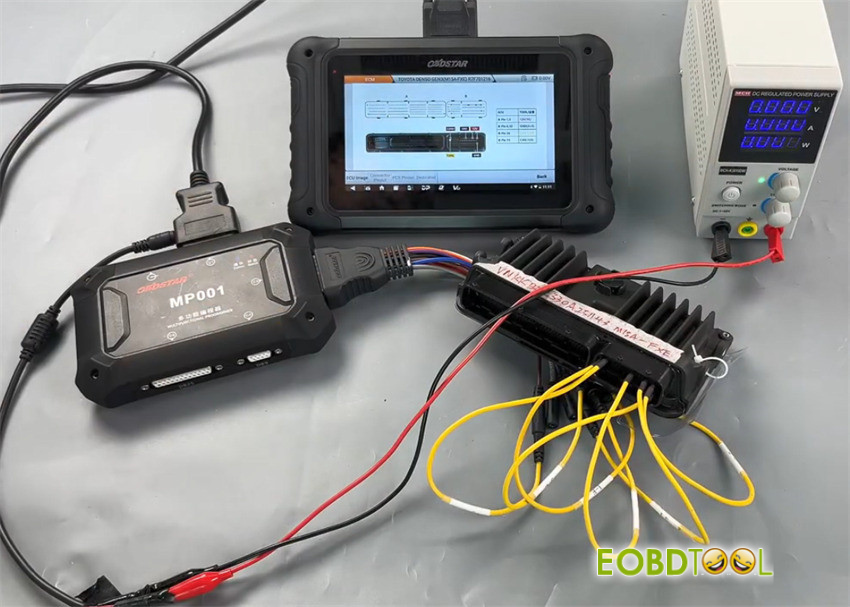
Using the jumpers provided with OBDSTAR MP001, bridge the connections between OBDSTAR tool and the ECU as follows:
| ECU Pin (B-Side) | Function | Connection |
| Pins 1 & 3 | +12V | Power (16) |
| Pins 6 & 32 | Ground | GND (4+5) |
| Pin 26 | CAN Low | CAN L (14) |
| Pin 13 | CAN High | CAN H (6) |
Phase 4: Data Transfer & Cloning
Pro Tip: Always maintain a consistent power source to OBDSTAR unit. Any power loss during the writing phase can “brick” the module.
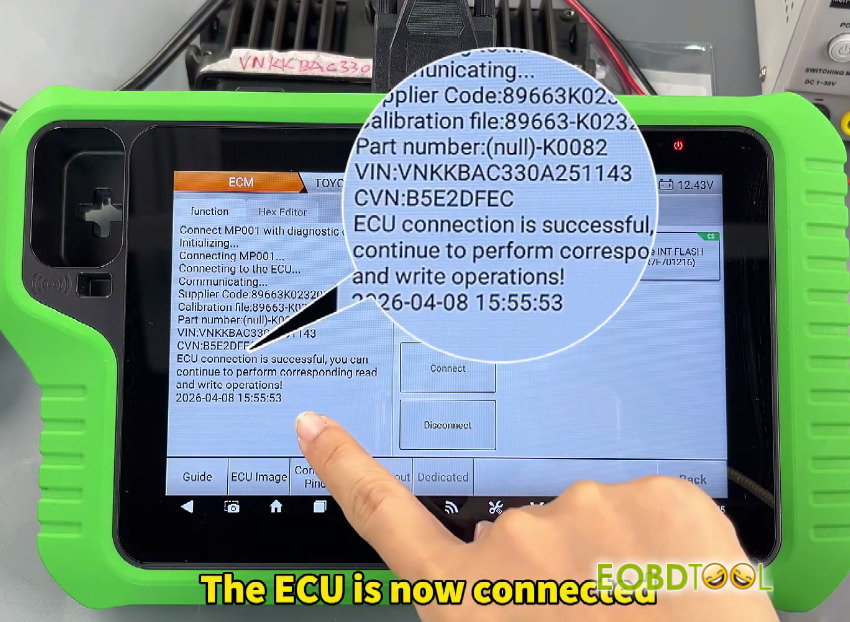
1.Initial Connection
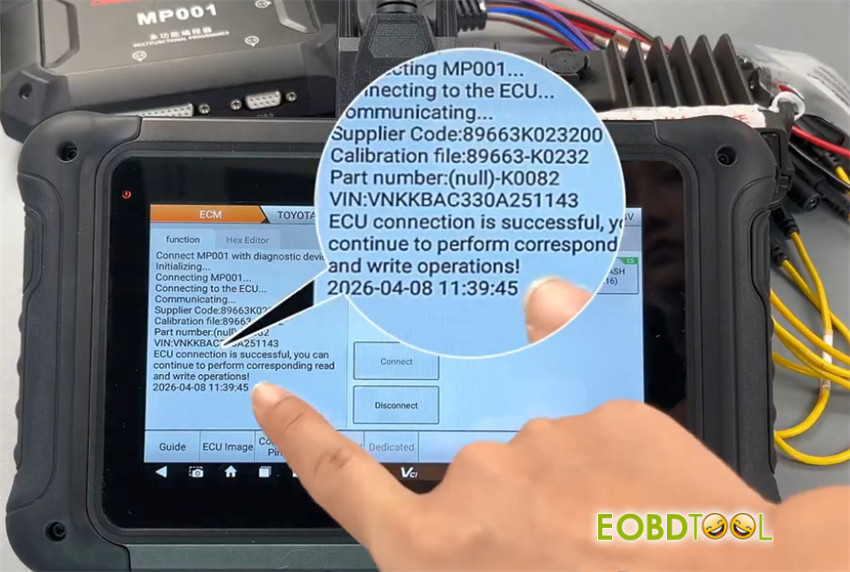
Connect MP001 to your X300 Classic G3 key programmer or OBDSTAR DC706 ECU Tool.
In the software interface, select “Connect” to establish communication with the ECU.
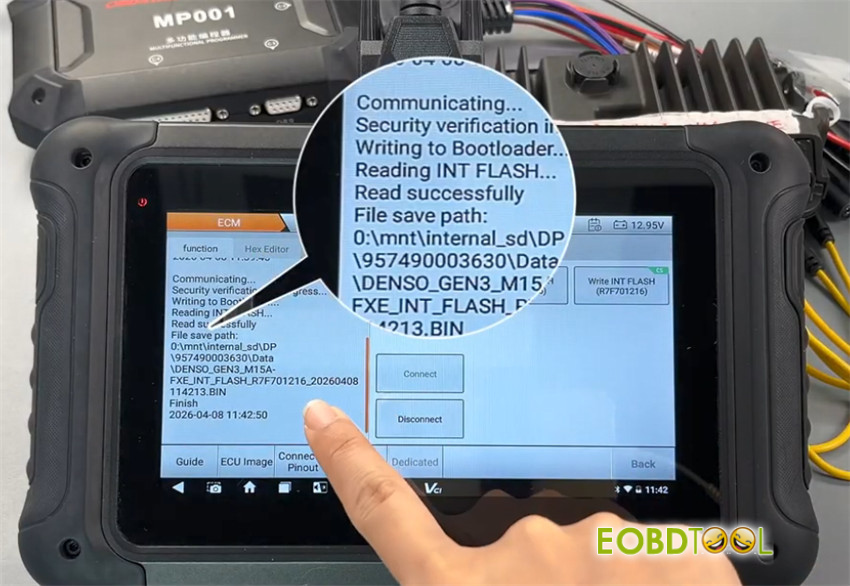
2.Reading Data (Backup)
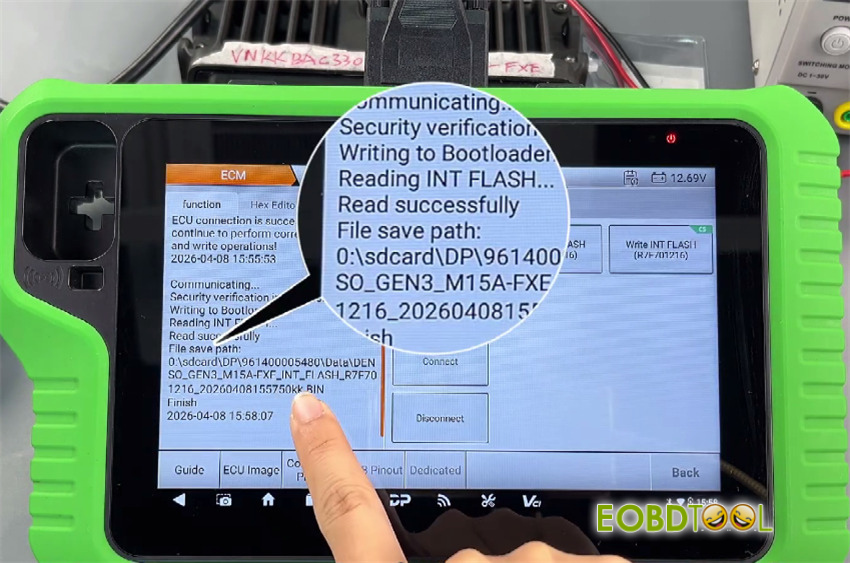
Select [Read INT FLASH (R7F701216)] option.
Read the internal data and save the file securely.
This is your “safety net” backup of the original ECU.
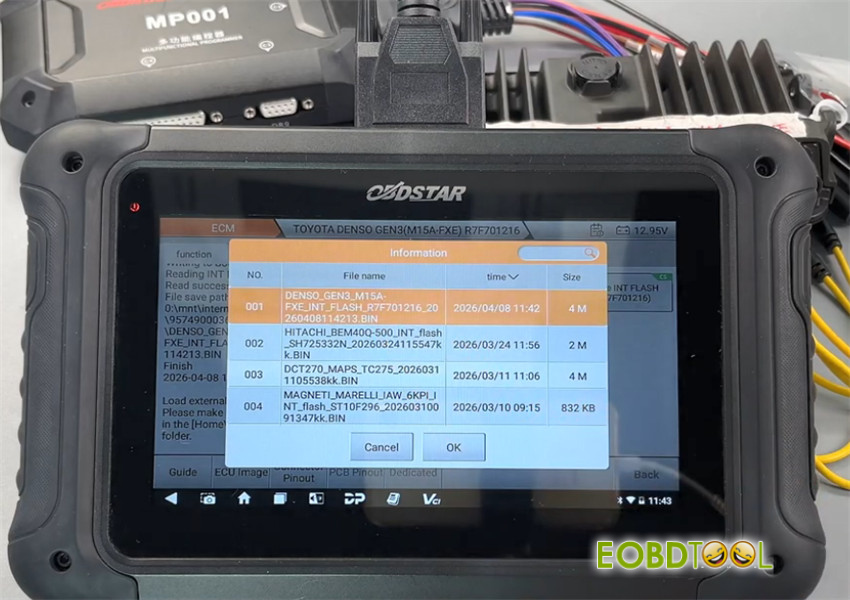
3.Writing Data (Cloning)
Disconnect the original unit and connect the donor (replacement) ECU.
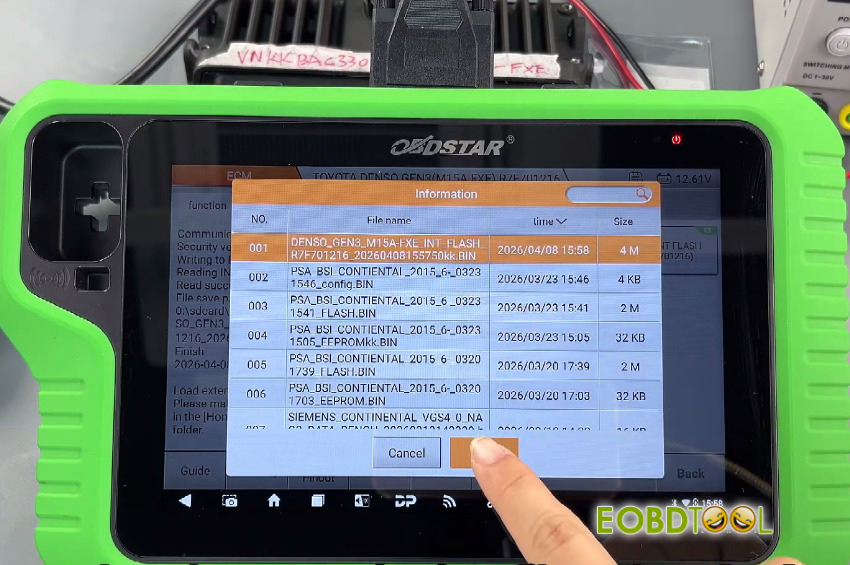
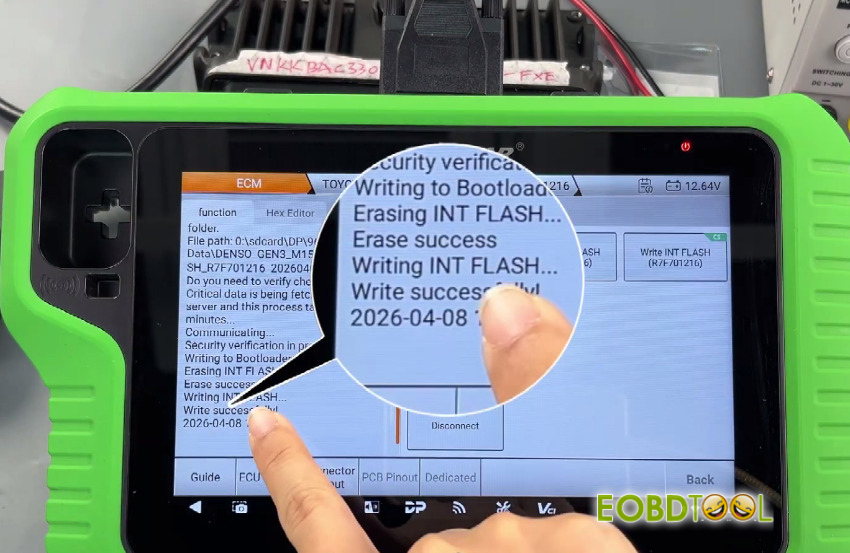
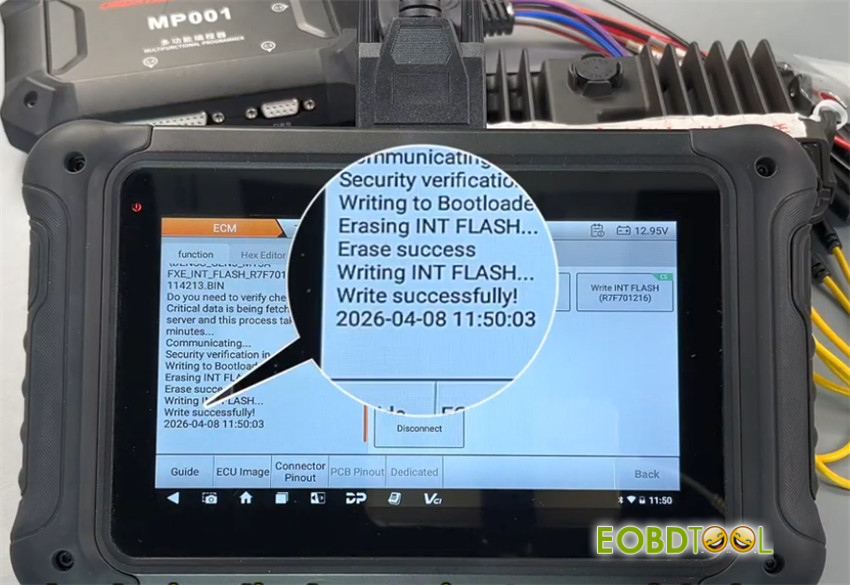
Select [Write INT FLASH (R7F701216)] function and upload the previously saved INT FLASH data.
Once the progress bar reaches 100%, the cloning process is complete.
- By OBDSTAR X300 Classic G3 with MP001 Programmer:
Summary
The integration of OBDSTAR MP001 Programmer with X300 Classic G3 and DC706 platforms makes the complex task of servicing Toyota GEN3 modules straightforward and reliable. By following these bench-mode protocols, technicians can ensure perfect data synchronization and vehicle performance.
Furthermore, Xhorse Multi-Prog, Autotuner, and Flex programmers are fully compatible with reading and writing operations for the Toyota GEN3 R7F701216 ECU.
Video Guide:
Learn more:
Toyota GEN3 R7F701216 Data Read Write: OBDSTAR, Xhorse, Flex or Autotuner







