




In this post, we will walk through the process of exporting Yanhua ACDP or ACDP2 folder from either an Android or an iOS device.
The core process is similar across platforms, with the primary difference being the required app version.
Prerequisites: App Version Check
Before proceeding, ensure your Mini ACDP app meets the minimum version requirement:
- Android: Version 3.0.142 or later
- iOS: Version 3.6.5 or later

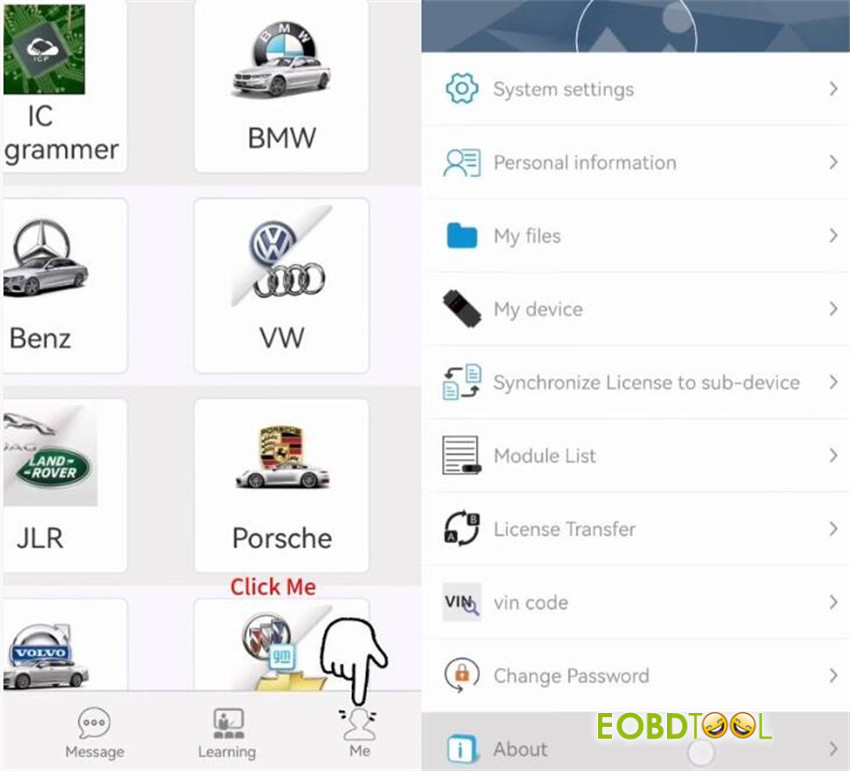
To check your version, open Mini ACDP app, navigate to Me > About.
Step-by-Step Export Instructions
1.For Android Devices:
Within the Yanhua ACDP app, tap “My Files”.
Locate your target folder (e.g., BDC2_ICP_OBD_IMMO_LOST).
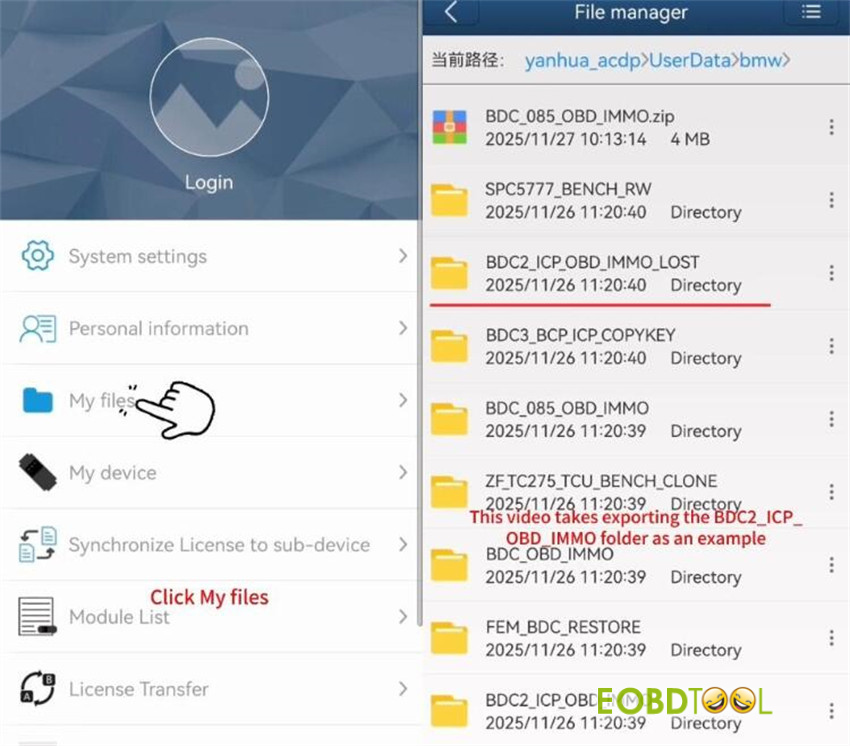
Tap the three-dot menu next to the folder and select “Zip”.
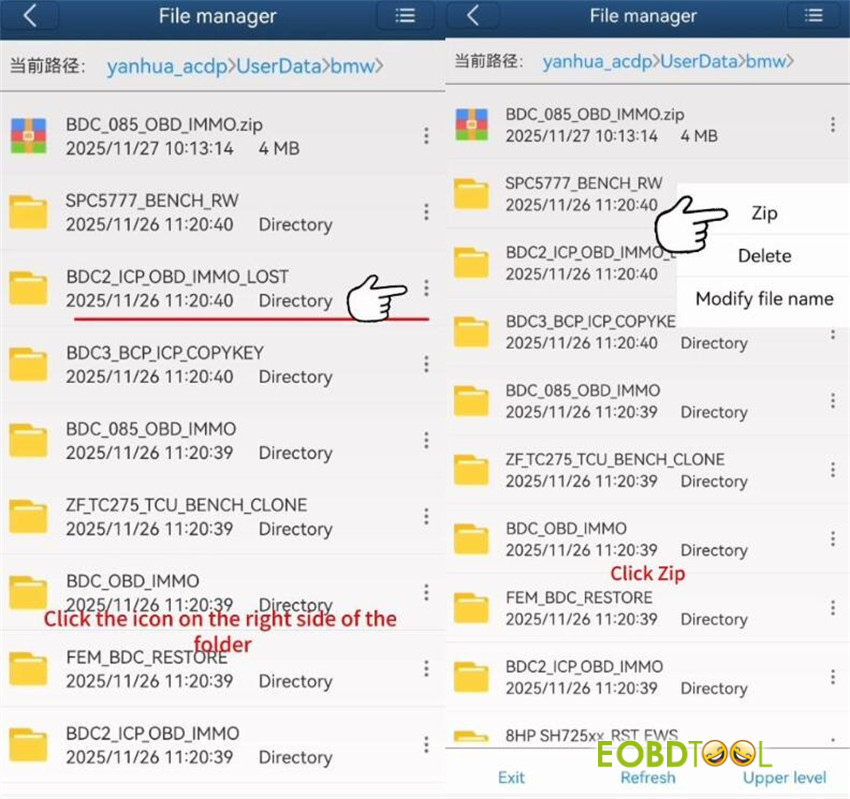
Name the compressed file and confirm.
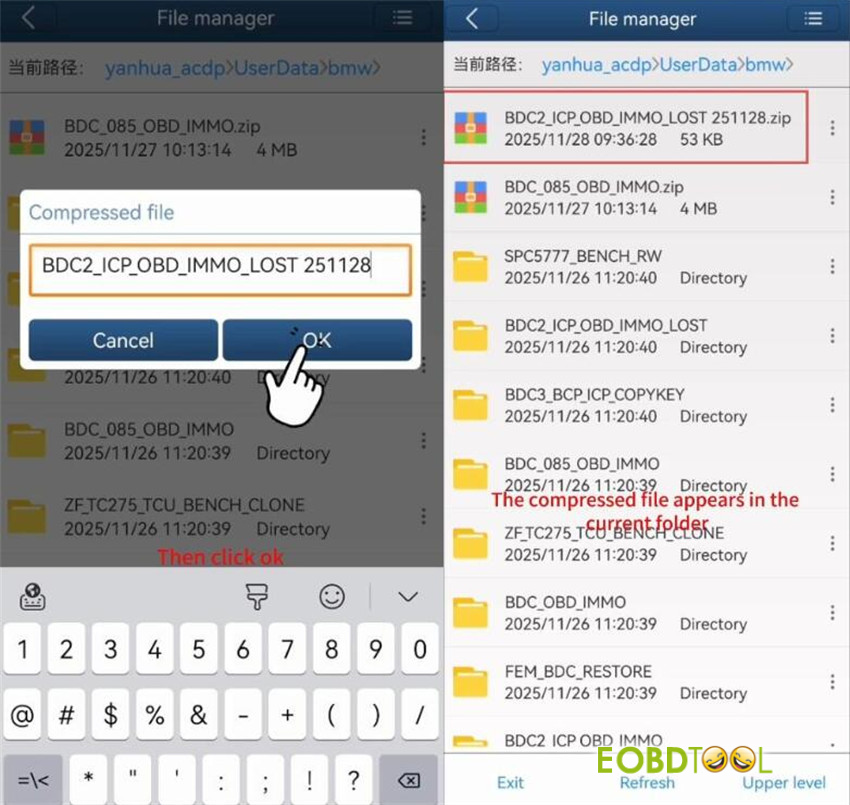
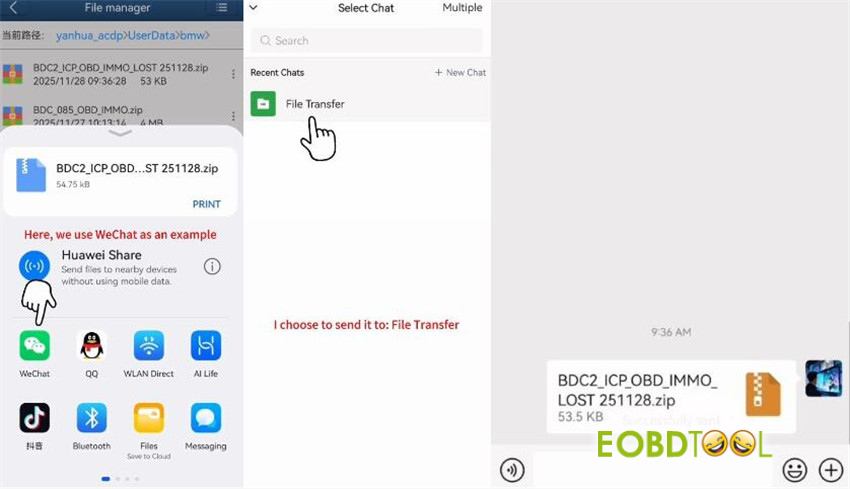
Tap the three-dot menu next to the new .zip file and choose “Share”.
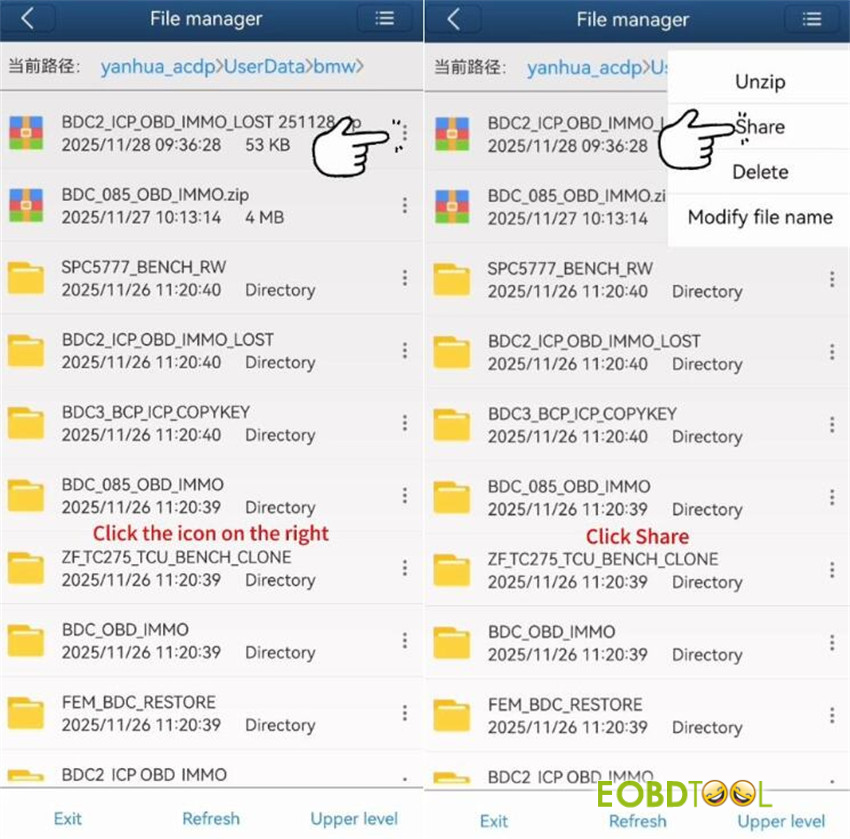
Select a third-party app (e.g., WeChat) and share it to your desired destination (e.g., File Transfer).
Video guide:
2.For iOS Devices:
Within the ACDP app, tap “My Files”.
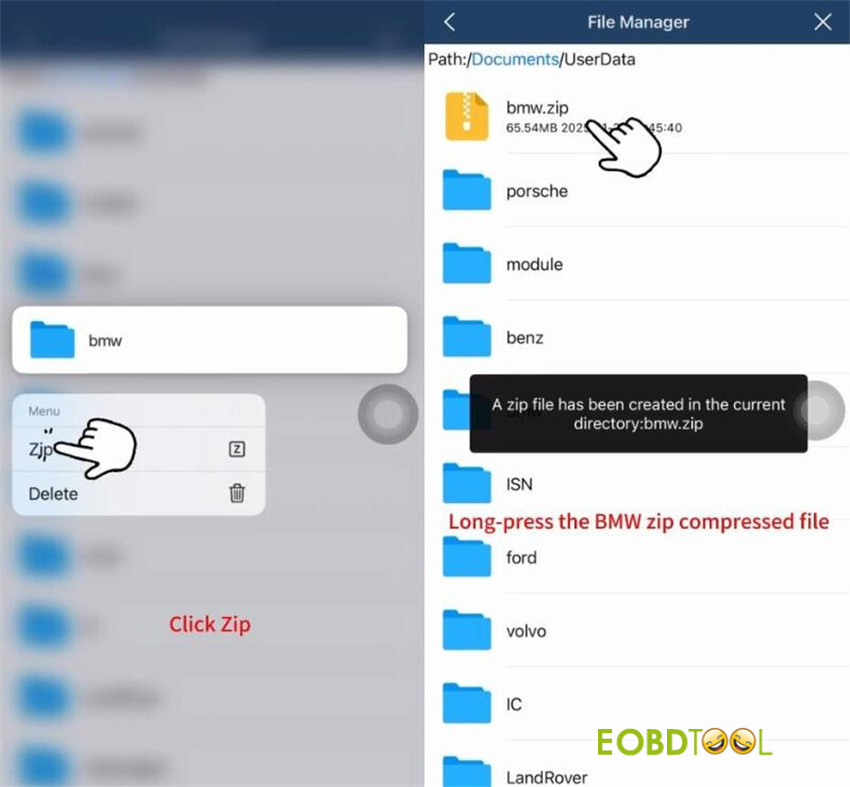
Find your target folder (e.g., bmw).

Long-press the folder and select “Zip” from the menu.
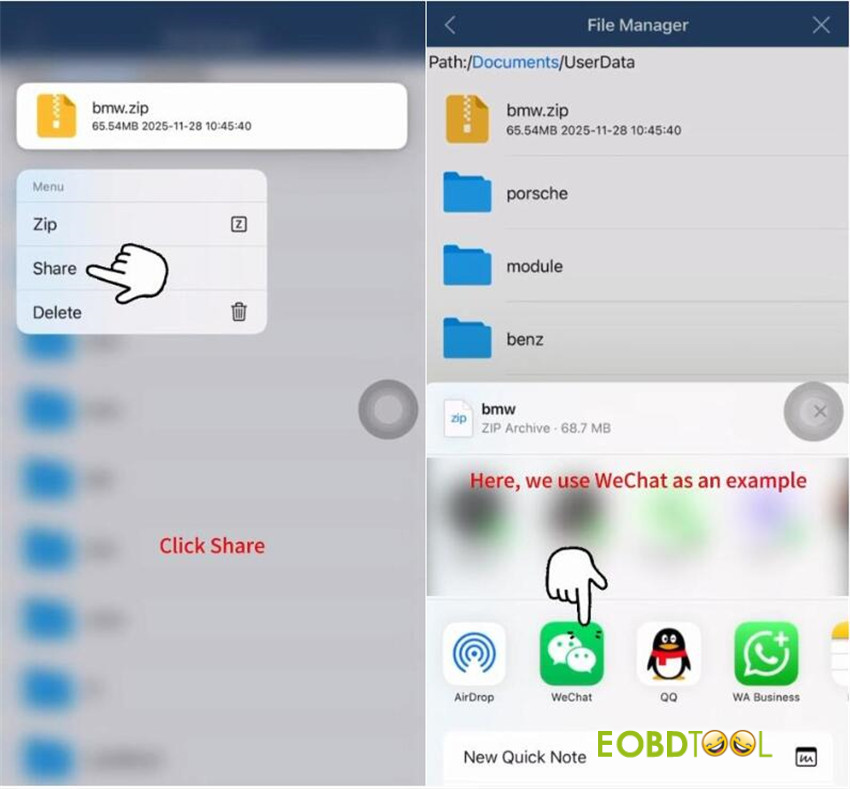
Once compressed, long-press the new .zip file and tap “Share”.
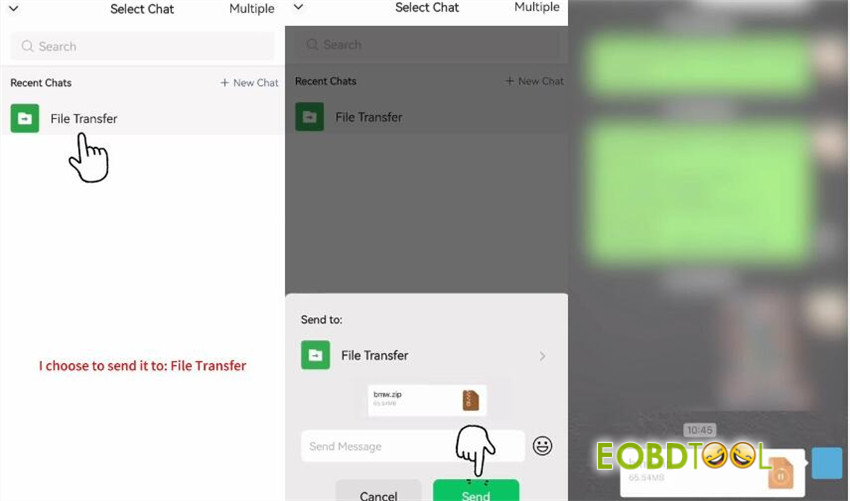
Choose a sharing method (e.g., WeChat) and send it (e.g., via File Transfer).
Video guide:







