



How to install Xhorse MINI VCI Toyota Techstream V10.10.018

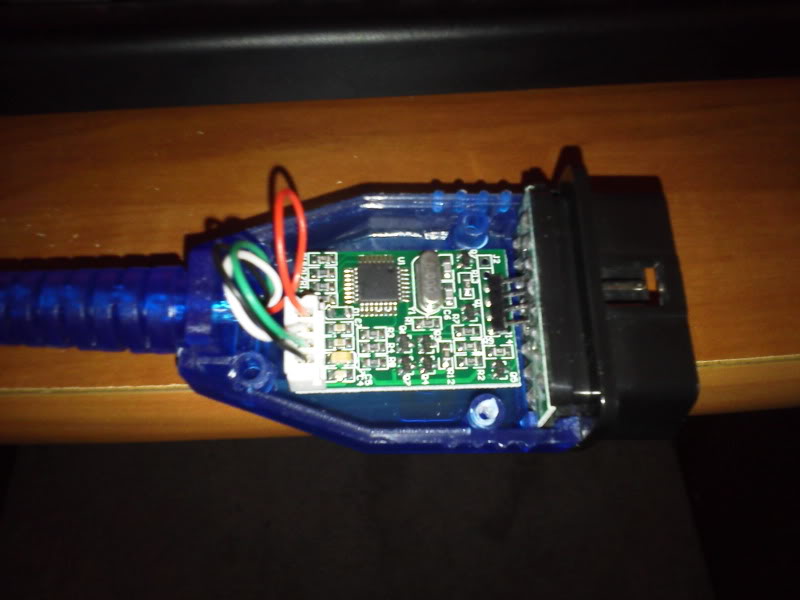
Following are the new V10.10.018 Toyota Techstream software free download and step-by-step instruction guide provided. ToyotaTIS Techstream V10.10.018 software can be free downloaded here: http://down.obd2vip.com/toyota-techstream-10.10.018.zip O/S: Windows XP without any anti-virus software Techstream cable: MINI VCI 16-pin cable, MINI VCI… Continue Reading

Free download V142 JLR mangoose Pro SDD and Win 7 video

Latest V142 JLR Mangoose Pro SDD software is available here for free. The new V142 version works excellent on Win 7 operating system (check the video guide). V142 JLR mangoose Pro SDD diagnostic software free download: http://diagnosticdelivery.jlrext.com/idscentral V142 mangoose SDD… Continue Reading

Download CBAY/Handy-baby 4D/46/48 software update tool

The newly launched CBAY (JMD Handy-baby indomestic) 4D/46/48 key programmer can be update online. Here are the software free download and update instruction of CBAY chip copy machine (2015/06/25.) Software version: V2.0.2 Free download CBAY Handy-baby V2.0.2 software http://www.handy-baby.com/upload/file/1435222716.zip NOTE:… Continue Reading

How to connect Xtool PS2 GDS gasoline Bluetooth scanner

How to setup WIFI wireless connection of Xtool PS2 GDSgasoline Bluetooth diagnostic tool? Follow the correct guide below: Bluetooth wireless diagnostic is the newly added feature of PS2GDS scanner, if you follow the old way to connect the xtool device,… Continue Reading

K-TAG KTM100 V2.13 Firmware 7.003 new add EDC17 ECUs

The newly launched KTAG V2.13 KTM100 Firmware V7.003 ECU programmer adds some vehicle model EDC17 ECUs, please check below: BMW EDC17C41   TC1797 EDC17CP45  TC1797 EDC17C50   TC1797 EDC17C56   TC1797 EDC17CP49  TC1797 MEVD172G  TC1797 MEDV1725   TC1797 VW  EDC17C46   TC1797 EDC17C44   TC1797 MED17.1.6   TC1797 MED17.5.21 … Continue Reading

How to use kess v2 v2.22 master ECU Chip Tuning ?

Kess V2 Vehicle List Download: http://www.eobdtool.co.uk/upload/pro/kess-v2-obd2-tuning-kit-vehicle-list.xls Attention: Pleas do not update Kess V2 China clone online. Notes: 1. Be sure that Anti-Virus software is disabled or closed Please be attention,anti-virus software will treat our KESS V2 OBD tuning software as… Continue Reading

FGTech “Can not find driver” problem what to do?

Problem: When install FGTech Galletto 2, the FTReadWrite replied “Can’t find device” error message. When trying to uninstall the driver, the window screen warmed it is not FGTECH device, but USB-to-Serial device. If install the driver, fgtech software did not run and FTReadWrite or MProg didn’t find the ftdi chip. Try to install the driver on both win 7 and win xp computer over and over, but in vain. Solution: 1) Download and install the Virtual Com Port drivers from FTDI website: Virtual COM Port Drivers http://www.ftdichip.com/Drivers/VCP.htm 2) Then connect the FGTech to computer via USB port which had no device programmed and 1 blank device when the MProg Utility it shows. NOTE: If you had backup and reprogram with the ept file. The system will not recognize the FGTECH Galletto 2 and will not reprogram the firmware bin file. The Virtual Com Port Drivers would overlay the fgtech ECU programmer. Then you have to again download the related driver in FTDI website. CMD Uninstaller 1.4 http://www.ftdichip.com/Support/Utilities.htm 3) After install the right drivers, FTReadWrite programmed the backup firmware file, run FGTech software by referring to the user manual on obd365 webpage. www.eobdtool.co.uk here offers some FGTECH related files download.

MINI VCI V9.30.002 for Toyota TIS Techstream use experience

I purchased: MINI VCI Toyota TIS Techstream cable the latest version V9.30.002 from obd365 for US$ 29.99 without shipping fee. How to use: For the MINI VCI software installation part, I followed by the tutorial video Mini Vci Toyota Techstream 9.30.002 installation video Then I referred the blog of how to run the mini vci cable on Windows 7 64 bit operating system What MINI VCI did: http://www.eobdtool.co.uk/wholesale/cheap-mini-vci-single-cable-for-toyota-26480.html –Remove the seat belt reminder –Reset my transmission adapted memory after a transmission rebuilt –Test and read live streaming data, e.g transmission temperature (down to 99.5) – reset steering angle sensor to get rid of annoying 10 degree off centered wheel. –Run vehicle health test –Reset ABS and airbag light –Turn off the wipe because delay 3s by using windshield washer –One push remote to turn on unlock door –Adjust interior light delays and headlight off. –Adjust Throttle position sensor For other functions I have not test yet and I could not comment on them. What are your experiences with MINI VCI cable?