







Whether you are looking to invest in OBDSTAR ECU Master or are a new user trying to maximize its potential, navigating the tool’s exact capabilities is crucial. From cloning specific modules to subscription policies and hardware setups, we have compiled the ultimate FAQ guide to answer your most pressing questions about this programmer.
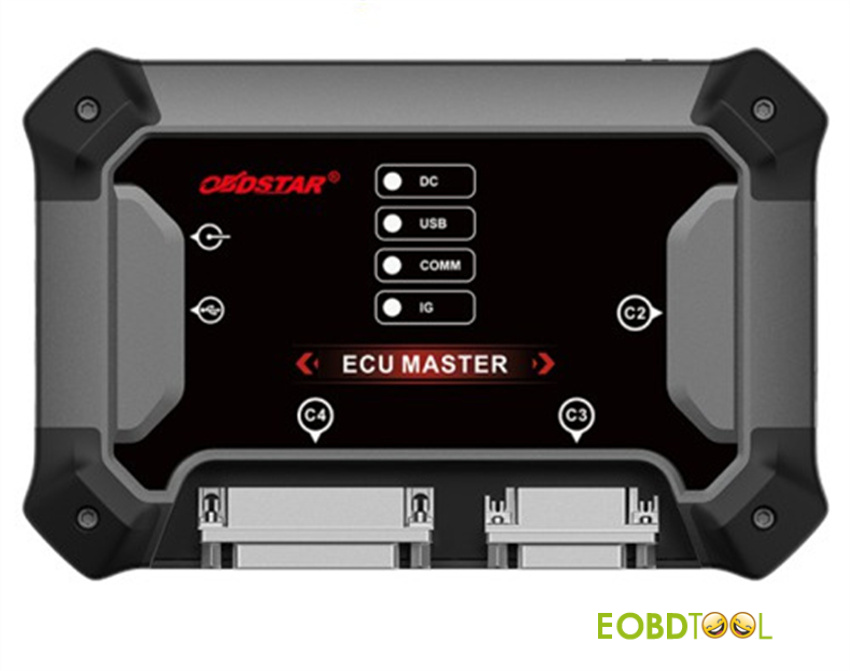
1.Hardware, Power, and System Requirements
Q1: Does ECU Master operate online or offline?
A: ECU Master must be connected to the internet to function. A stable network connection is required for server communication and data processing.
Q2: Does ECU Master require an external power supply?
A: Yes. An external power supply is highly recommended, especially during critical ECU bench programming and cloning procedures. To maintain stable communication and prevent data corruption, we recommend using a professional, adjustable regulated power supply.
Maximum supported input: 26V / 5A
Note: Always follow the specific voltage requirements displayed inside the ECU Master software.
Q3: Do I need to purchase OBDSTAR C4-09 Adapter to work with ECU Master?
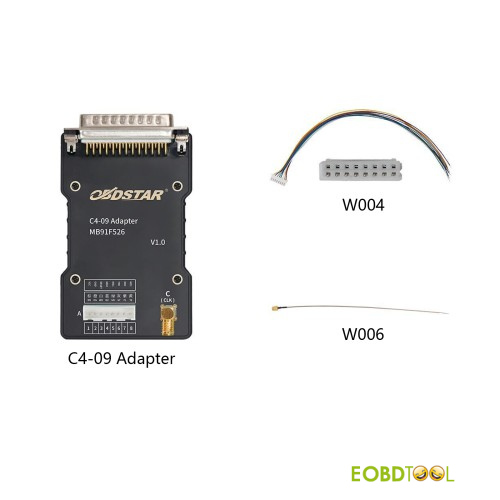
A: Yes. C4-09 adapter is required for specific operations and must be purchased to utilize the tool’s full module compatibility.
Q4: Which operating systems are officially supported?
ECU Master software is optimized for modern environments. It officially supports:
- Windows 10
- Windows 11
Note: Older operating systems (like Windows 7 or 8) are not recommended and may cause stability issues.
2.Subscription, Updates, and Expiration Policies
Q1: Does ECU Master require a yearly subscription?
A: Yes. Software update policies are a top priority for users. When you activate your ECU Master, it includes 12 months of free updates. If you choose to renew your subscription before it expires, you can typically take advantage of discounted renewal pricing.
Q2: Will the tool lock or stop working if the subscription expires?
A: No. Your tool will not brick or stop working. If your subscription expires, the previously downloaded software will continue to function normally. However, expiration will restrict your access to:
- New software updates
- New vehicle/module downloads
- Newly released functions and protocols
3.Protocol and Diagnostic Features
Q1: Does ECU Master Programmer feature real-time logging?
A: It records test logs, which are automatically saved. These logs are incredibly useful for diagnosing connection issues or troubleshooting failed reading/writing processes.
Q2: Is the tool mostly OBD2, Bench, or Boot?
A: ECU Master boasts a massive database of supported models. While it features a variety of protocols, most supported models rely on OBD and Bench modes, offering a safer, non-invasive way to read and write data without opening the ECU casing.
4.Vehicle & Module Compatibility
Q1: Are the “EV/HD” models supported by ECU Master exclusively electric vehicles?
A: Not quite. While EV stands for Electric Vehicles, HD refers to Heavy-Duty commercial vehicles. This includes semi-trucks, agricultural machinery (tractors), and heavy construction equipment.
Q2: What configuration do I need for trucks, heavy machinery, and Volvo ACM modules?
A: You will need Configuration A and Configuration C.
Q3: Does it support Toyota Denso ECU Virtual Reading and Writing?
A: Yes, but support is generation-specific. ECU Master supports some Toyota Gen3 and Gen4 models. Currently, Gen1 and Gen2 models are not supported.
5.Cloning, Unlocking, and Modifying Modules
Q1: Does ECU Master need to unlock the Bosch EDC17C46 to clone it?
A: Certain vehicle models require the ECU to be unlocked before data can be written back to it. However, ECU Master does not currently support unlocking features for these specific scenarios.
Q2: Can ECU Master clone dashboards (instruments) and other control modules?
A: Dashboards: No, instrument clusters cannot be cloned using this tool.
Other Control Modules: Compatibility depends entirely on the specific module type and vehicle model. Always check the official support list before proceeding.
Q3: Can it clone the Hitachi/Denso SH72531 ECU?
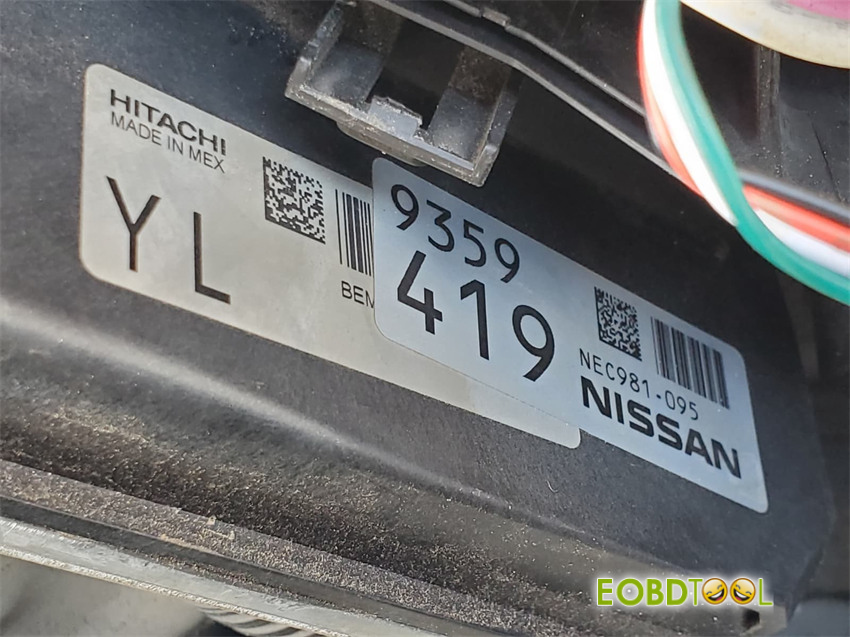
A: No.
Q4: Does it support VIN changes on Land Rover 9HP50 Transmission Control Modules (TCM)?
A: Yes. ECU Master successfully supports modifying and writing the VIN on Land Rover 9HP50 TCMs, making it an excellent tool for transmission swaps.
Keep updating…
Read also:
OBDSTAR ECU Master Is Coming Soon – First PC-Based ECU Flasher
OBDSTAR ECU Master Is Coming Soon – First PC-Based ECU Flasher
OBDSTAR DC706 vs. OBDSTAR ECU Master: A Side-by-Side Comparison
OBDSTAR DC706 vs. OBDSTAR ECU Master: A Side-by-Side Comparison
OBDSTAR ECU Master VS OBDSTAR X300 Classic G3 Full Version
How to Download, Register and Update OBDSTAR ECU Master Software?
How to Download, Register and Update OBDSTAR ECU Master Software?
How to Clone ECM/TCM/BCM by OBDSTAR ECU Master?







