







This guide walks you through each step of replacing a faulty tire pressure sensor on a 2021 Mercedes-Benz C260L using Launch TPMS 5011 V2.
Preparation:
- Equipment: LAUNCH Creader TPMS 5011 V2 (or 511S V2)
- Vehicle: 2021 Mercedes-Benz C260L
- Frequency: 433MHz
Note: 5011 V2 is the e-commerce version of 511S V2. Both share identical software functions for TPMS diagnostics and programming.
Step 1: Diagnosis & Identification
Before replacing parts, always confirm which sensor has failed.
Menu Path: TPMS -> MERCEDES -> C Class -> 2015/07-2021/05 (433MHz) [C05].
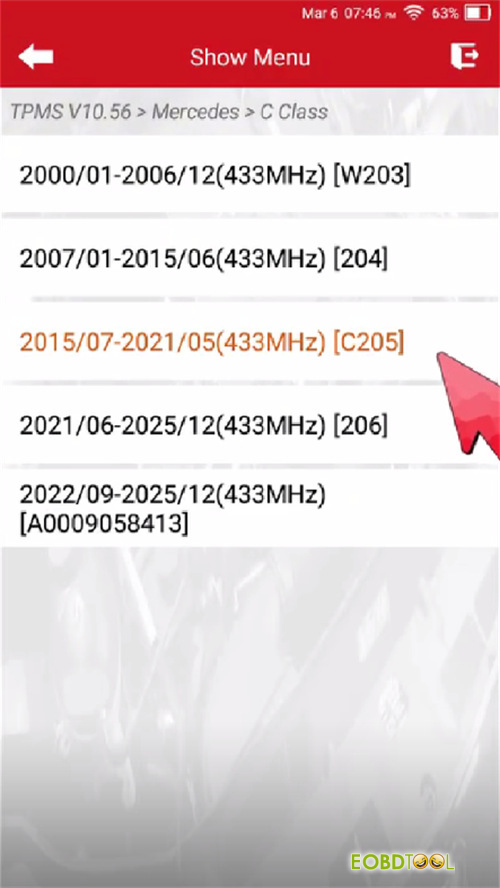
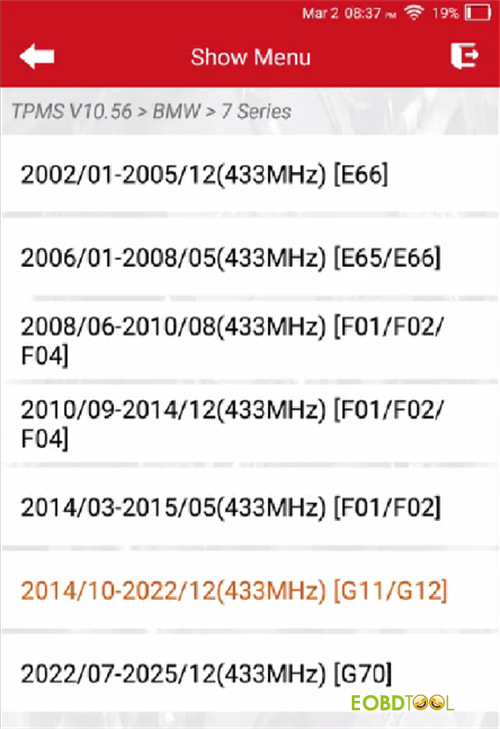
Tip: If activation fails here, try the alternative menu: 2014/10-2022/12 (433MHz) [G11/G12].
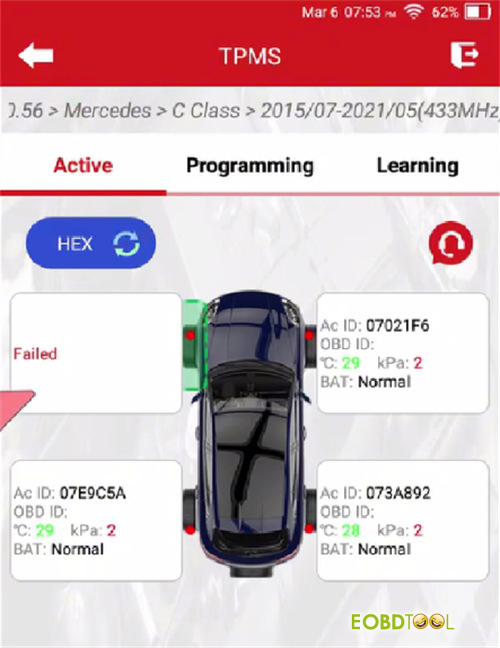
Activation Check: Select [Active] and trigger all four wheels.
Result: In this case, FR, RR, and RL sensors respond. The Front Left (FL) sensor fails to activate, confirming it is damaged and needs replacement.
Step 2: Programming the New Sensor
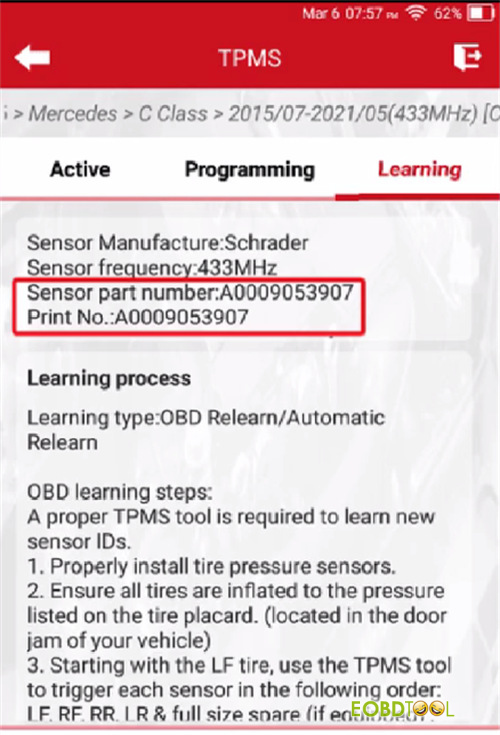
Match Part Numbers: Under the [Learning] menu, verify the sensor part number or print number matches your replacement.
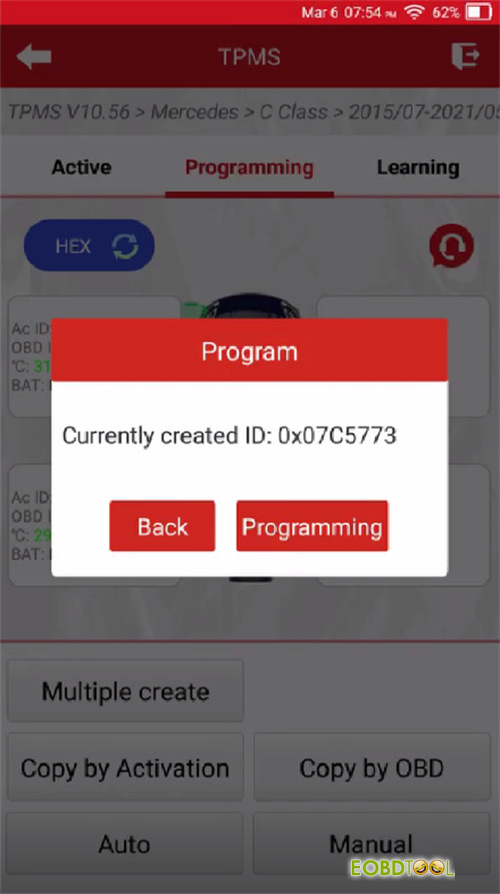
Choose Programming Method: Go to [Programming] and select [Auto].
Alternative: You can use [Manual] to type in the original ID or [Copy by OBD] if the old data is still readable in the ECU.
Execute: Wait for the progress bar to complete. Your new Launch sensor now has a valid ID.
Step 3: Installation & Activation
Hardware: Install the newly programmed sensor into the FL wheel and inflate the tire to standard factory pressure.
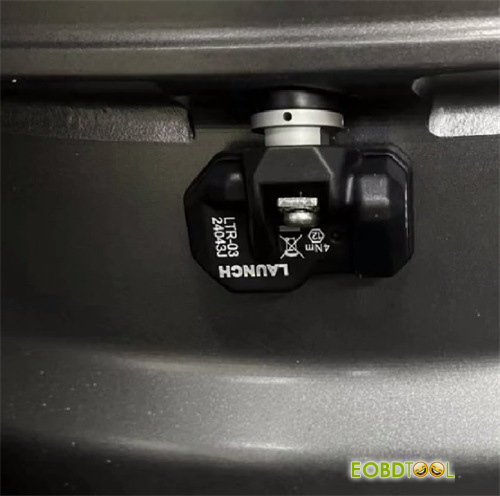
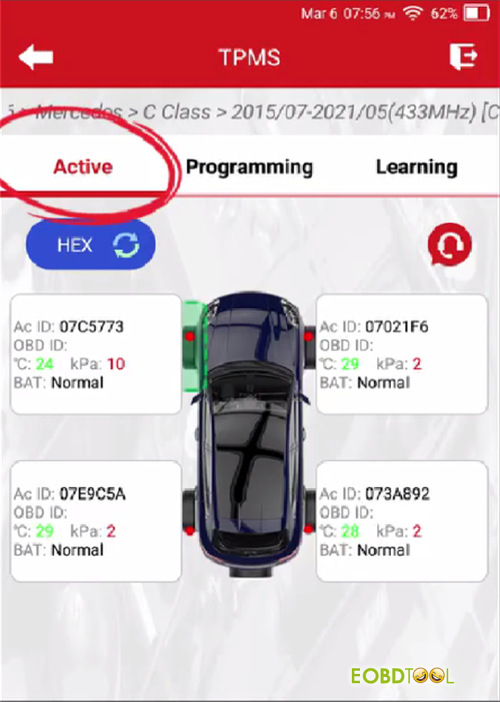
Trigger: Use 5011 V2 TPMS Tool to [Active] the new FL sensor. Ensure the tool reads the pressure and ID successfully.
Step 4: OBD Relearn & Verification
Mercedes vehicles require a specific handshake to recognize the new sensor ID in the central system.
OBD Relearn: Connect the tool to the vehicle’s OBDII port. Select [Learning] -> [OBD Relearn].
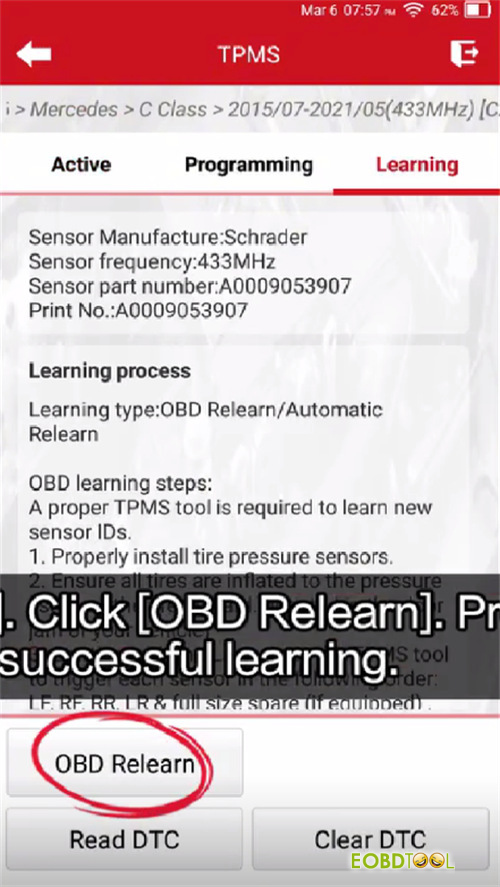
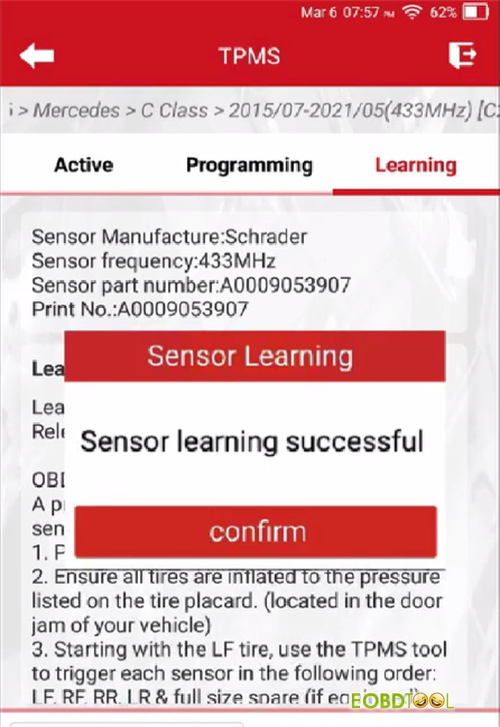
Confirmation: Once the “Learning Successful” message appears, the TPMS warning light on the dashboard should extinguish.
Road Test (If Necessary): If the pressure values do not display immediately:
- Drive the vehicle at 30km/h (18mph) or above.
- Continue for approximately 15 minutes.
- The system will automatically sync and display all four tire pressures.







