






MOTOPRO PC-based Motorcycle Key Programmer is specially designed for reading transponders, calculating PIN codes, and programming keys for major motorcycle brands via direct memory reading or OBD bench protocols.
PART I
Hardware & Adapter Specifications
The standard MOTOPRO package includes the main unit, MCU adapter, 8x Dupont cables, USB cable, resistors, 12V power supply, and a storage box.
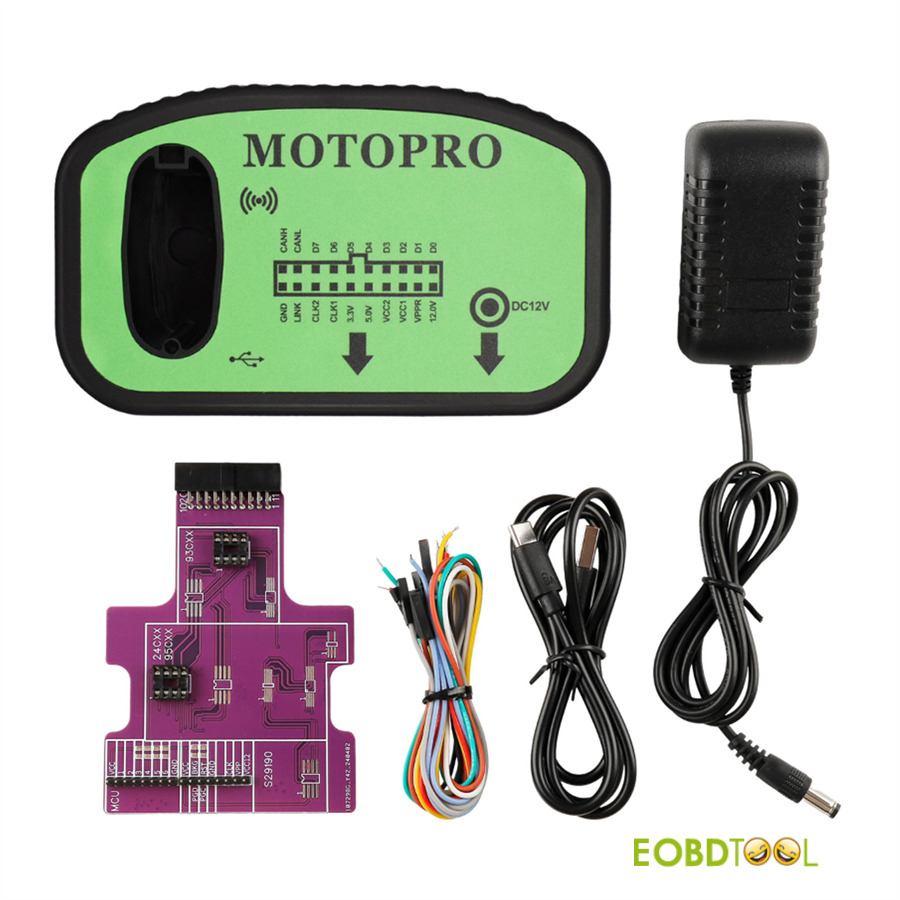
MOTOPRO Adapter Overview
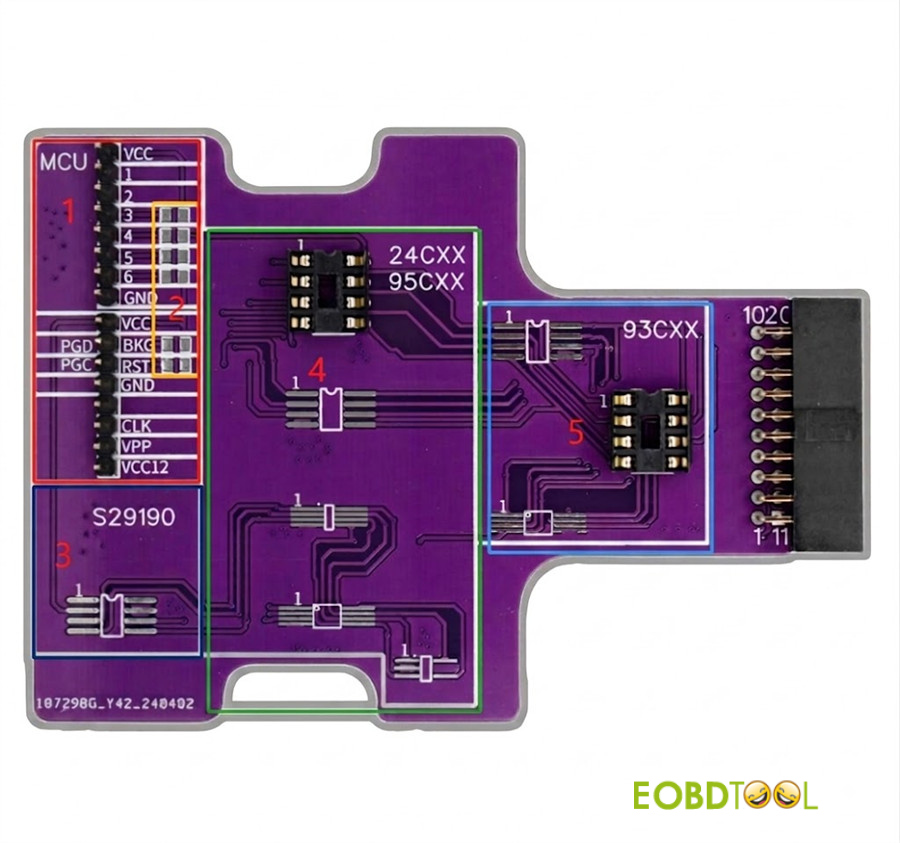
1.MCU Wiring Area: Connect Dupont wires for MCU reading and writing.
2.Resistor Slots: 6 positions (slots 3–6 accept 1K, 2.2K, 4.7K, or 100R resistors).
3.Fixed Memory Area: Supports SEIKO and S29XX series.
4.24CXX / 95CXX Area: EEPROM read and write socket.
5.93CXX Area: EEPROM read and write socket.
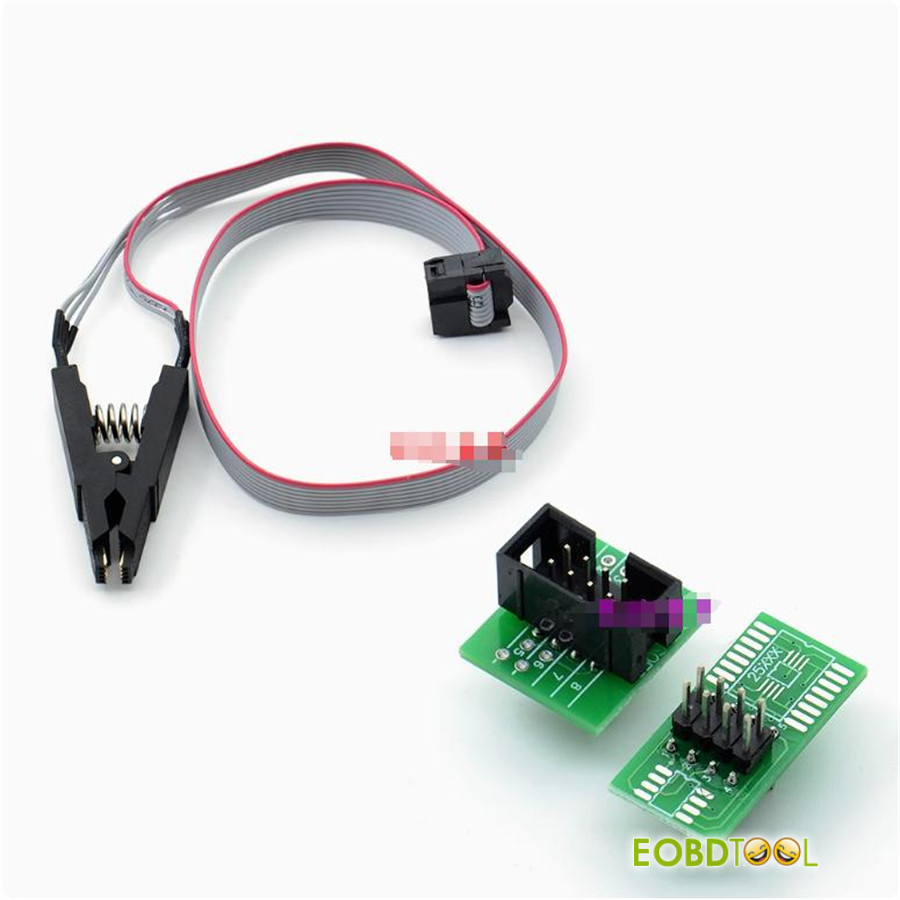
Caution: Using an SOP8 test clip can cause signal interference and data loss during EEPROM operations; direct soldering or socket mounting is recommended.
Core Capabilities & Functions
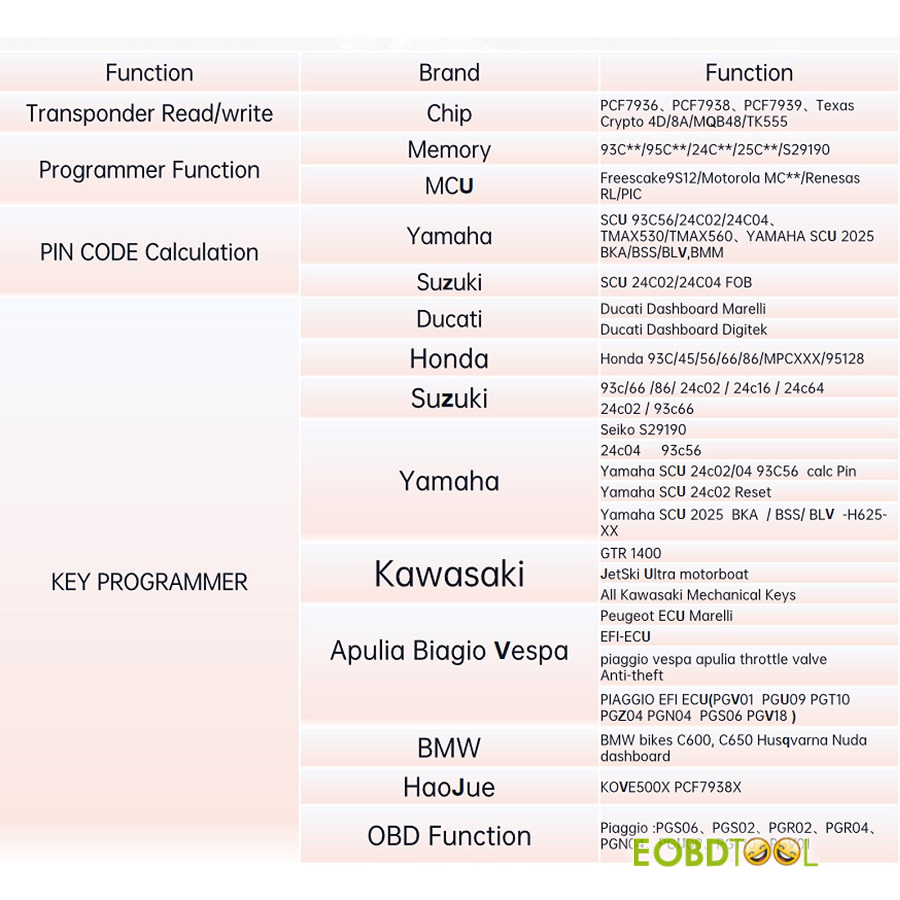
- Transponders: SupportPCF7936, PCF7938, PCF7939, Texas Crypto 4D, 8A, MQB48, and TK555 reading and writing
- Basic Version (Free / No Annual Fee):Yamaha and Suzuki PIN calculation, Piaggio chip copying, built-in wiring diagrams, and MT05 transponder initialization.
- Key Programming:Ducati, Honda, Suzuki, Kawasaki, Piaggio, Vespa, BMW, Aprilia, Moto Guzzi, and Haojue.
- Bench Protocol:Programs keys without cutting or drilling plastic ECU casings.
- Paid Authorization Modules:Module 23 unlocks Honda PIN code reading and smart key unlocking (K77, K1Z, K1N, K1B, K2V, K96, K97, MKRD1, MKRJ1, MKTD0). Module 22 enables Ducati/KTM 4D chip copying.
PART II
First-Time Setup
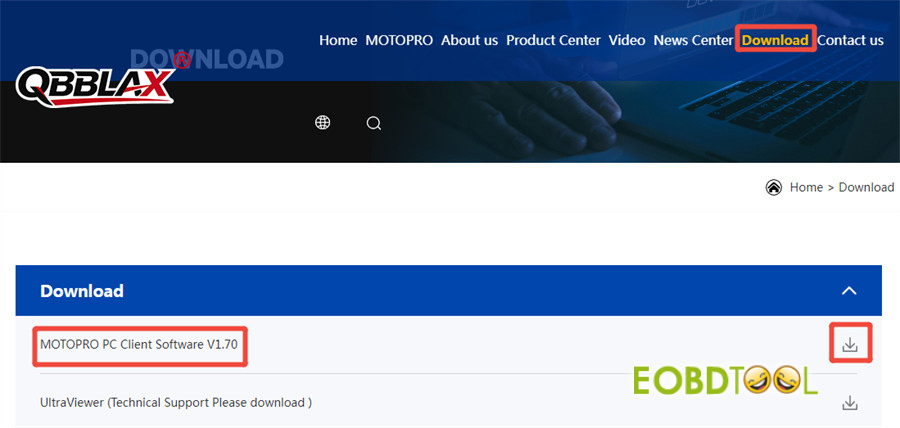
1.Motopro PC Software Download
Official website download path:
- Visit www.qbblax.com
- Click “Download”
- Double click “MOTOPRO PC Client Software V1.70” or click the download button to download the software directly
2.Software Installation
Run MotoProInstallV1.70.exe and follow the installation prompts.
3.Account Registration
Connect MOTOPRO key programmer to your PC via USB cable
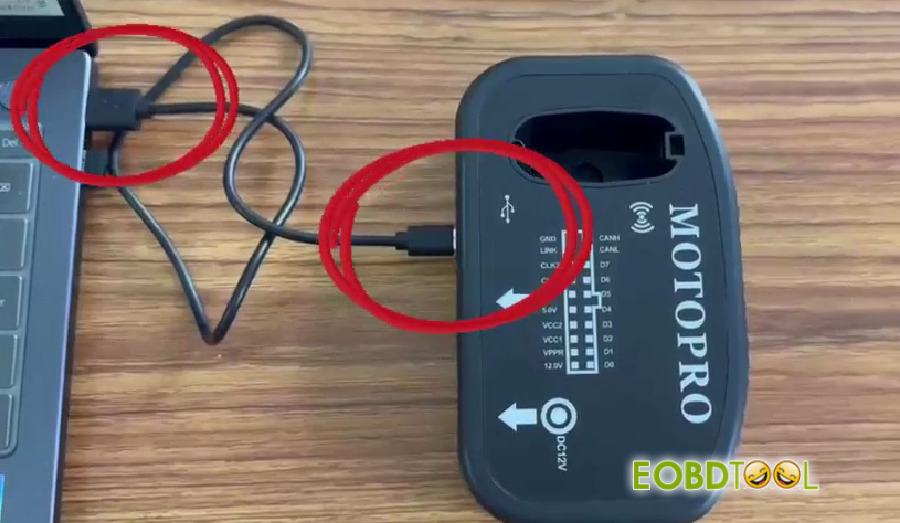
Open Motopro PC Software
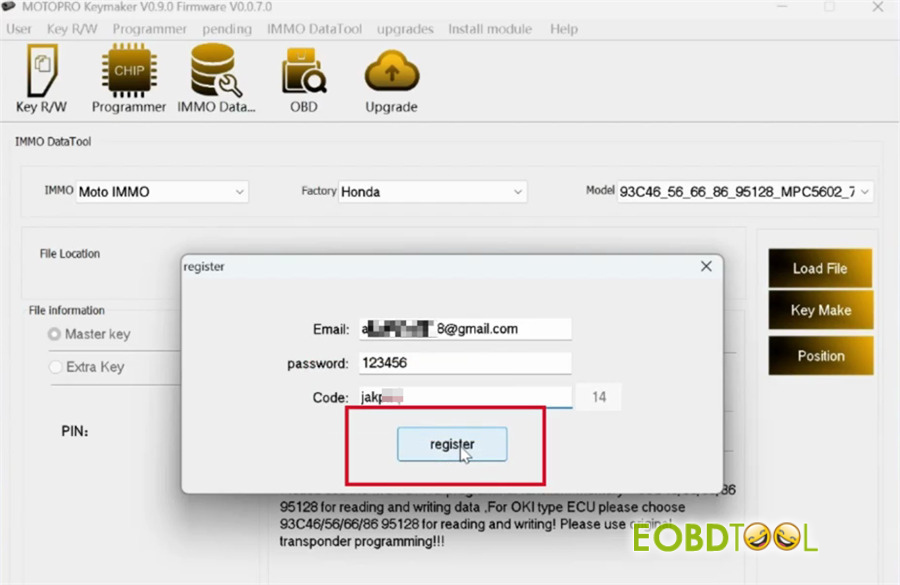
The registration screen will display automatically.
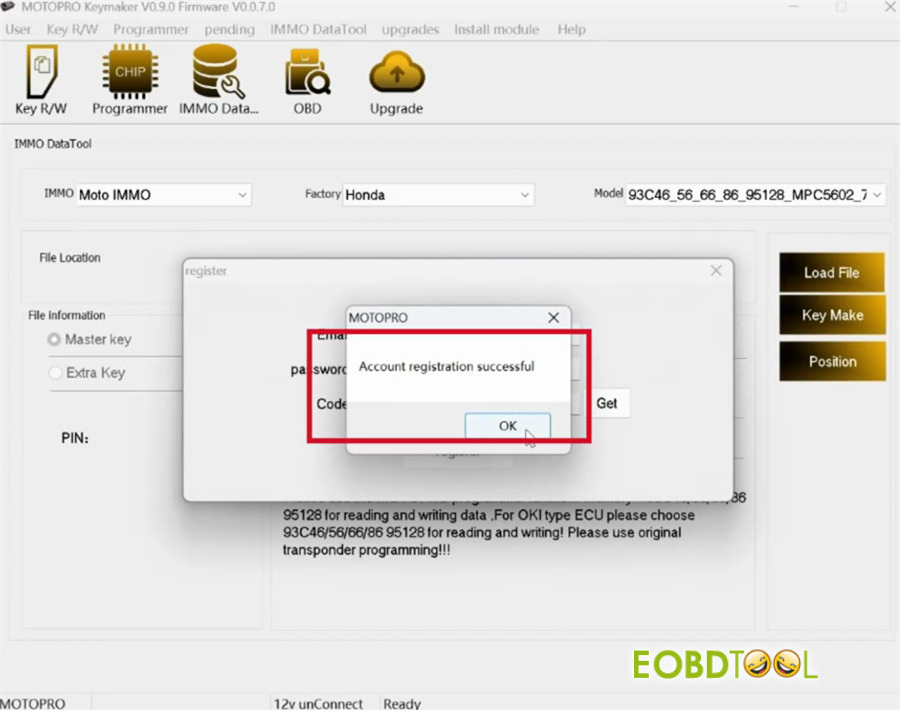
Enter a valid email and set a password (must be at least 8 characters long).
Click Get to receive a verification code by email.
Enter the code and click Register.
- Firmware & Software Update
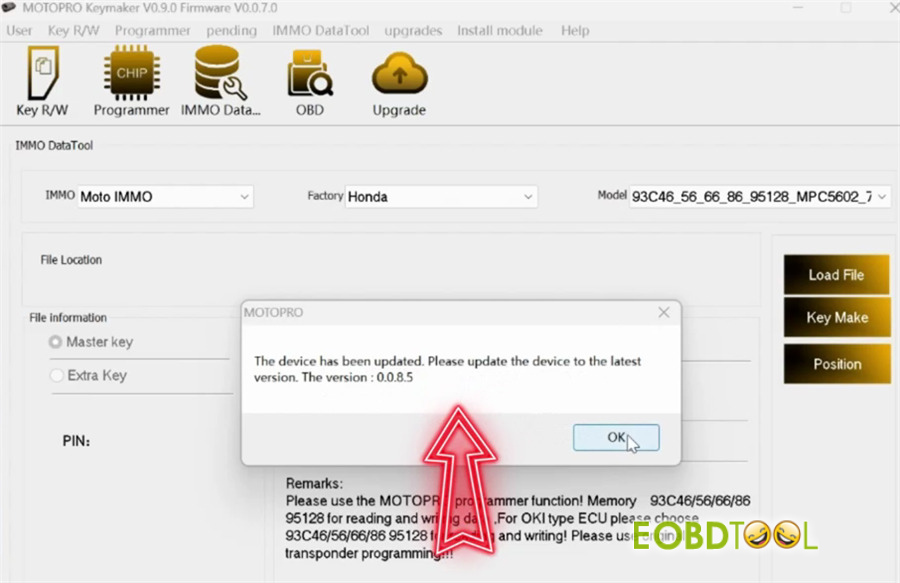
Accept the update prompt upon logging in.
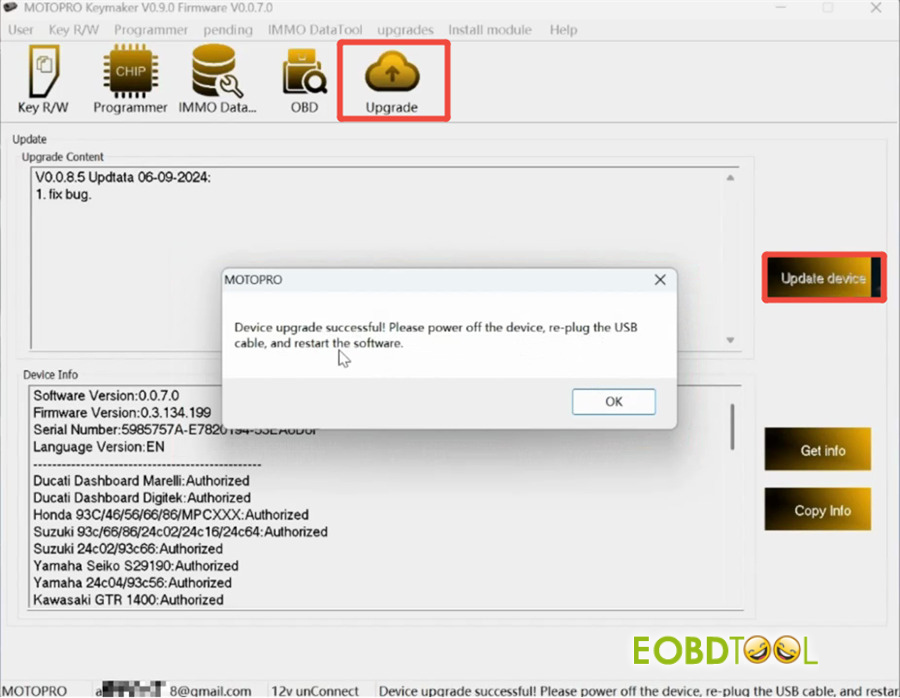
Click Upgrade -> Upgrade device to complete the update process.
Once finished, disconnect the USB cable, re-plug the hardware, and restart the software.
PART III
MotoPro PC Software Function Display
MotoPro needs to be connected to a 12V power supply when working.
Open MotoPro PC Software
At the bottom of the page, you can see your account (email address), power prompt (12v connection status), and MotoPro message return prompt (such as Ready)
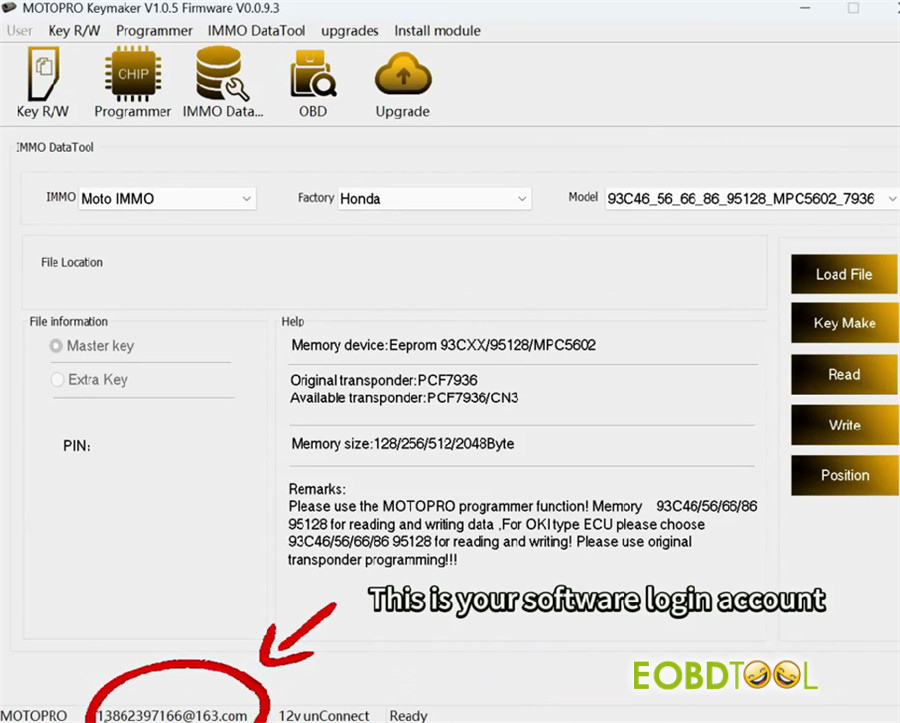
There are main five sections in the menu bar:
1.Key R/W:
2.Programmer
3.IMMO Data Tool
4.OBD Function
OBD refers to the OBD protocol, which connects the controller via Dupont wire to avoid digging and welding
5.Upgrade
In details:
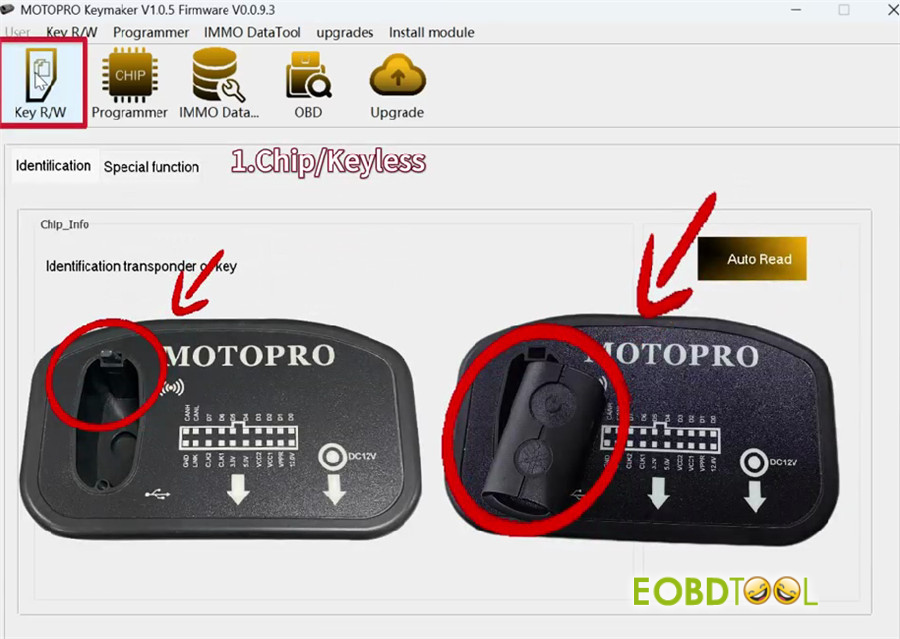
1.Key R/W:
The chip or remote control is placed into Moto Pro induction coil which can automatically identify the chip type.
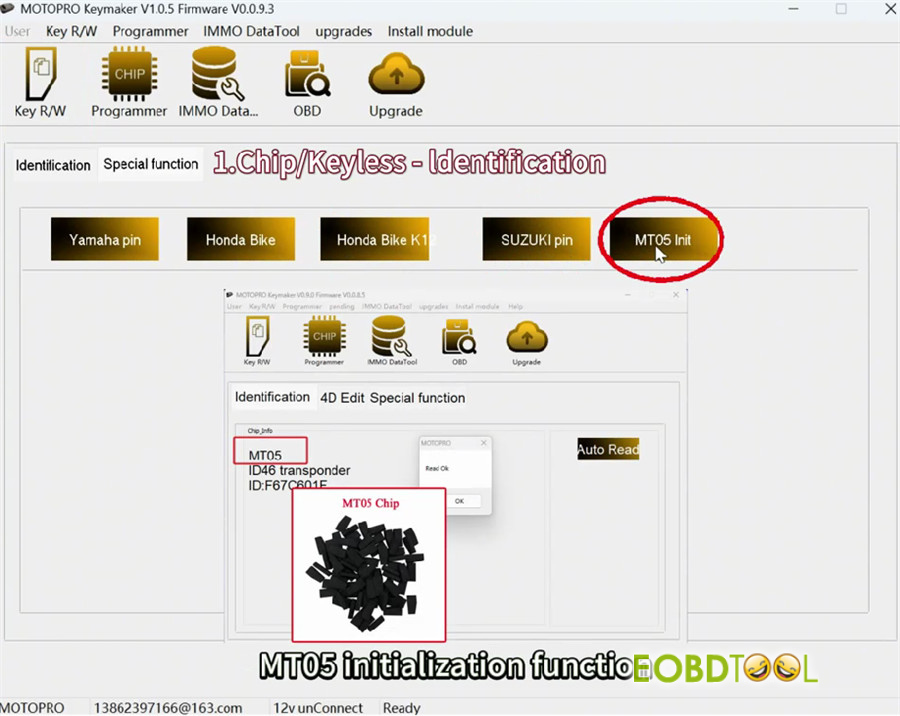
- Identification (Chip/Keyless):
- Yamaha pin (keyless PINCODE read)
- Honda Bike (keyless PINCODE read/unlock)
- Honda Bike K1 (K59/K12 PINCODE read)
- SUZUKI pin (keyless PINCODE read)
- MT05 Init (initialization)
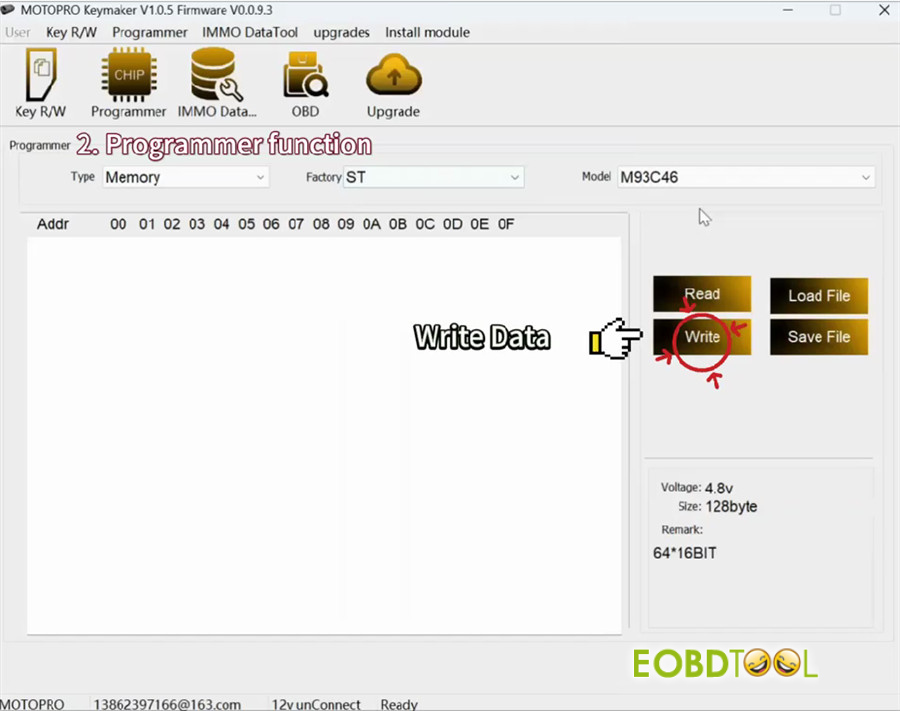
2.Programmer Function
Select Memory or MCU type to read and write the data
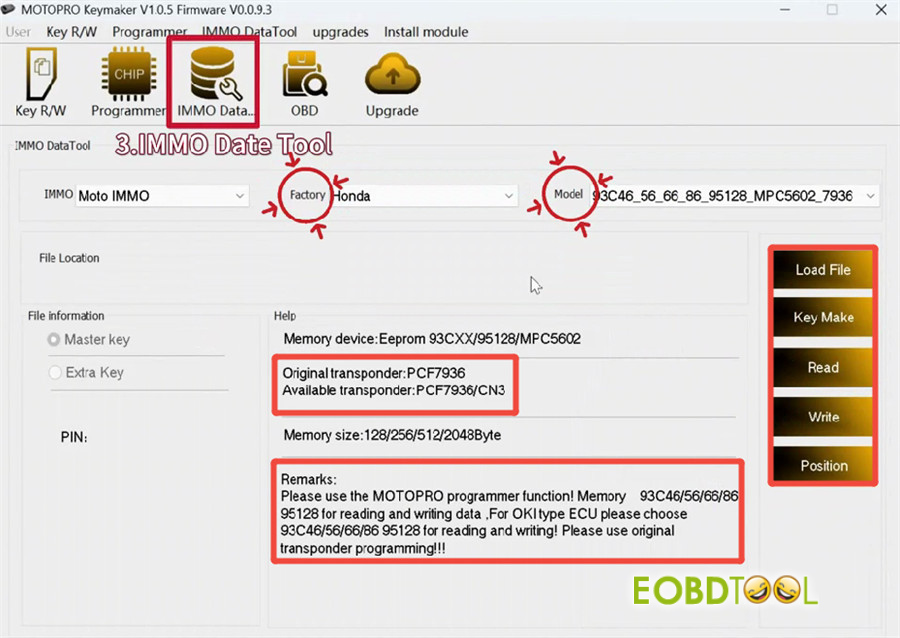
3.IMMO Data Tool
Select Motor bike factory and controller memory type
- [Read]: Read memory data directly and save automatically
- [Load File]: Load memory data
- [Key Make]: Add key and all keys lost, program transponder and keyless
- [Write]: Write new data to memory
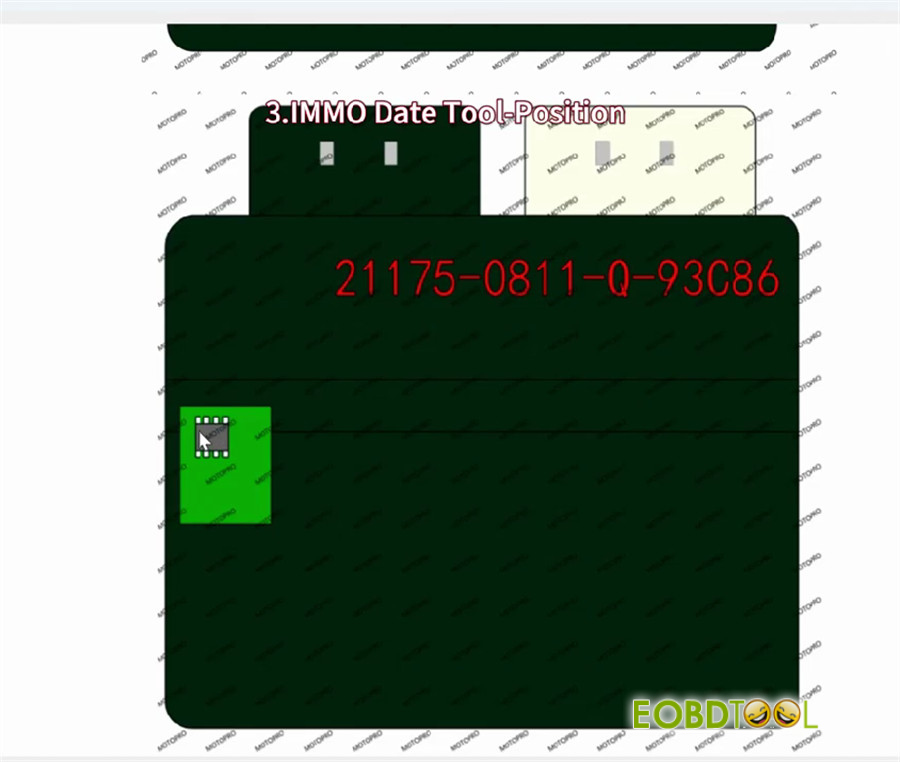
- [Position]: Check the built-in wiring diagram
Transponder type prompts original transponder and available transponder type
Notice: read remarks before programming the key to avoid risks!
4.OBD Function
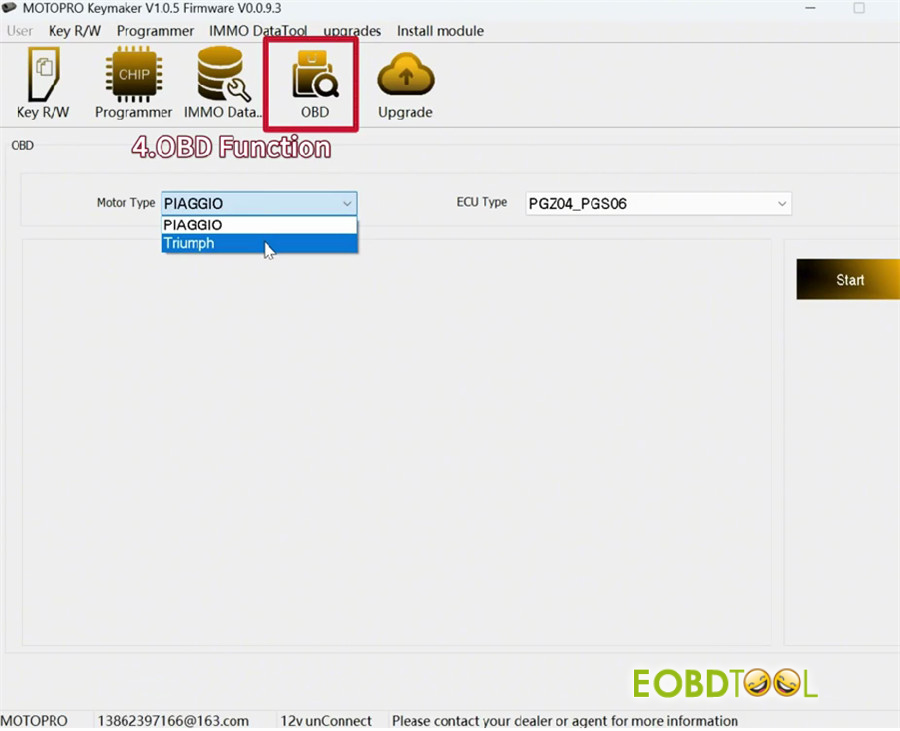
No need to dig holes, read data through OBD protocol
Main motor type:
- PIAGGIO (Basic version support)
- Triumph 46 chip mechanical key type (Module 25)
5.Upgrade
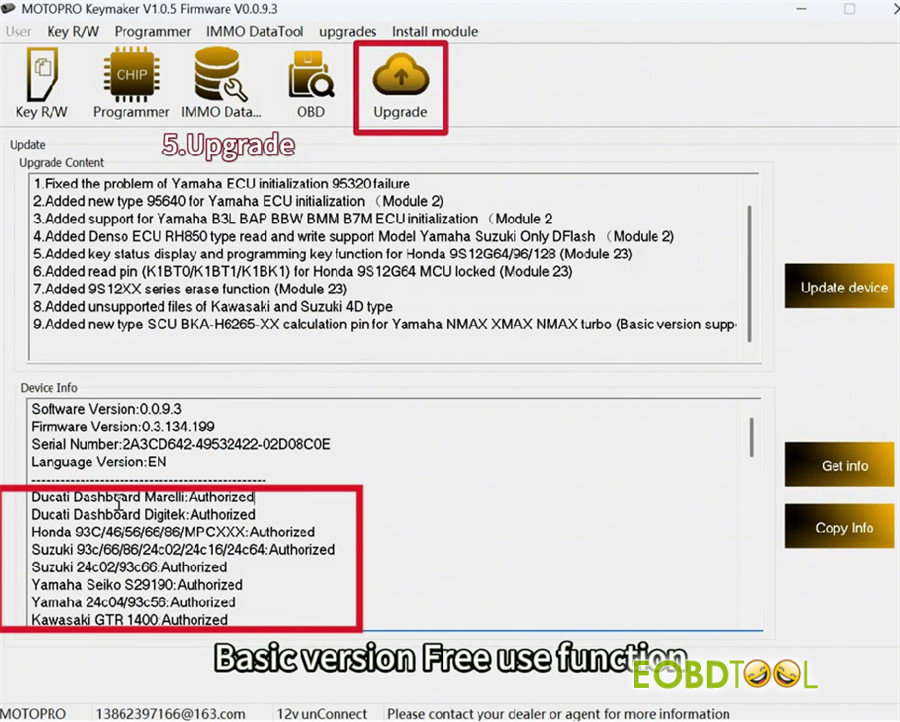
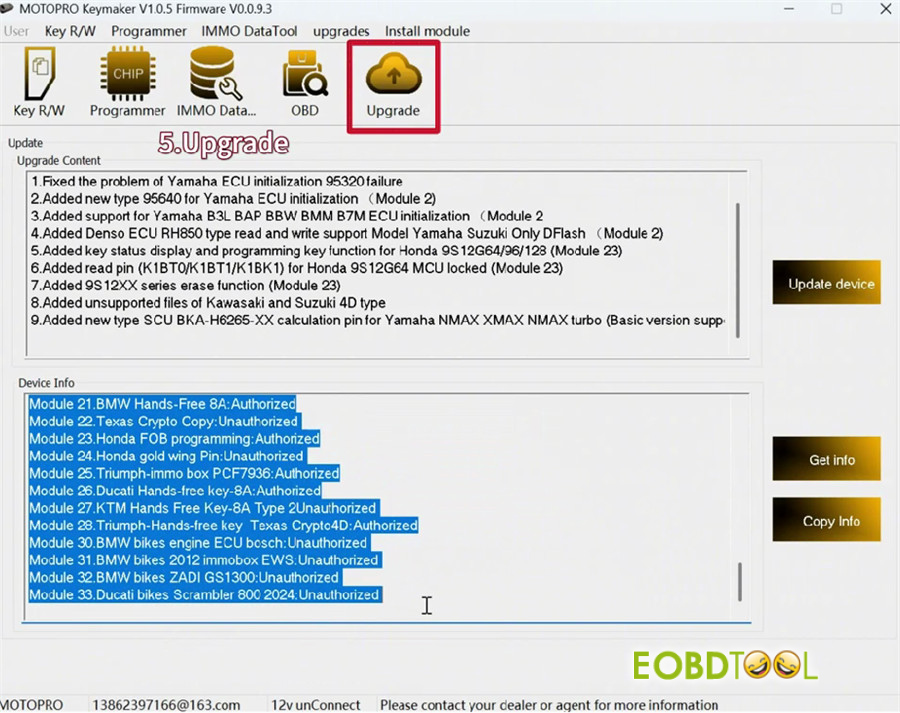
The software will automatically upgrade.
Two main sections:
- Upgrade Content
- Device Info
Click “Get info” to see the software and device version info, basic version free use function, and which modules support authorization.
Learn More Info about MOTOPRO Motorcycle Key Programmer:
https://www.eobdtool.co.uk/wholesale/motopro-pc-based-motorcycle-key-programmer.html







